Operator control/settings
58 A4774-1.0 HBM: public WTX110
Entry confirmation/function selection
Normally every entry or parameter/selection function must be confirmed with
the Enter key, even if it does not appear in the text. Then the program
continues in the next step.
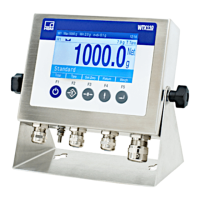
Softkeys
The assignment of softkeys depends on the current program step as well as
the selected application. The current assignment is displayed in the bottom line
on the screen by the function keys.
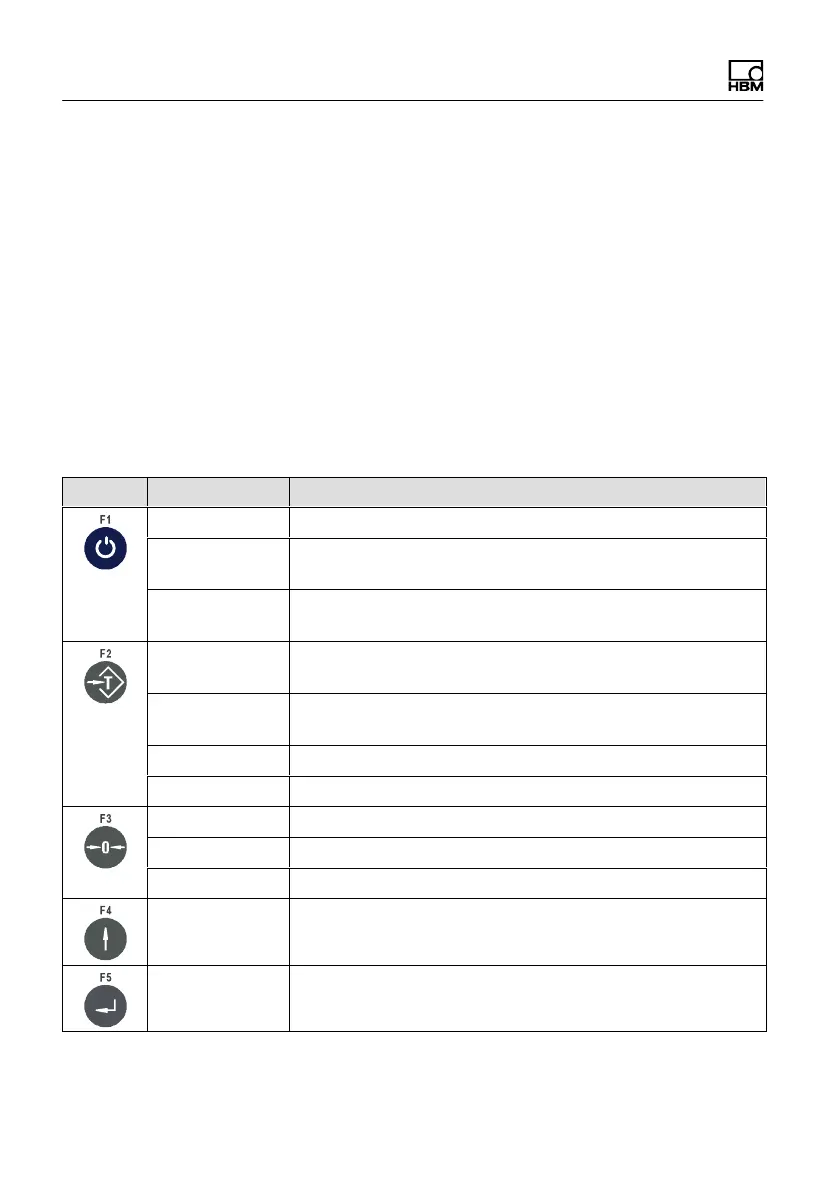
Function keys
Key Softkey Description
On/Off Turn On/Off (if S100 in position 1)
Select Scroll forward / adapt parameters, call Service mode with
vibration notice
Clr Press: Delete characters individually
Hold: Clear all places
Tare Tare (tare balance), or clear tare of tared scale (multiple
taring also possible)
+1 Selection menu options or select values in a parameter
entry (+1)
Yes Activate an option
=> Scroll by character
Zero balance Zero gross weight of scale (only in range of zero setting)
0 Append 0 in parameter entries (0)
No Deactivate an option
Return
Return to the previous program step
Confirm
Confirm the parameter entries or continue to the next
program step (Enter)


 To Next Page