4.9 Trend-Like Position Sensing Switch
Chapter 4: Removal, Replacement, and Adjustment Procedures
Affinity® Three Birthing Bed and Affinity® Four Birthing Bed Page 4 - 29
Service Manual (MAN272 REV 4)
4
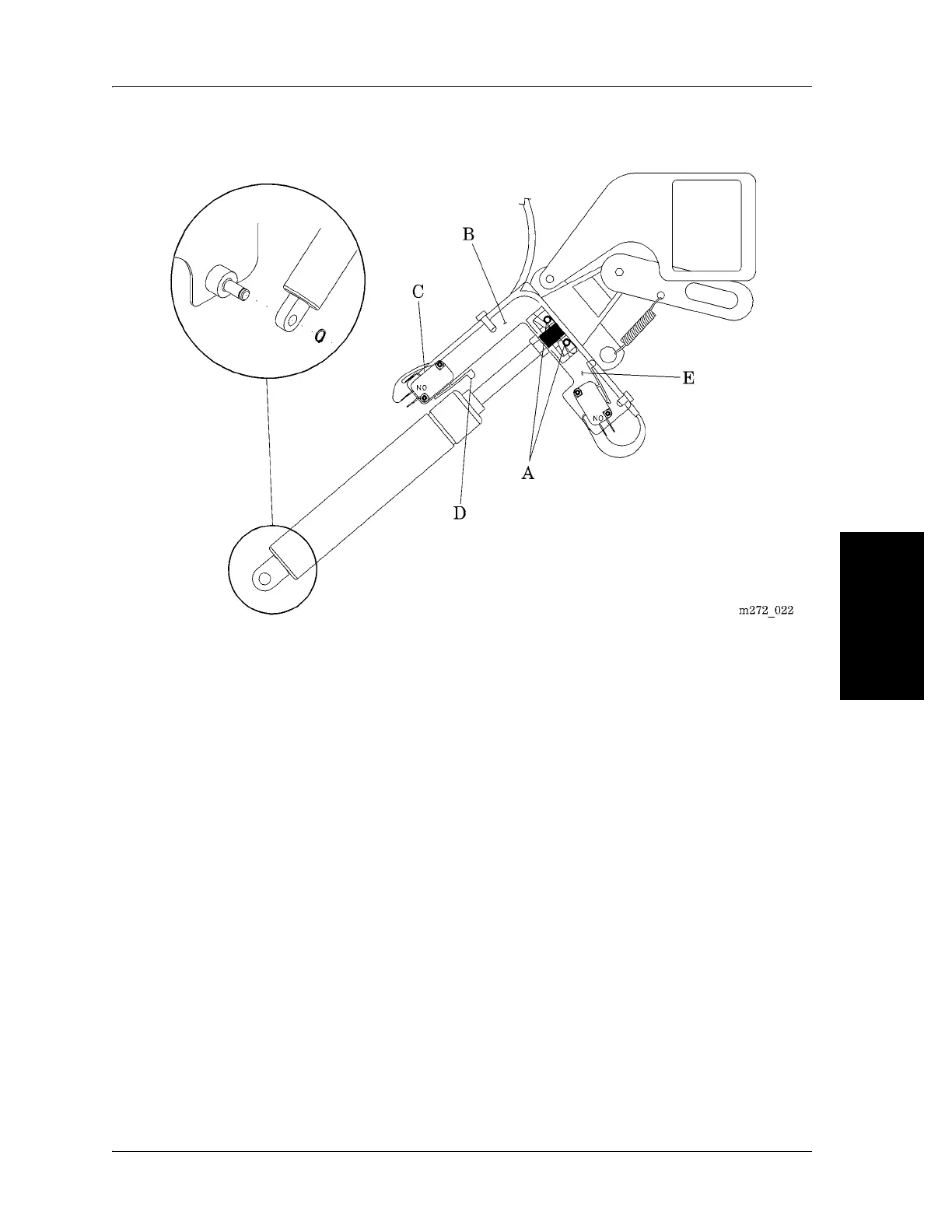
Figure 4-13. Trend-Like Position Assembly
11. Ensure that the actuator arm (D) is fully activated. (The arm is fully
activated when the switch makes an audible click.)
12. Using a 5/16" wrench, tighten the two screws (A) that secure the switch
bracket (B) to the Trend-Like position release mechanism (E).
13. After the adjustment is complete, ensure that the Trend-Like position
system is operating correctly. See “Function Checks” on page 2-4.
14. Reverse the removal procedures to reinstall the optional air system (if so
equipped) and the top motor cover.
15. Ensure that all Trend-Like functions work properly. See “Function Checks”
on page 2-4.














 To Next Page