EasyManua.ls Logo

Hill-Rom Affinity Three - User Manual

Hill-Rom Affinity Three
308 pages
Print Icon
To Next Page IconTo Next Page
Loading...
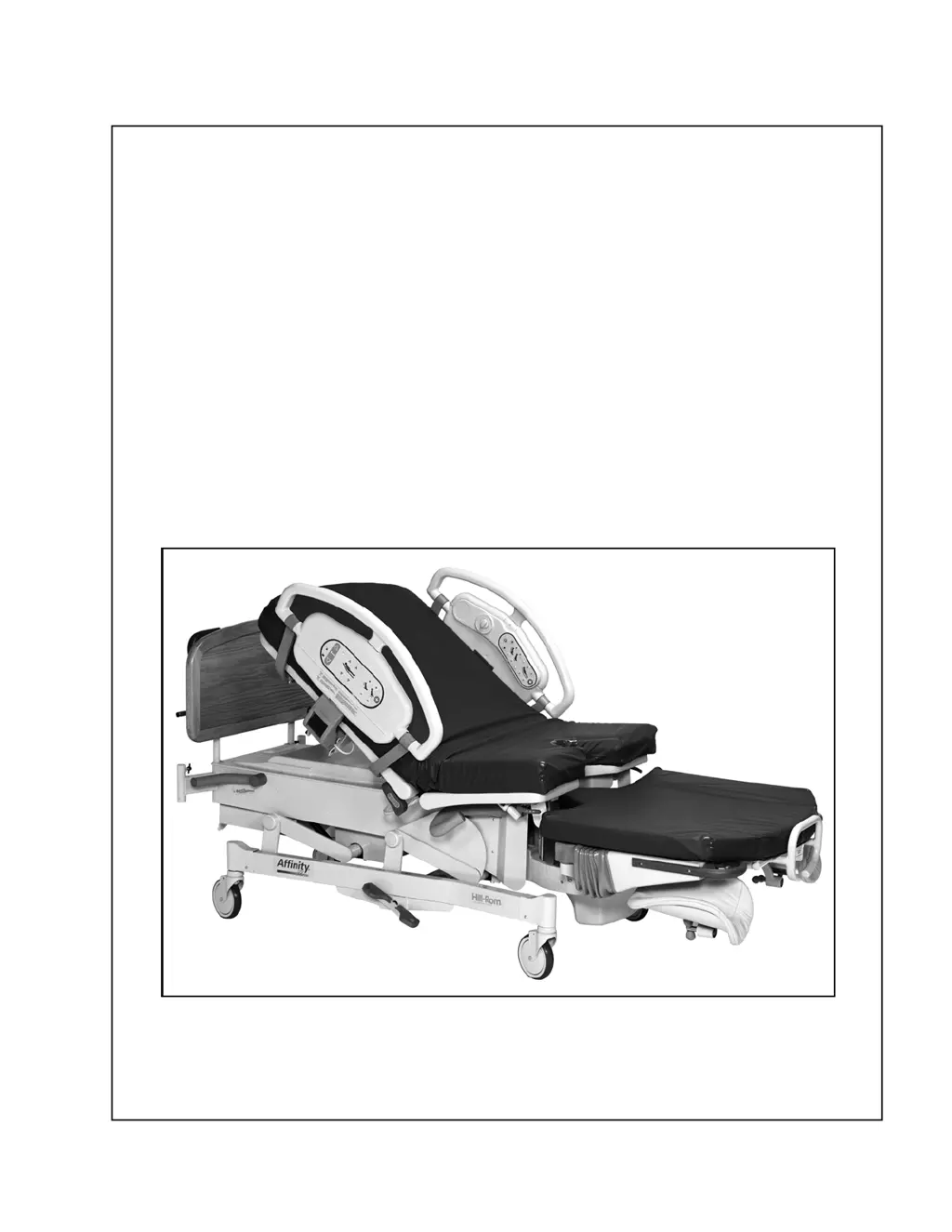
SERVICE MANUAL
Affinity® Three
Birthing Bed
and
Affinity® Four
Birthing Bed
From Hill-Rom
Product No. P3700
MAN272 REV 4

Table of Contents

Questions and Answers

  • M
    Ms. Melissa RichardsAug 19, 2025
    How to solve Bed Air Surface Malfunction in Hill-Rom Affinity Three?
    • M
      michael57Aug 19, 2025
      To solve a bed air surface malfunction in Hill-Rom Medical Equipment, replace the P.C. switch board containing the faulty function for caregiver or patient controls. If needed, replace the P.C. switch boards containing the faulty functions for caregiver or patient controls. Alternatively, replace the logic control P.C. board.
  • A
    Anthony RichardsAug 21, 2025
    What to do if the night light does not illuminate on my Hill-Rom Medical Equipment?
    • T
      Tina ValdezAug 21, 2025
      If the night light on your Hill-Rom Medical Equipment isn't working, here are a few things you can check: 1. Replace the lamp bulb or fixture if damaged. 2. Replace the photocell. 3. Verify that the night light lamp cable is plugged into the logic control P.C. board connector, P1. 4. Replace the logic control P.C. board.
  • J
    jhallAug 25, 2025
    What causes Hilow Up Malfunction in Hill-Rom Affinity Three Medical Equipment?
    • K
      Kevin RodriguezAug 25, 2025
      If the Hilow Up function is malfunctioning on your Hill-Rom Medical Equipment, try these solutions: Ensure the bed is plugged into a power source and the lockout switch is off. Alternatively, the P.C. switch board containing the faulty function(s) for caregiver controls or for patient controls may need to be replaced. You might also need to replace the logic control P.C. board or the hilow motor.
  • K
    Keith McbrideAug 26, 2025
    What causes Hilow Down Malfunction in Hill-Rom Affinity Three Medical Equipment?
    • A
      Ariel WebbAug 26, 2025
      If the Hilow Down function is malfunctioning on your Hill-Rom Medical Equipment, try these solutions: Ensure the bed is plugged into a power source and the lockout switch is off. Alternatively, the P.C. switch board containing the faulty function(s) for caregiver controls or for patient controls may need to be replaced. You might also need to replace the logic control P.C. board or the hilow motor.
  • A
    Anne MunozAug 27, 2025
    How to fix head up malfunction in Hill-Rom Medical Equipment?
    • J
      Jill ClarkAug 27, 2025
      To fix a head up malfunction in Hill-Rom Medical Equipment, make sure the bed is plugged into an appropriate power source and the lockout switch is off. Also, remove any sheets or blankets that might be activating the CPR release. If problems persist, consider replacing the P.C. switch board for caregiver or patient controls, the logic control P.C. board, or the head motor.
  • M
    Mike CarterAug 30, 2025
    How to fix head down malfunction in Hill-Rom Affinity Three Medical Equipment?
    • J
      Jacob WheelerAug 30, 2025
      To address a head down malfunction in Hill-Rom Medical Equipment, first ensure the bed is properly connected to a power source and the lockout switch is deactivated. If the issue continues, consider replacing the P.C. switch board for caregiver or patient controls, the logic control P.C. board, or the head motor.
  • J
    jessicabarnesAug 31, 2025
    How to fix foot up malfunction in Hill-Rom Affinity Three?
    • K
      Kimberly BrownAug 31, 2025
      To resolve a foot up malfunction on your Hill-Rom Medical Equipment, ensure it is plugged into a suitable power source and the lockout switch is off. If that doesn't work, try replacing the P.C. switch board for caregiver or patient controls, the logic control P.C. board, or the foot motor.
  • D
    Dillon PhillipsSep 2, 2025
    How to fix foot down malfunction in Hill-Rom Affinity Three Medical Equipment?
    • S
      Sean GregorySep 2, 2025
      To resolve a foot down malfunction on your Hill-Rom Medical Equipment, ensure it is plugged into a suitable power source and the lockout switch is off. If that doesn't work, try replacing the P.C. switch board for caregiver or patient controls, the logic control P.C. board, or the foot motor.
  • N
    Nicole LopezSep 4, 2025
    What causes siderail mechanism not to hold in Hill-Rom Affinity Three?
    • J
      Joseph ReevesSep 4, 2025
      If the siderail mechanism on your Hill-Rom Medical Equipment isn't holding, check for obstructions, missing hardware, or loose fasteners. Also, inspect for obstructions in the center arm, loose fasteners, a missing spring, or any binding. If any of these issues are found, the siderail should be replaced.
  • N
    Natalie HawkinsSep 6, 2025
    What causes Brake Caster Malfunction in Hill-Rom Affinity Three?
    • A
      Amanda SuttonSep 7, 2025
      If you're experiencing a brake caster malfunction with your Hill-Rom Medical Equipment, start by inspecting the caster for excessive wear. If necessary, replace the damaged caster. You can also try adjusting the caster assembly.

Summary

Chapter 1: Introduction

Purpose

Manual provides requirements for Affinity® Three and Four Birthing Beds, including parts lists for replacement components.

Document Symbols

Explains the different typefaces and symbols used in the manual for easier reading and understanding.

Model Identification

Identifies bed models P3700A, P3700B, P3700C, and P3700D with their respective descriptions.

Safety Tips

Provides critical safety guidelines for operating and maintaining electric beds, emphasizing staff training.

CPR Release

Details the procedure for using the emergency CPR release mechanism, including handle location and function.

Warning and Caution Labels

Illustrates and explains various warning and caution labels found on the bed for safety and operational awareness.

Chapter 2: Troubleshooting Procedures

Getting Started

Guides users on how to begin troubleshooting, emphasizing authorized personnel and sequential procedure steps.

Test Equipment

Lists necessary test equipment, primarily a multimeter (VOM), and its basic functions for troubleshooting.

Function Checks

Details procedures to verify proper operation of bed functions, covering various systems and controls.

Hilow System Functional Check

Tests the proper functioning of the bed's hilow system, including operational checks and limit settings.

Battery Back-up Malfunction

Provides steps to diagnose and resolve issues related to the bed's battery backup system, including voltage checks.

CPR Release Malfunction

Details troubleshooting steps for problems with the CPR release mechanism, including adjustment and component checks.

Chapter 3: Theory of Operation

Electrical System

Explains the electrical circuits and PC boards on the bed, referencing wiring diagrams for troubleshooting.

Theory of Operation

States that a detailed theory of operation is not available for the bed.

Chapter 4: Removal, Replacement, and Adjustment Procedures

Tool and Supply Requirements

Lists all necessary tools and supplies required for servicing the bed, including specific wrenches and bits.

Top Motor Cover

Provides step-by-step instructions for removing and replacing the top motor cover, including safety precautions.

Hilow Drive Motor Assembly

Covers the removal, replacement, and adjustment procedures for the hilow drive motor assembly.

Logic Control P.C. Board Assembly

Provides instructions for removing, replacing, and handling the logic control PC board, including safety precautions.

Siderail Assembly

Explains the removal and replacement procedures for the siderail assembly, including cable and component disconnection.

Caster Assembly

Describes the removal, replacement, and adjustment procedures for the bed's casters, including brake/steer functions.

Chapter 5: Parts List

Service Parts Ordering

Provides information on how to order replacement parts and contact Hill-Rom Technical Support with necessary data.

Recommended Spare Parts

Lists recommended spare parts for servicing the beds, including part numbers, quantities, and descriptions.

Main Frame Module

Provides an exploded view and parts list for the main frame module of the Affinity® bed.

Electronics Module (Sheet 1 of 3)

Details parts for the electronics module, sheet 1 of 3, including power cords, fuses, and cable assemblies.

Foot Support Module-P3700 A

Provides an exploded view and parts list for the P3700A foot support module.

Air Module

Lists components for the air module, including hoses, pumps, and PCB assemblies.

Base Module-P3700 B;C (Sheet 1 of 2)

Lists parts for the P3700B/C base module, sheet 1 of 2, detailing components like pedals and brake links.

Sleep Deck-P3700 B;C

Lists parts for the P3700B/C sleep deck, including wire forms, latches, and foot sections.

Chapter 6: General Procedures

Cleaning

Provides instructions and warnings for cleaning the bed unit, including safe cleaning agents and avoiding excess moisture.

Servicing the Bed

Gives essential safety precautions and procedures for servicing the bed, including unplugging and securing the unit.

Preventive Maintenance

Outlines the importance and schedule for performing preventive maintenance (PM) on the beds to ensure longevity.

Using Loctite Adhesive

Explains the proper use of Loctite® retaining compounds during service procedures, including types and application.

Chapter 7: Accessories

Accessories

Lists available bed accessories with their product numbers and descriptions, including safe working loads.

Labor Bar (P3613)

Details the installation, adjustment, and removal procedures for the labor bar accessory.

Oxygen Tank Holder (P276)

Explains the installation and removal of the oxygen tank holder accessory.

Telescoping Calf Supports (P35745 A) or Telescoping Full Leg Supports (P7634 C)

Covers the installation, adjustment, and removal of calf or full leg support accessories.

Hill-Rom Affinity Three Specifications

General IconGeneral
Power SourceElectric
Weight Capacity500 lbs
Backrest Angle0° to 70°
Side RailsYes
Lithotomy PositionNo
Backrest AdjustmentYes
WheelsYes
BrakesYes

Related product manuals