4.17 Foot Section (Slide Off)
Chapter 4: Removal, Replacement, and Adjustment Procedures
Affinity® Three Birthing Bed and Affinity® Four Birthing Bed Page 4 - 43
Service Manual (MAN272 REV 4)
4
4.17 Foot Section (Slide Off)
Tools required: None
Removal
1. Pivot the foot mattress side panels (A) up (see figure 4-21 on page 4-42).
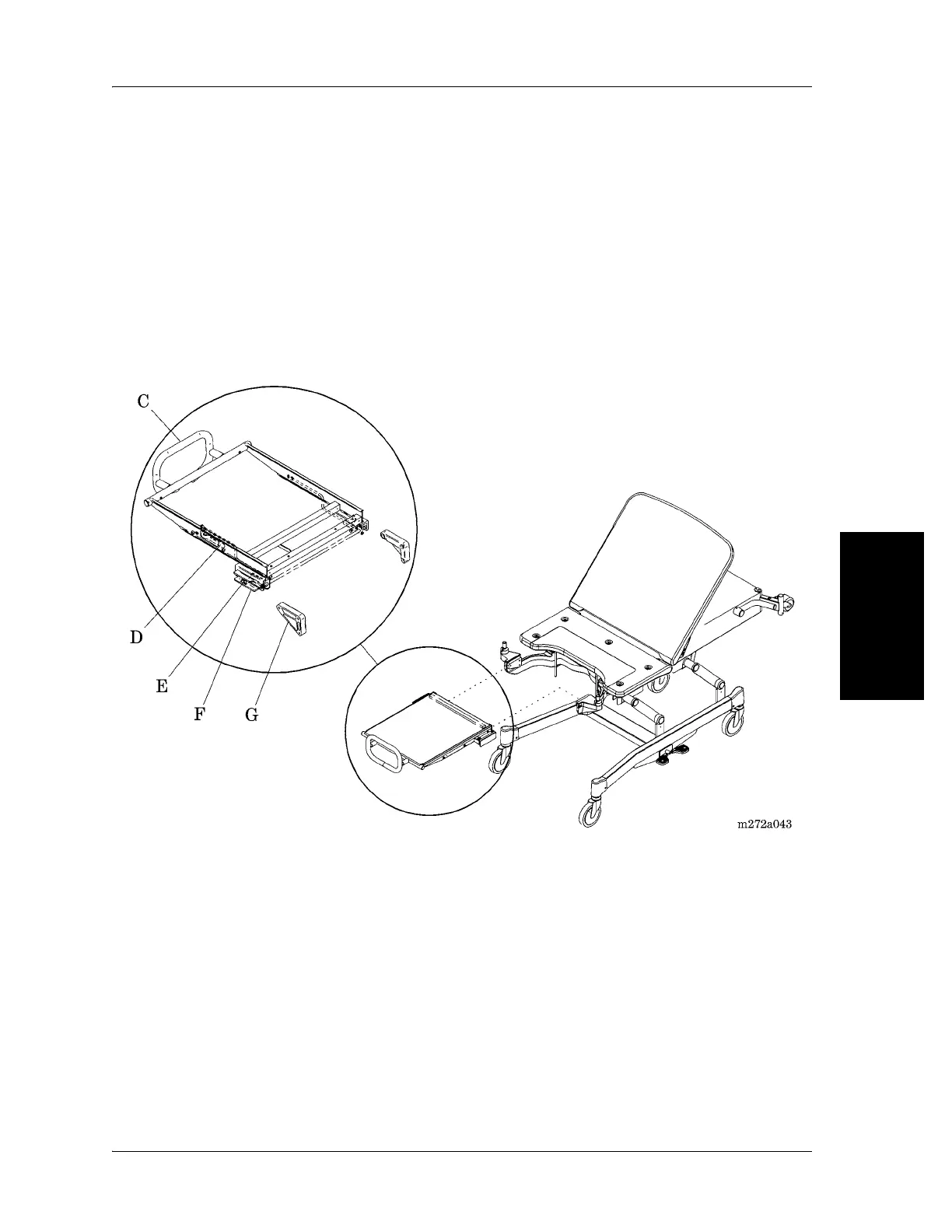
2. Pull the foot section release handles (D) to release the latch mechanisms
(E) from the channel slides (F) (see figure 4-22 on page 4-43).
Figure 4-22. Foot Section (Slide Off)
3. Grasp the mattress handles (B) located on both sides of the mattress
(see figure 4-21 on page 4-42).
4. Slide the foot section straight out toward yourself.
The foot section pull handle doubles as a base to allow the foot section to stand
alone.
5. Stand the foot section up on the pull handle (C) base.














 To Next Page