2.12 Bed Air Surface Malfunction
Chapter 2: Troubleshooting Procedures
Affinity® Three Birthing Bed and Affinity® Four Birthing Bed Page 2 - 29
Service Manual (MAN272 REV 4)
2
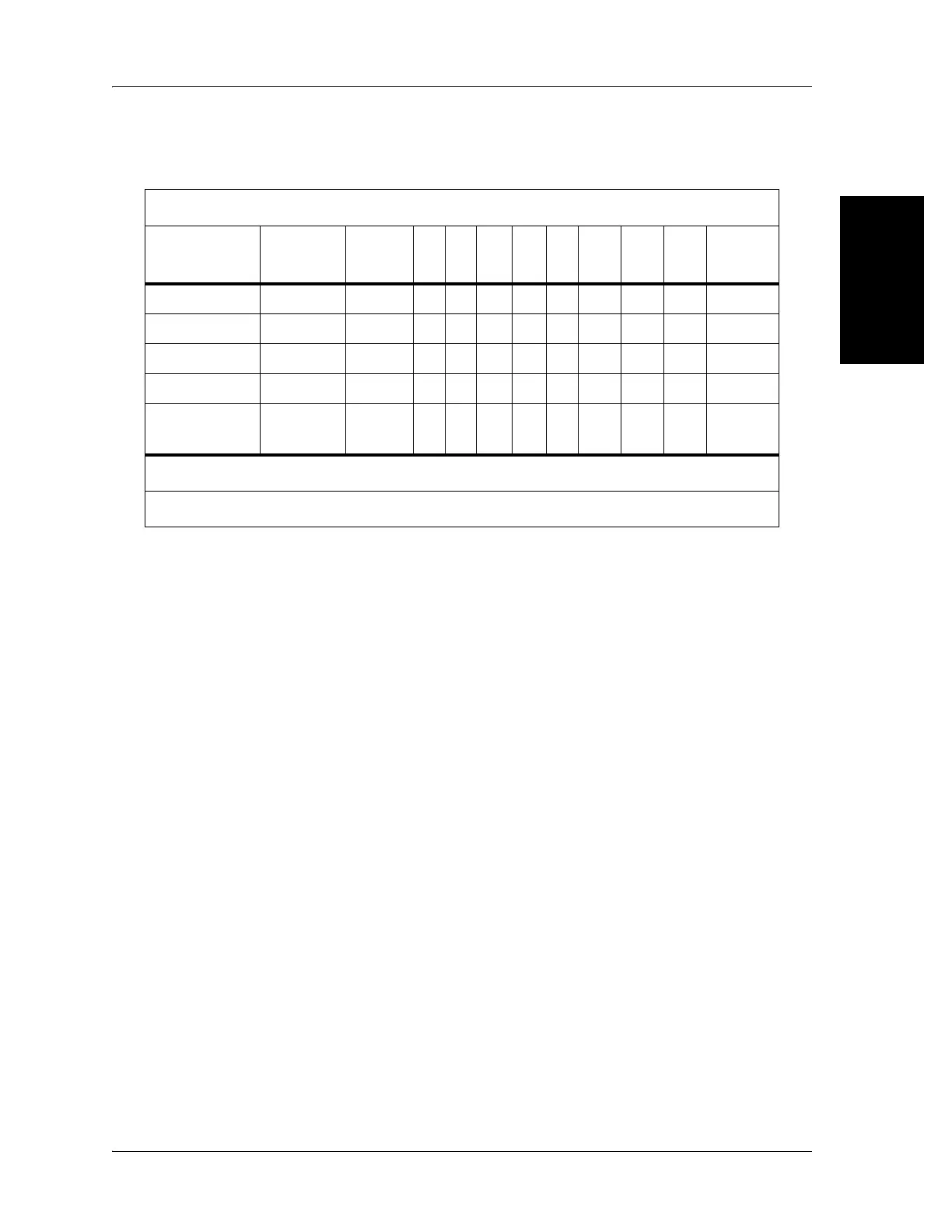
Table 2-2. Three Station Manifold I/O Signal Reference
10. Replace the cable or connectors from the logic control P.C. board to the air
system control P.C. board. This solves the problem.
Yes No
Contact Hill-Rom Technical Support.
11. Go to “Final Actions” on page 2-10.
12. Disconnect the air connectors at the seat section. Activate the back inflate
button, and test for air pressure on the patients left-hand side. Activate the
back deflate button, and test for air release on the patient’s left-hand side.
Activate the seat inflate button, and test for air pressure on the patients
right hand side. The air pressure and air release is correct at both of the
connectors.
Yes No
Go to step 15.
13. Ensure that all hoses and bladders are free of kinks, pinching, and leaks.
This solves the problem.
Yes No
Go to step 15.
14. Go to “Final Actions” on page 2-10.
Logic Control P.C. Board Connector P8
Input Command: Mattress Function
Output
Signal
Pin No.
Wire
Color
SF SS BF BS AI
BF/
SF
BS/
SS
BF/
SS
BS/SF
Pump 11 GRN X X X X X
Lum 7 BLU X X X X
Seat 8 VIO XX XX X
In/out 9 RED X X X
Super-
visory
12 ORG XXX XXX X
X= ON= 5V DC (approximately)
Legend: SF= Seat firm SS= Seat soft BF= Back firm BS= Back soft AI= Auto inflate














 To Next Page