12-18
12
SET MODE
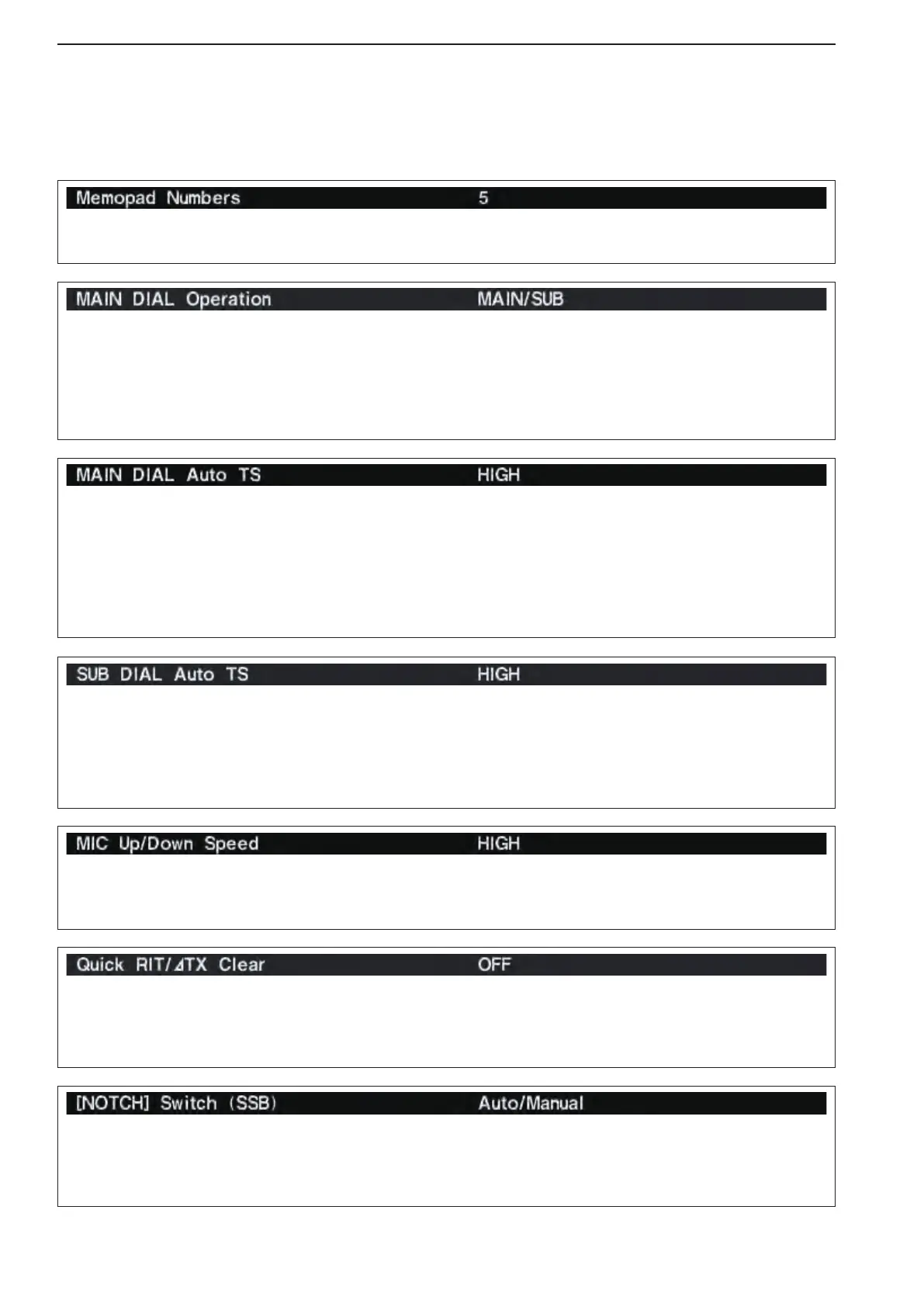
Sets the rate at which frequencies are scanned when
the microphone [UP]/[DN] switches are held down.
High or low can be selected.
•HIGH :Highspeed(default;50tuningsteps/sec-
ond)
•LOW :Lowspeed(25tuningsteps/second)
Selects the RIT/∂TX frequency clearing instruction
with the [CLEAR] switch.
•ON :ClearstheRIT/∂TX frequency when [CLEAR]
is pushed momentarily.
•OFF:ClearstheRIT/∂TX frequency when [CLEAR]
is held down for 1 second. (default)
Selects notch functions for SSB mode operation from
Auto, Manual and Auto/Manual.
•Auto :Theautonotchcanonlybeused.
•Manual :Themanualnotchcanonlybeused.
•Auto/Manual:Boththeautoandmanualnotchcan
be used. (default)
■ Others set mode (continued)
Sets the auto tuning step function for the sub dial.
When rotating the sub dial rapidly, the tuning step au-
tomatically changes several times as selected.
There are 2 type of auto tuning steps: HIGH (Fastest)
and LOW (Faster). (default: HIGH)
•HIGH :AutotuningstepisturnedON.Fastesttun-
ing step during rapid rotation. (default)
•LOW :AutotuningstepisturnedON.Fastertun-
ing step during rapid rotation.
•OFF :AutotuningstepisturnedOFF.
Sets the auto tuning step function for the main dial.
When rotating the main dial rapidly, the tuning step
automatically changes several times as selected.
There are 2 type of auto tuning steps: HIGH (Fastest)
and LOW (Faster). (default: HIGH)
•HIGH :Approximately 5 times faster when the
tuning step is set to 1 kHz or smaller
steps; approximately 2 times faster when
the tuning step is set to 5 kHz or larger
steps. (default)
•LOW :Approximately2timesfaster.
•OFF :AutotuningstepisturnedOFF.
Selects the main dial function from MAIN and MAIN/
SUB. (default: MAIN/SUB)
•MAIN :Themaindialfunctionsonlywhenac-
cessing to main readout.
•MAIN/SUB:Themaindialfunctionswhenaccess-
ing to main readout, as well as when
accessing to sub readout with [SUB]
switch operation.
Sets the number of memo pad channels available. 5
or 10 memo pads can be set. (default: 5)



 To Next Page