12-19
12
SET MODE
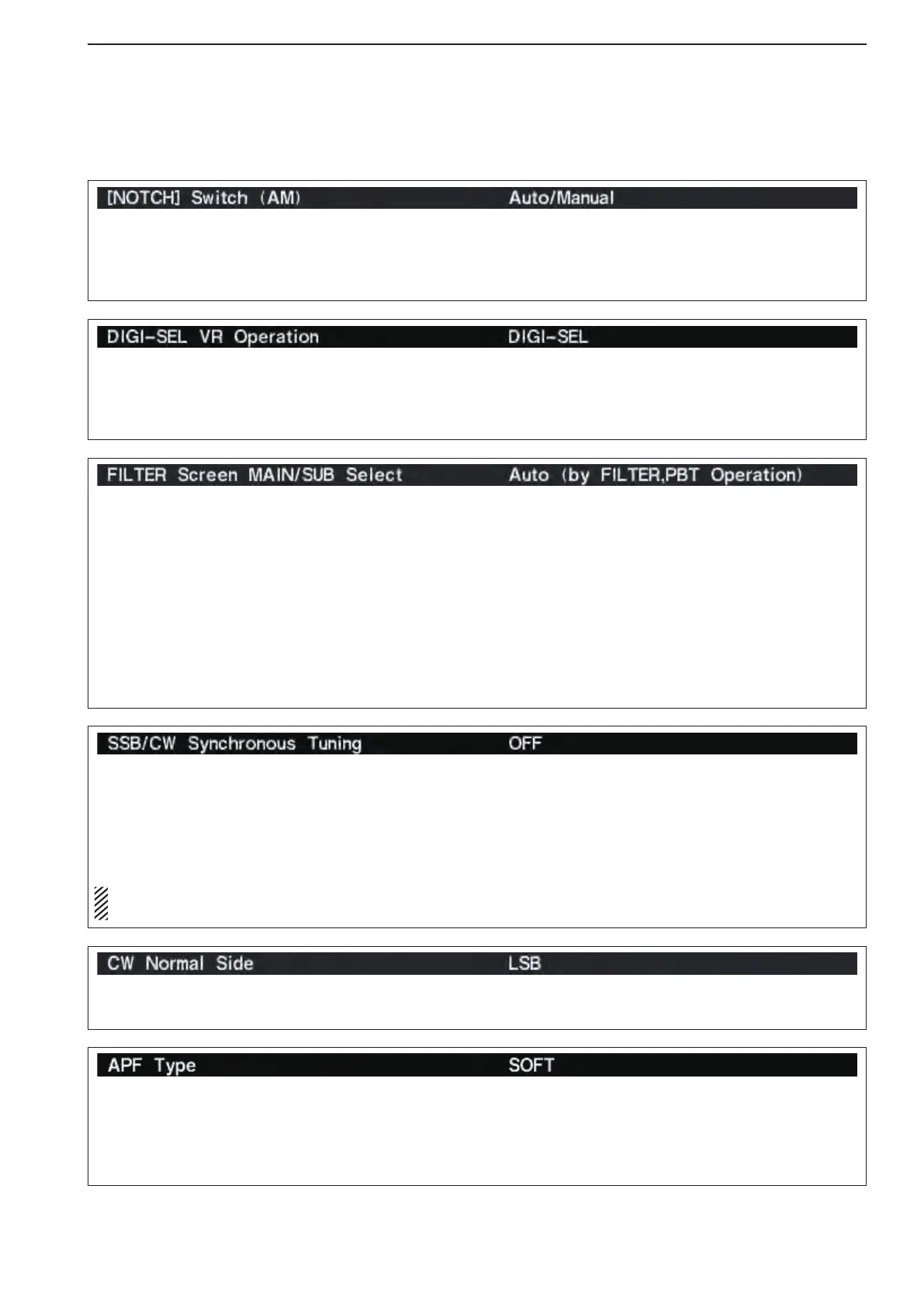
Selects [DIGI-SEL] control function from DIGI-SEL
and APF.
•DIGI-SEL :[DIGI-SEL]controlfunctionsasthedig-
ital selector operation. (default)
•APF :[DIGI-SEL] control functions as the
audio peak filter adjustment.
Selects notch functions for AM mode operation from
Auto, Manual and Auto/Manual.
•Auto :Theautonotchcanonlybeused.
•Manual :Themanualnotchcanonlybeused.
•Auto/Manual:Boththeautoandmanualnotchcan
be used. (default)
Selects filter set screen indication condition from Fix
and Auto (by FILTER,PBT Operation).
•Fix :
When filter screen accessed with the main
band’s [FILTER] switch, the screen shows main
band’s filter width and PBT conditions only;
when filter set screen accessed with the sub
band’s [FILTER] switch, the screen shows sub
band’s filter width and PBT conditions only.
•Auto(byFILTER,PBTOperation)
:
Filter set screen indication can be switched be-
tween main and sub bands filter width and PBT
conditions when either band’s [FILTER] switch
or [TWIN PBT] control is operated. (default)
Selects the displayed frequency shift function from
ON or OFF. (default: OFF)
When this function is activated, the receiving signal
can be kept to receive even when the operating mode
is changed between SSB and CW.
The frequency shifting value may differ according
to the CW pitch setting.
•ON :Thedisplayedfrequencyshiftswhentheop-
erating mode is changed between SSB and
CW.
•OFF:Thedisplayedfrequencydoesnotshift.
Selects the side band used to receive CW in CW nor-
mal mode. (default: LSB)
■ Others set mode (continued)
Set audio filter shape for APF from SOFT and
SHARP. (default: SOFT)
•SOFT :Soft filter shape makes distinguishing
noise and signals easier. The audio filter
width is related to the CW pitch setting.
•SHARP :Sharpfiltershaperejectsinterferencesig-
nals. The audio filter width is fixed.



 To Next Page