12-20
12
SET MODE
■ Others set mode (continued)
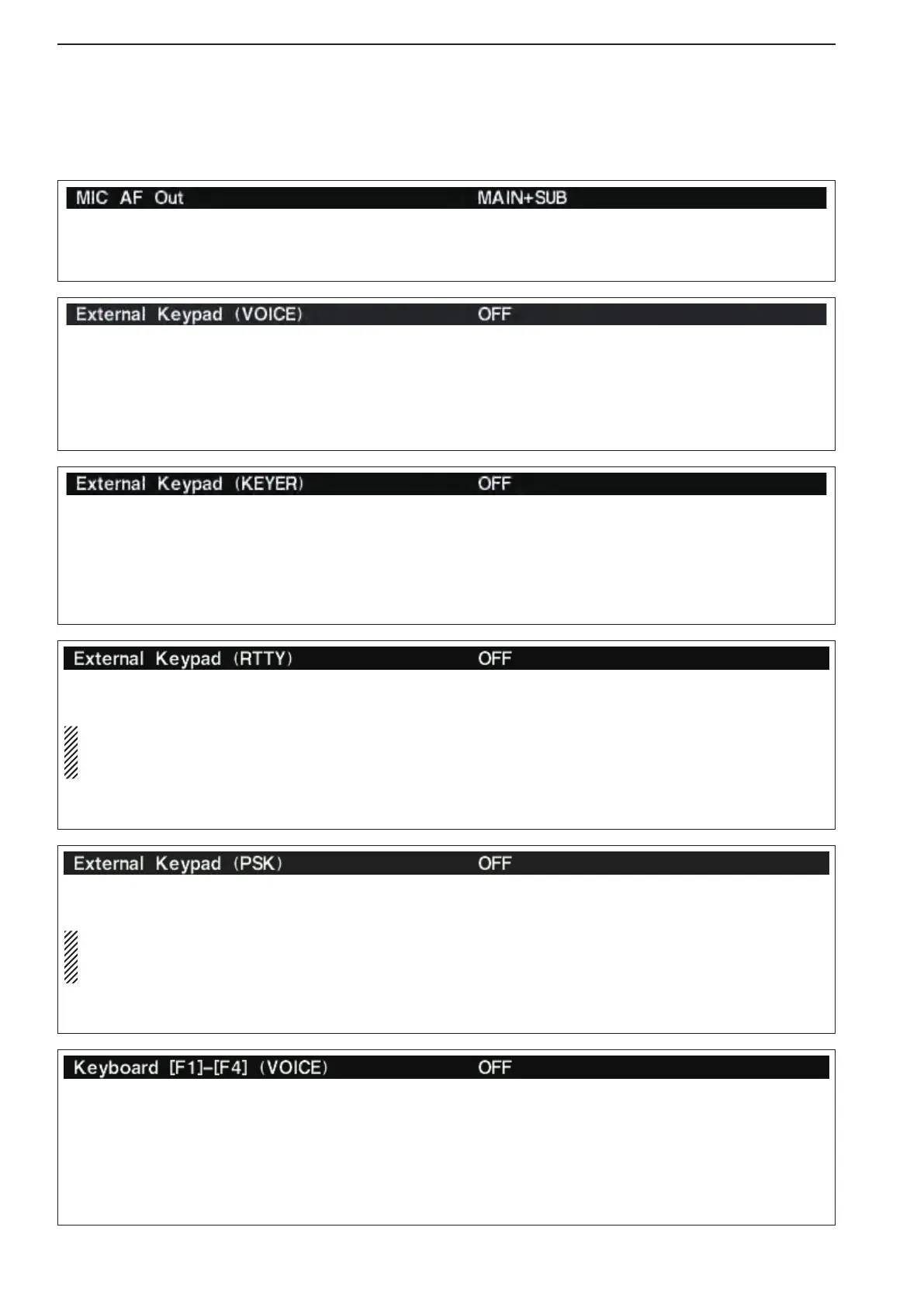
Sets the external keypad for keyer memory transmis-
sion capability ON or OFF.
See pages 2-6 and 2-10 for the equivalent circuit of
an external keypad and connection.
•ON :
Pushing one of external keypad switches mo-
mentarily, transmits the desired keyer memory
contents once during CW mode operation.
Holding down a switch to repeatedly transmit
the desired memory contents.
•OFF:Externalkeypaddoesnotfunction.(default)
Sets the external keypad for RTTY memory transmis-
sion capability ON or OFF.
NOTE: Only RTTY memory channels RT1, RT2,
RT3 and RT4 can be transmitted using with the ex-
ternal keypad.
See pages 2-6 and 2-10 for the equivalent circuit of
an external keypad and connection details.
•ON :IntheRTTYmodeandwhiletheRTTYde-
code screen is active, pushing one of the ex-
ternal keypad switches transmits the desired
RTTY memory contents.
•OFF:Externalkeypaddoesnotfunction.(default)
Sets the external keypad for PSK memory transmis-
sion capability ON or OFF.
NOTE: Only PSK memory channels PT1, PT2,
PT3 and PT4 can be transmitted using with the ex-
ternal keypad.
See pages 2-6 and 2-10 for the equivalent circuit of
an external keypad and connection details.
•ON :InthePSKmodeandwhilethePSKdecode
screen is active, pushing one of the external
keypad switches transmits the desired PSK
memory contents.
•OFF:Externalkeypaddoesnotfunction.(default)
Sets the voice message transmission capability ON
or OFF when one of the [F1] to [F4] keys of the con-
nected keyboard is pushed.
•ON :Pushingoneofthe[F1]to[F4]keystrans-
mits the desired voice message contents dur-
ing phone mode operation.
And while holding down the [SHIFT] key,
push [F1] to [F4] keys to repeatedly transmit
the desired memory contents.
•OFF:[F1]to[F4]keysdonotfunction.(default)
Selects the desired band(s) for audio output from
[MIC] connector (pin 8) from MAIN+SUB and SUB.
(default: MAIN+SUB)
•MAIN+SUB:Outputs both main and sub bands
audio.
•SUB :Outputssubbandaudioonly.
Sets the external keypad for voice memory transmis-
sion capability ON or OFF.
See pages 2-6 and 2-10 for the equivalent circuit of
an external keypad and connection.
•ON :Pushing one of external keypad switches,
transmits the desired voice memory contents
during a phone mode operation.
Holding down a switch to repeatedly transmit
the desired memory contents.
•OFF:Externalkeypaddoesnotfunction.(default)



 To Next Page