12-22
12
SET MODE
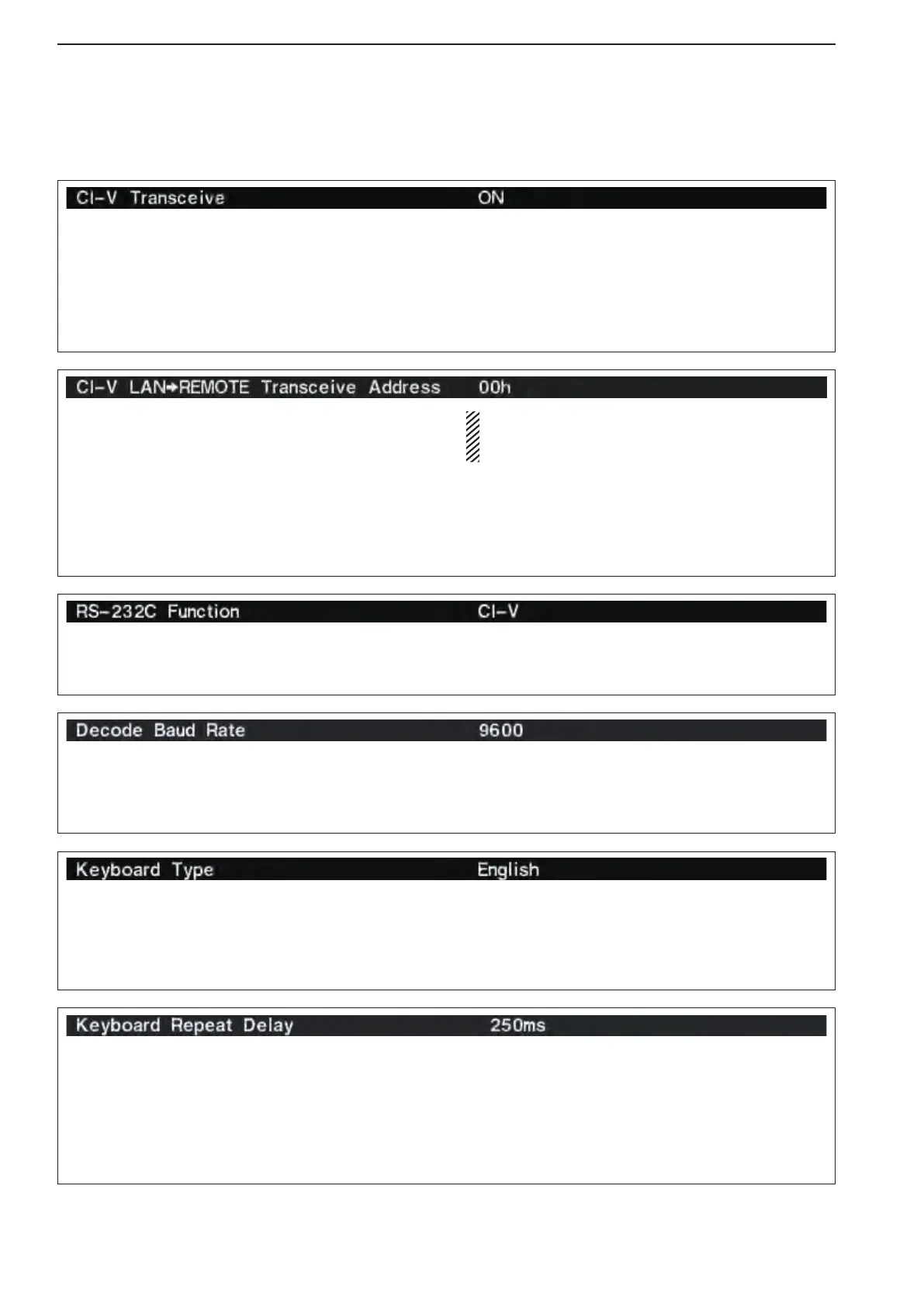
Select [RS-232C] connector output data format from
CI-VandDecode.
•CI-V :OutputsdatainCI-Vformat.(default)
•Decode :OutputsdecodedcontentsinASCIIcode
format.
Selects data transmission speed (Baud rate) when
“Decode” is selected in “RS-232C Function” above;
settings are 300, 1200, 4800, 9600 and 19200 bps.
(default: 9600)
Selects the connected keyboard type from English,
Japanese, United Kingdom, French, French (Cana-
dian), German, Portuguese, Portuguese (Brazilian),
Spanish, Spanish (Latin American) and Italian.
(default: English)
SetstheCI-Vaddressforsendingthetransceivedata
from [LAN] to [REMOTE] or [RS-232C]. The [RE-
MOTE] or [RS-232C] connectors output the trans-
ceive data with this setting Address.
When your system are configured with any other
transceivers or receivers, and you do not want to
change their frequency or operating mode by operat-
ing the RS-BA1, sets this address different with 00h.
Only when you configure the remote control sys-
tem using an optional RS-BA1, you need this set-
ting.
The IC-PW1
can receive the transceive data from
other than 00h, so you can still operate the IC-PW1
by operating RS-BA1. In that case you must reset the
IC-PW1andsettheCI-Vsettingsagain.SeetheIC-
PW1’s instruction manual for details.
■ Others set mode (continued)
Sets the time period for delay within 100 to 1000 mil-
liseconds. in 50 milliseconds. steps. (default: 250 mil-
liseconds.)
When a key of the connected keyboard is pushed
and held for the set period, the character is input con-
tinuously.
Transceive operation is possible with the IC-7800 con-
nected to other Icom HF transceivers or receivers.
When “ON” is selected, changing the frequency or op-
erating mode on the IC-7800 automatically changes
those of connected transceivers (or receivers) and
vice versa.



 To Next Page