39
DSC OPERATION
7
■ Sending a Distress call
D Sending a Distress Relay call (continued)
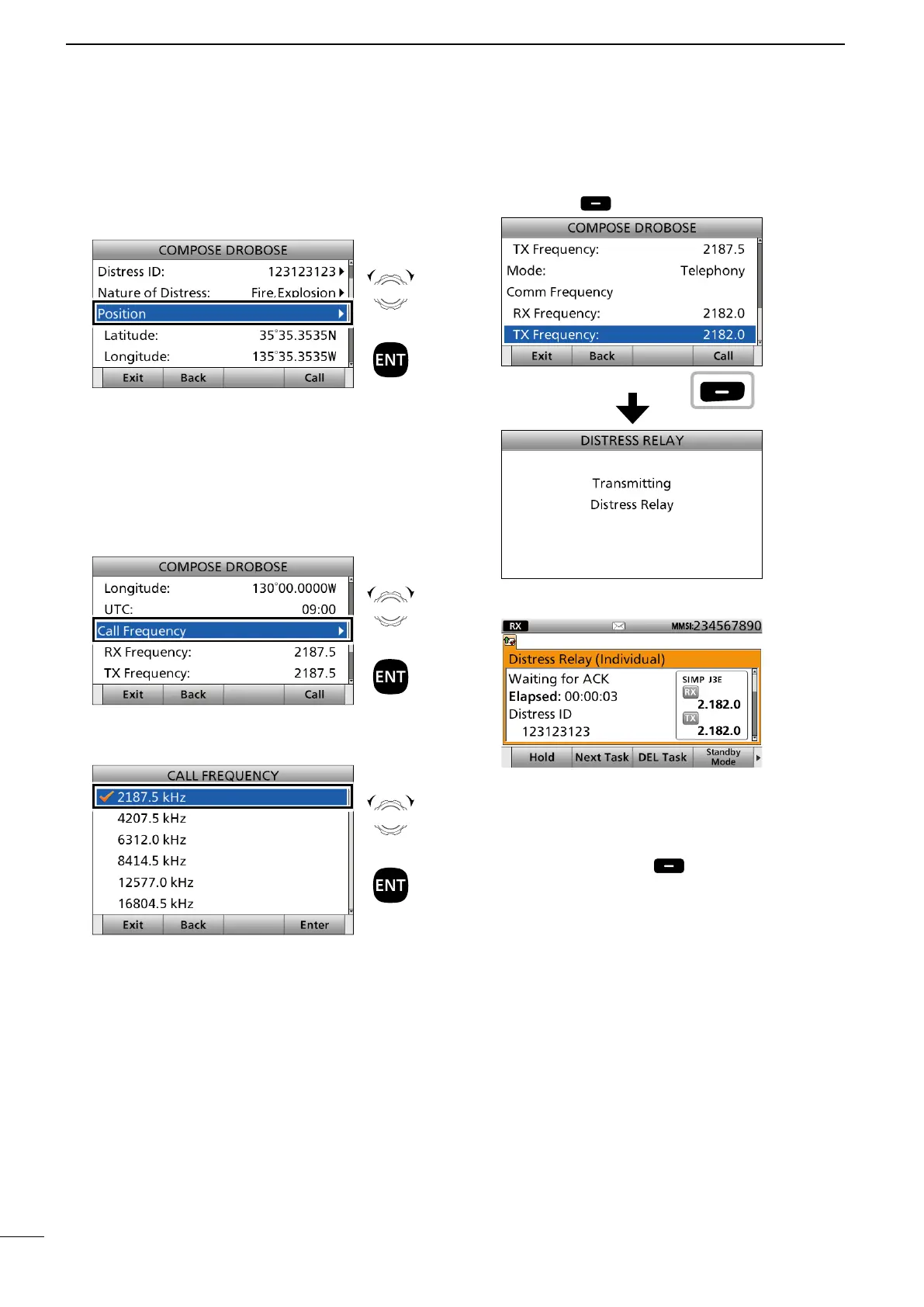
11. Select “Position.”
• The Latitude Position Entry screen is displayed.
• Your position data and time are displayed.
12. Enter the position data and time of the ship in
distress.
After entering, select “Done” and push [ENT].
See page 27 for position entering details.
13. Select “Call Frequency.”
14. Select an option.
(Example: 2187.5 kHz)
15. Push [Call] to send the Distress Relay call.
16. After sending, the following screen is displayed.
See page 29 for details of the software key function
in the DSC Task mode.
17. Hold down [PTT] to communicate with a maritime
station.
18. Push [Standby Mode] to return to the
Standby mode.
Rotate
+
Push
Rotate
+
Push
Rotate
+
Push
Push



 To Next Page