Auto Sentry® flex User Manual 51 Operating
Purchasing a Wash with No Extra Services
The following examples show a single wash purchase with no upgrades, paid in cash—the
simplest scenario for a customer.
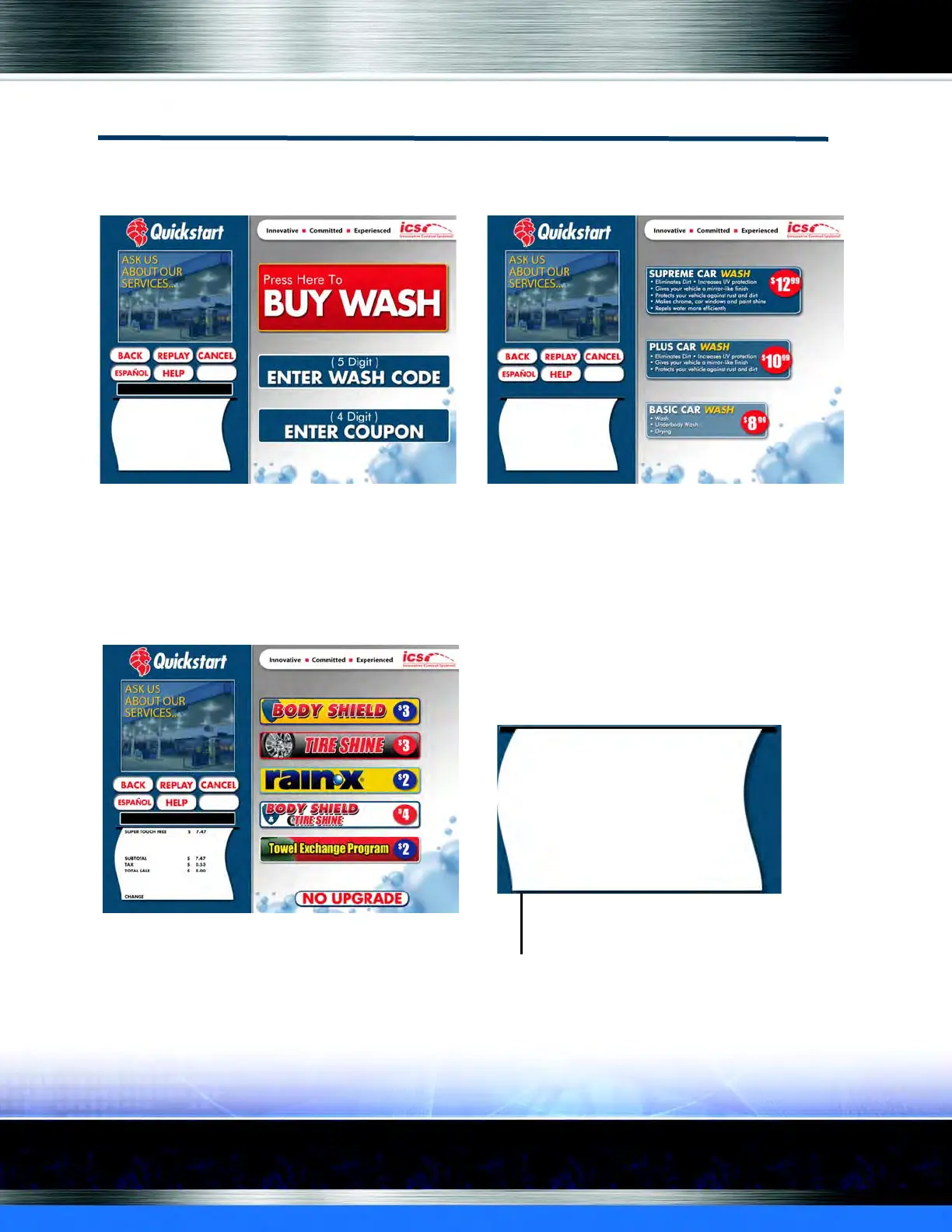
Figure 35. Welcome Screen and Select Wash Screen
A customer can tap the Buy Wash button on the Welcome screen. The Select Wash screen
appears. On the Select Wash screen, a customer can choose a wash (maximum of six wash buttons
can appear on this screen). Washes are created in WashConnect
®
software.
Figure 36. Select Wash to Select Extra Service Screen
WELCOME SCREEN SELECT WASH SCREEN
SELECT EXTRA SERVICES SCREEN
WASH SELECTION SHOWN ON RECEIPT
SHOWS TOTAL SALE CALCULATED
ON-SCREEN RECEIPT


 To Next Page