31
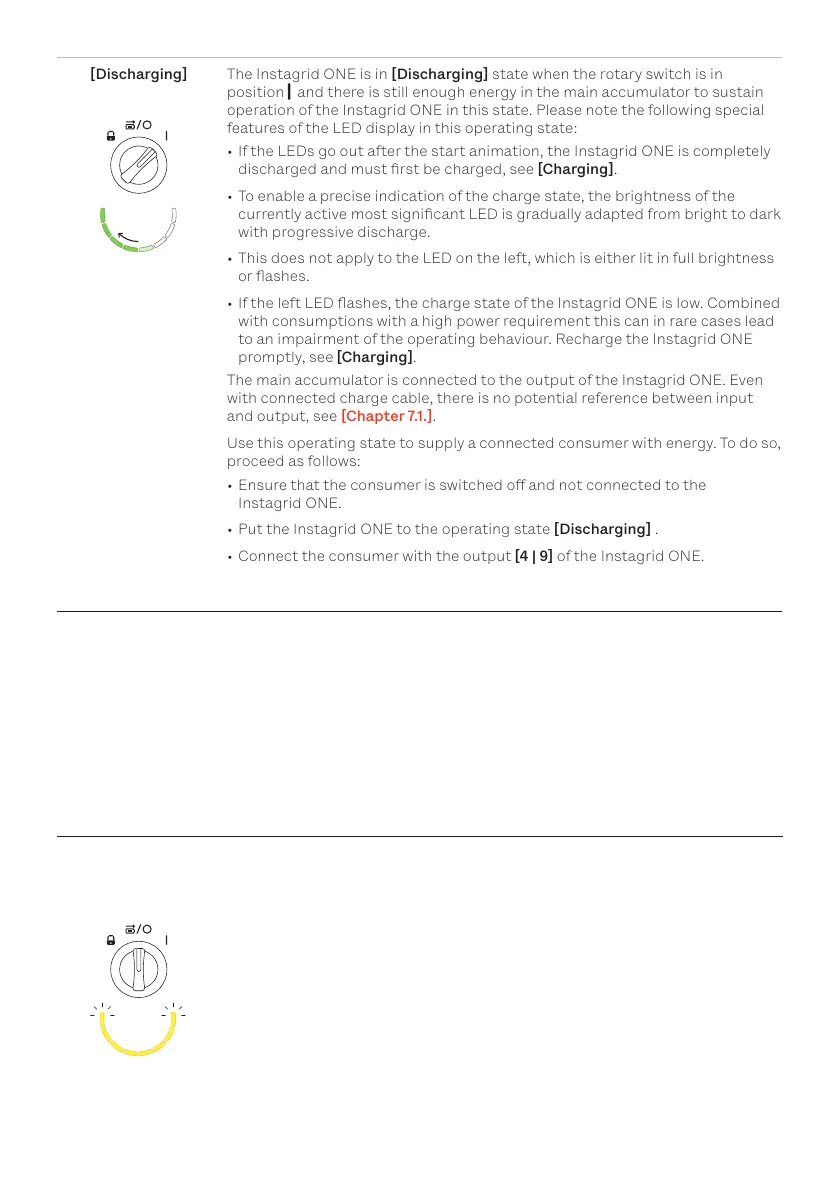
[Discharging] The Instagrid ONE is in [Discharging] state when the rotary switch is in
position and there is still enough energy in the main accumulator to sustain
operation of the Instagrid ONE in this state. Please note the following special
features of the LED display in this operating state:
• If the LEDs go out after the start animation, the Instagrid ONE is completely
discharged and must rst be charged, see [Charging].
• To enable a precise indication of the charge state, the brightness of the
currently active most signicant LED is gradually adapted from bright to dark
with progressive discharge.
• This does not apply to the LED on the left, which is either lit in full brightness
or ashes.
• If the left LED ashes, the charge state of the Instagrid ONE is low. Combined
with consumptions with a high power requirement this can in rare cases lead
to an impairment of the operating behaviour. Recharge the Instagrid ONE
promptly, see [Charging].
The main accumulator is connected to the output of the Instagrid ONE. Even
with connected charge cable, there is no potential reference between input
and output, see [Chapter 7.1.].
Use this operating state to supply a connected consumer with energy. To do so,
proceed as follows:
• Ensure that the consumer is switched o and not connected to the
Instagrid ONE.
• Put the Instagrid ONE to the operating state [Discharging] .
• Connect the consumer with the output [4 | 9] of the Instagrid ONE.
6.3. Alarm and Errors
Due to external or internal inuences during start or operation of the Instagrid ONE states can arise
which render the further use of the Instagrid ONE impossible, e.g. because a defect is on hand or
because the continuation of operation (without changing the conditions) could lead to damage to the
Instagrid ONE. If such a case occurs, the current operating state of the Instagrid ONE is exited - input
[8] and output [4 | 9] are deactivated, the LEDs [5] are lit or ash yellow or red.
Note: If a warning or error message occurs when the Instagrid ONE is not in the operating state [Charg-
ing], the LED display goes out after 60 minutes. Otherwise, the message display can be monitored as
long as the charging input [8] is connected to the mains supply.
6.3.1. Alarm
Depending on the charge state of the Instagrid ONE, one or several LEDs
[5] are lit in yellow or ash yellow. An alarm is acknowledged by turning the
rotary switch [3] to the position [Transport] for at least 1 s and then turning
it to the position [Charging]/[Discharging] that corresponds to the desired
operating state.


 To Next Page