- 44 - - 45 -
Printing on various papers Printing on various papers
4
1
2
3
5
4
1
2
3
5
Convenient print
functions
Appendix Index
Checking and
Changing Printer
Settings Using
the Control Panel
Network
Setup
Matching
Colors
Using Utility
Software
Convenient print
functions
Appendix Index
Checking and
Changing Printer
Settings Using
the Control Panel
Network
Setup
Matching
Colors
Using Utility
Software
6
Click [Add].
The created paper will be displayed at the
bottom of the [Size] list in the [Setup] tab.
32 types max. can be dened.
7
Click [OK] until the "Printing
Preferences" screen closes.
8
Open the le to be printed.
9
Specify the registered paper size to
print.
Using Mac OS X printer drivers
Note
z
Custom sizes exceeding the printable range can be
entered using Mac OS X, but printing will be incorrect. Set
within the correct range.
z
If a custom paper size with the same paper size as
registered in the OS is specied, the paper may be
handled as regular paper.
1
Open the le to be printed.
2
Select [Page Setup] in the [File] menu.
3
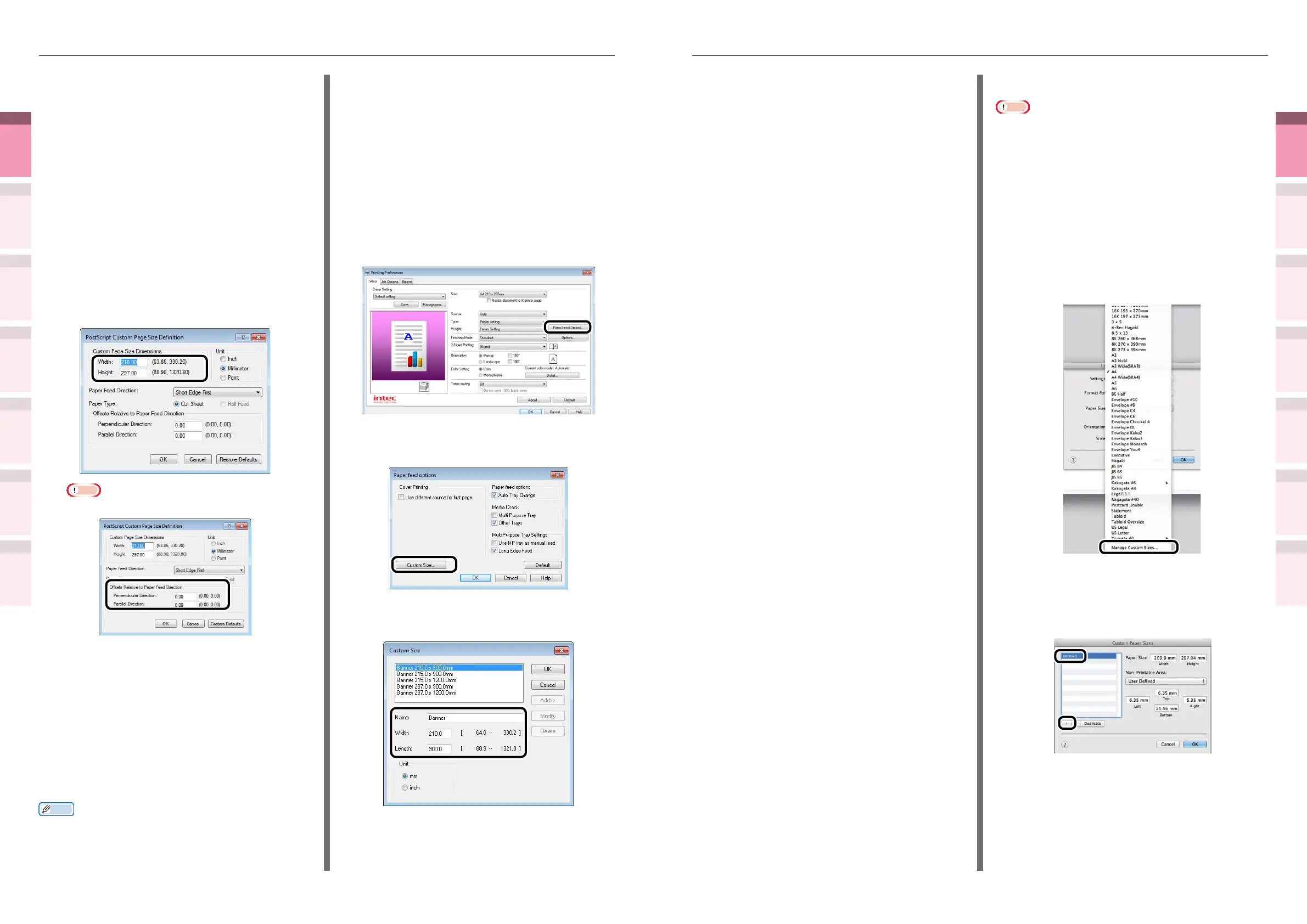
Select [Manage Custom Sizes] in [Paper
Size].
4
Click [+] in the "Custom Paper Sizes"
screen. Double-click [Untitled], and enter
a name in [Custom Paper Sizes]. Enter the
[Width] and [Height] page sizes.
5
Click [OK].
The created paper will be displayed at the
bottom of the [Paper Size] list in the [Page
Properties] panel.
6
Printing will be implemented.
Using Windows PS printer drivers
1
Click [Start], and then select [Devices
and printers].
2
Right-click the [Intec (product name)
(PS)] icon, and select [Printing
Preferences]>[Intec (product name) (PS)].
3
Click [Advanced] in the [Layout] tab.
4
Select [PostScript Custom Page Size] in
[Paper Size].
5
Enter the [Width] and [Height] in
the "PostScript Custom Page Size
Denition" screen.
Note
z
"Offsets Relative to Paper Feed Direction" cannot be set.
6
Click [OK] until the "Printing
Preferences" screen closes.
7
Open the le to be printed.
8
Select [Print] in the [File] menu.
9
Specify the registered paper size to print.
Memo
z
If printing is incorrect using large size paper from the PS
printer drivers, you can correct the printing by setting
"
Normal
"
in [Quality].
Using Windows PCL printer drivers
1
Click [Start], and then select [Devices
and printers].
2
Right-click the [Intec (product name)
(PCL6)] icon, and select [Printing
Preferences]>[Intec (product name)
(PCL6)].
3
Click [Paper Feed Options] in the
[Setup] tab.
4
Click [Custom Size] in the [Paper Feed
Options] screen.
5
Enter [Name], [Width], and [Length] in
the [Custom Size] screen.



 To Next Page