EMERGENCY PROCEDURES
© 2017 Intel Corporation. All rights reserved. 27
REV 00
APR 2017
3.6.2 Electrical Fire in Flight
1. Land immediately
2. Left control down
3. START/STOP switch 1 second
4. Shutdown Checklists Complete
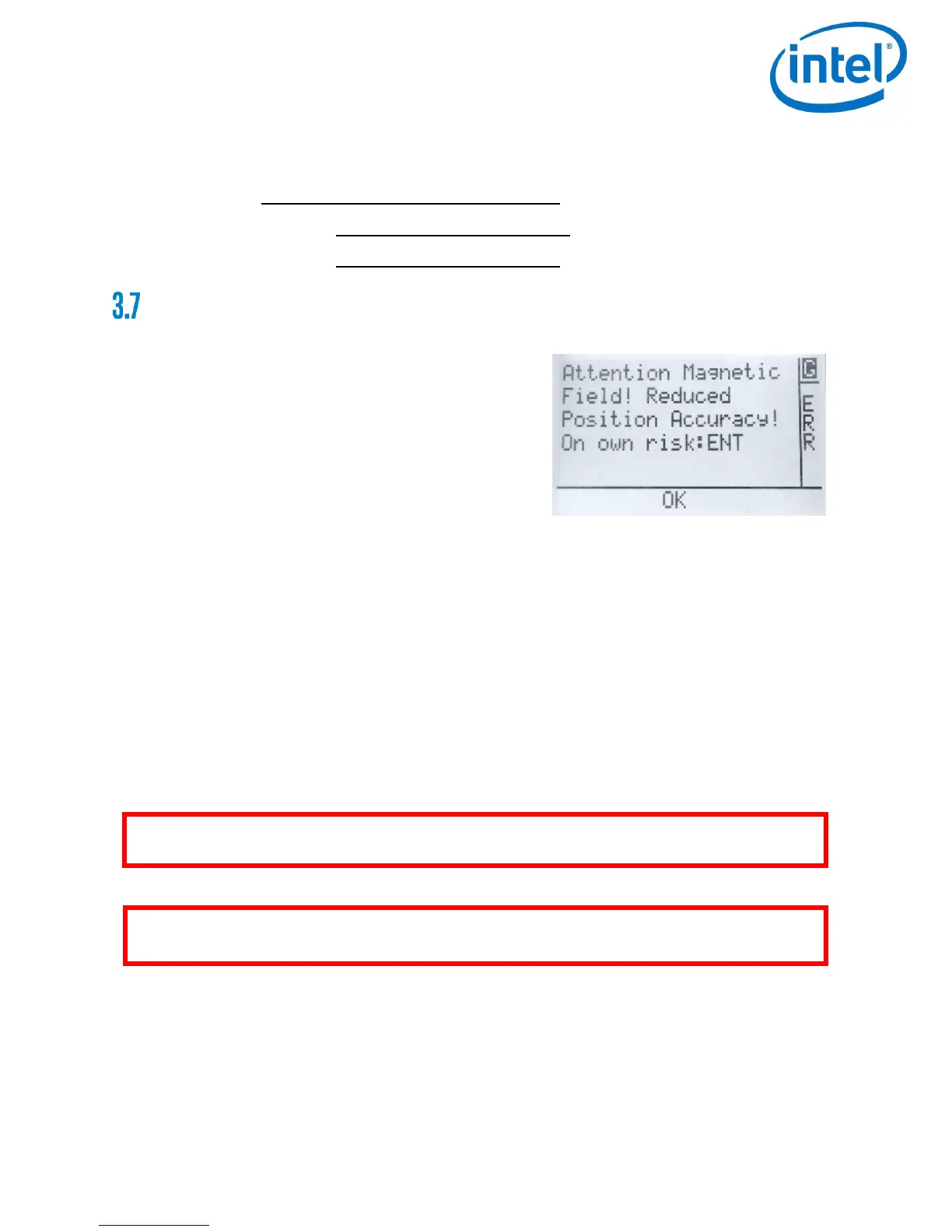
MAGNETIC FIELD WARNING
If, during start-up, a discrepancy is detected between
the current magnetic field and the expected magnetic
field, the Status Display will show and sound a warning.
To resolve the warning, follow these steps:
1. Either switch off the complete system, chose a
different starting position, switch it on again and
check if the magnetic field warning is not shown
again. In many situations, the disturbances are
limited to small areas.
Or:
2. Switch to Height-Mode and take off in Height-Mode to avoid any position corrections by
the system, which might occur in GPS-Mode.
3. Fly to open space and keep Height-Mode activated for at least 20 seconds (it will help
the estimation algorithms to do some movements forward, backward, left and right)
4. Switch to GPS-Mode in open space. The magnetic disturbance will then be at a safe
distance and the estimation algorithms will be active.
5. Always be prepared to switch back to Height-Mode anytime
WARNING: NEVER TAKE OFF WITH A MAGNETIC FIELD WARNING IN GPS-MODE AS IT MIGHT
LEAD TO UNEXPECTED POSITIONAL CHANGES OF THE SYSTEM.
WARNING: THE SYSTEM MUST BE LANDED BY THE REMOTE PILOT AS THERE IS NO AUTO-
LANDING IN CASE OF LOW BATTERY.


 To Next Page