Event V3 Manual 41
© Jands Electronics July 1995
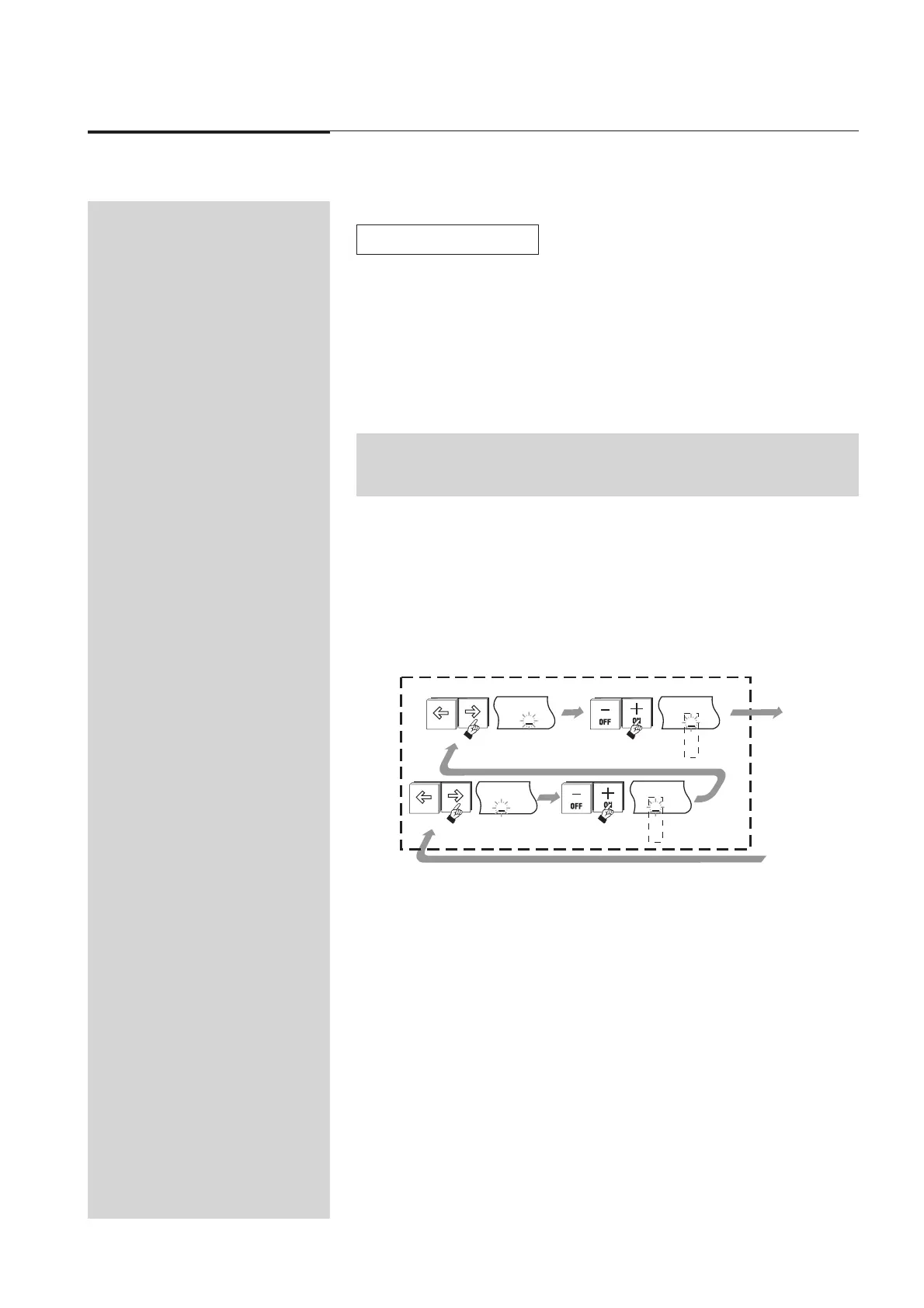
8.50 Adding Attack / Decay to the Chase
1. Use the arrow buttons to move the cursor to the / (Attack) field.
2. Press the 1 (On) button to turn Attack on (I). Press the 2 (Off) button to turn
it off (0).
3. Use the arrow buttons to move the cursor to the \ (Decay) field.
4. Press the 1 (On) button to turn Decay on (I). Press the 2 (Off) button to turn
it off (0).
5. Press the Exit button.
Diagram 8E + 8A
TIP: Do NOT press the Record button if only entering or changing the Attack / Decay
settings.
☞
\
0
/
0
\
0
/
0
\
0
/
0
I
/
0
\
0
I
8E
Adding Attack / Decay to the Chase
▼



 To Next Page