Appendix B Menu List and Materials B-124
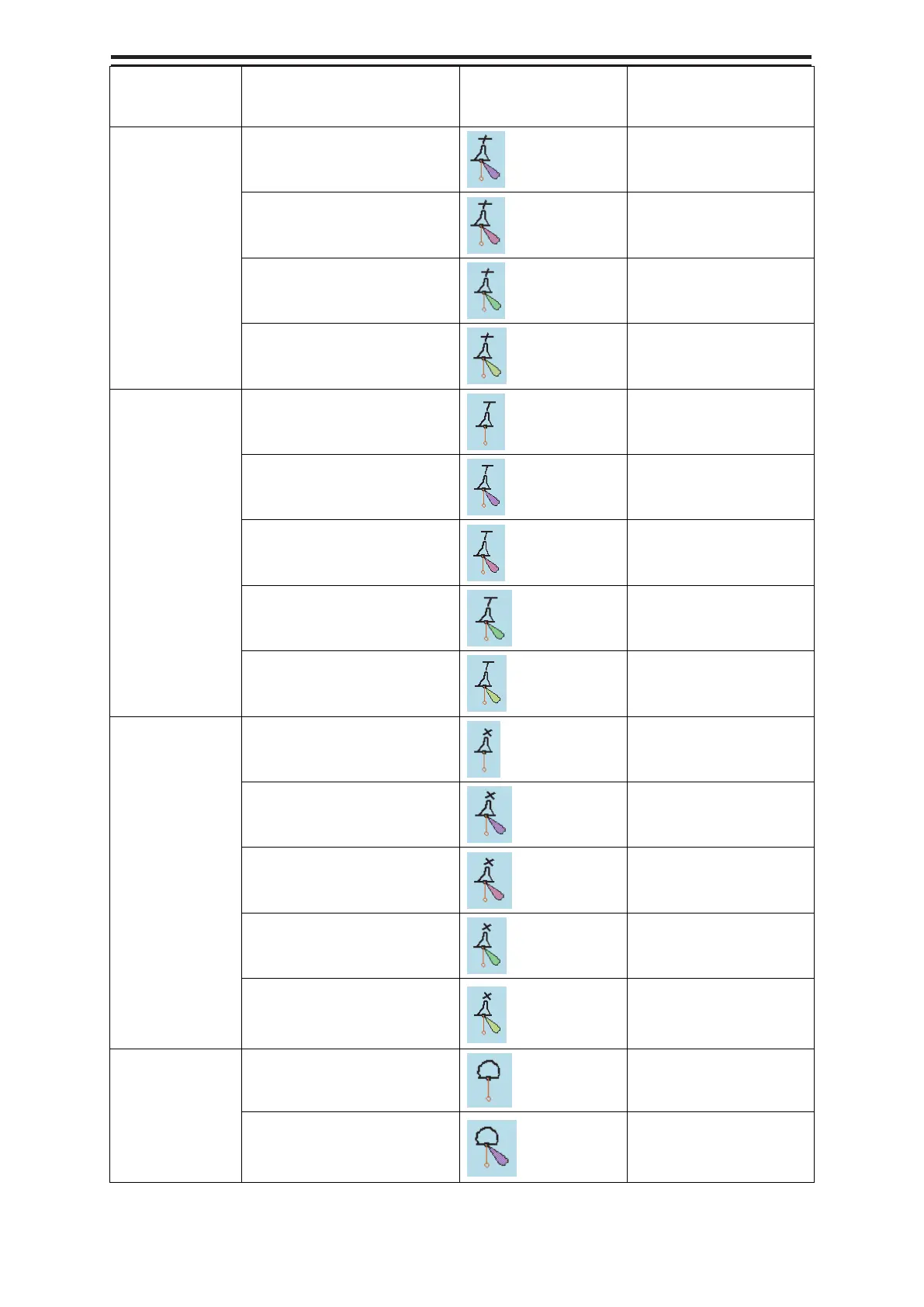
Category name Object name
Icon button display
example
Alert generated when
the own ship approaches
the object
Pillar buoy -
Flag or other
shape
Light flare, default
Crossing a danger
(dangerous symbol)
Light flare, red
Crossing a danger
(dangerous symbol)
Light flare, green
Crossing a danger
(dangerous symbol)
Light flare, white/yellow
Crossing a danger
(dangerous symbol)
Pillar buoy -
T-Shape
(No object name)
Crossing a danger
(dangerous symbol)
Light flare, default
Crossing a danger
(dangerous symbol)
Light flare, red
Crossing a danger
(dangerous symbol)
Light flare, green Crossing a danger
(dangerous symbol)
Light flare, white/yellow
Crossing a danger
(dangerous symbol)
Pillar buoy -
X-shape
(No object name)
Crossing a danger
(dangerous symbol)
Light flare, default
Crossing a danger
(dangerous symbol)
Light flare, red
Crossing a danger
(dangerous symbol)
Light flare, green
Crossing a danger
(dangerous symbol)
Light flare, white/yellow
Crossing a danger
(dangerous symbol)
Spherical buoy (No object name)
Crossing a danger
(dangerous symbol)
Light flare, default
Crossing a danger
(dangerous symbol)


 To Next Page