3-20
3.6.5.5 Shortcut Character Color
This menu can set capital character shows shortcut command.
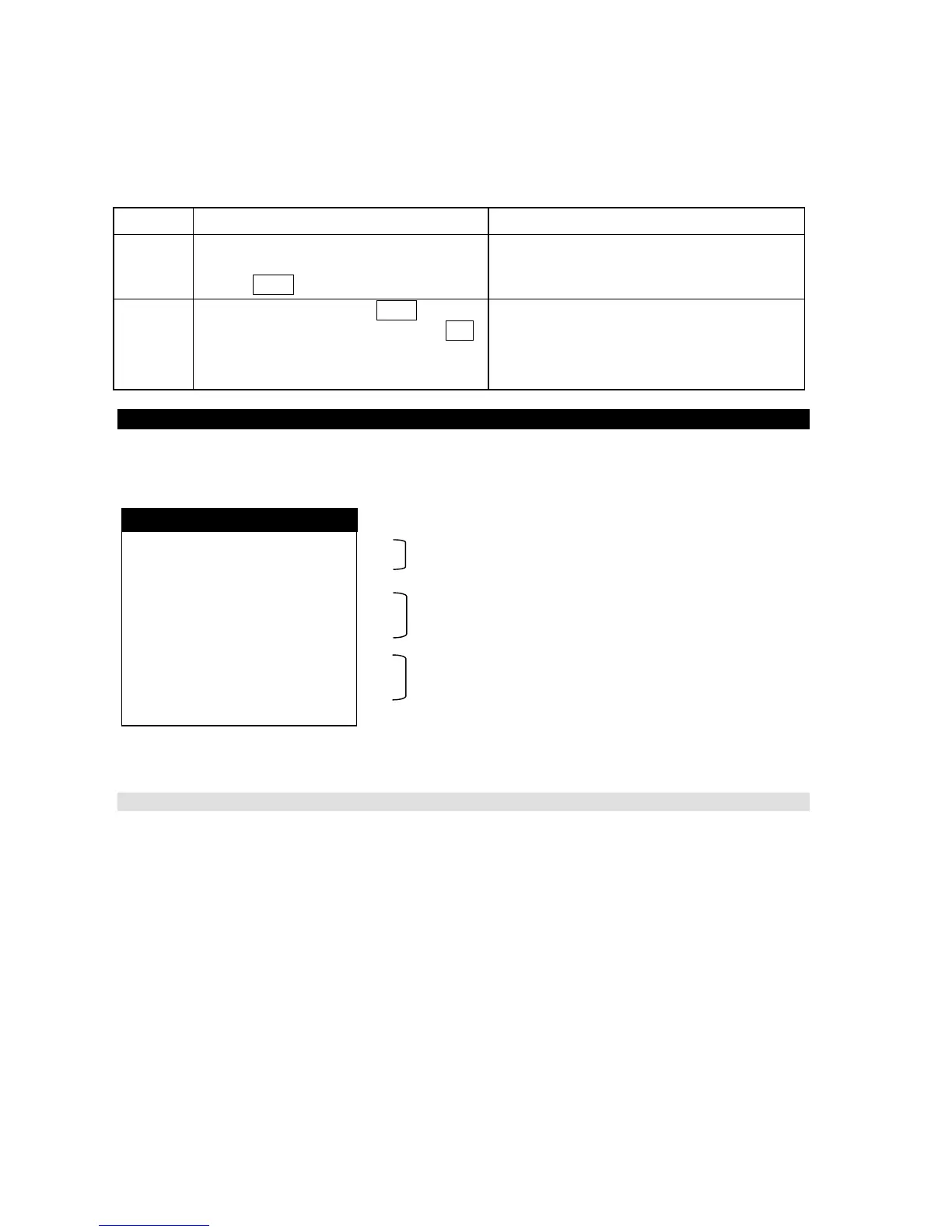
Step Operation IME/DTE Response
1
・Move the cursor to “Shortcut character
color” with using the arrow keys and
press Enter key.
・“Shortcut character color” setting window
is displayed.
2
・Select the color and press Enter key.
When the color is not changed , Press F10
key.
・Change the setting to new one.
3.7 Editing a Message
Before a calling, edit a message file by the editing menu. The editing command can be edited a
message file and managed a message file.
Fig.3.7 Example of “Edit” Window
3.7.1 File Editing Menu
(1) Edit a message file by the editing command.
(2) The editing command is composed of “Edit Telex File” menu and “Edit Ascii File” menu.
• Edit Telex File
This command is used for the transmitting file by telex.
In this command, the characters that can use on the land telex line can be input. (Note 1)
• Edit Ascii File
This command is used for the transmitting file by data line.
In this command, the characters that can use on the land data line can be input.
(3) The edited message file is stored in the IME/DTE memory. The capacity of the IME/DTE memory
is approx. 128M byte or 100 files maximum.
(4) When the USB drive is connected to the IME/DTE, the edited message file is saved in the USB
drive.
File editing menu
File management menu
USB drive management menu
edit Telex file
edit Ascii file
Delete file
reName file
Copy file
Remove USB drive
Format USB drive
Edit



 To Next Page