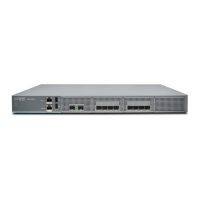
Unpacking the SRX4600 Services Gateway
The services gateway is shipped in a cardboard carton, secured with foam packing material. The carton
also contains an accessory box and quick-start instructions.
CAUTION: The services gateway is maximally protected inside the cardboard carton.
Do not unpack it until you are ready to begin installation.
To unpack the services gateway:
1. Move the cardboard carton to a staging area as close to the installation site as possible, where you
have enough room to remove the components from the chassis.
2. Open the carton.
3. Pull out the packing material holding the services gateway in place.
4. Verify the parts received against the inventory (packing list). The packing list specifies the part numbers
and carries a brief description of each part in your order.
5. Save the shipping carton and packing materials in case you need to move or ship the services gateway
at a later time.
Verifying Parts Received with the SRX4600 Services Gateway
A packing list is included in each shipment. Check the parts in the shipment against the items on the packing
list. The packing list specifies the part numbers and descriptions of each part in your order.
If any part on the packing list is missing, contact your customer service representative or contact Juniper
customer care from within the U.S. or Canada by telephone at 1-888-314-5822. For international-dial or
direct-dial options in countries without toll-free numbers, see
https://www.juniper.net/support/requesting-support.html.
NOTE: The parts shipped with your services gateway can vary depending on the configuration
you ordered.
Table 32 on page 67 lists the parts and their quantities in the packing list.
66



 To Next Page