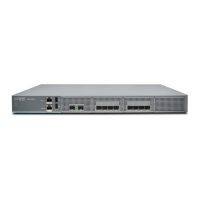
Connecting Earth Ground to an SRX4600 Services Gateway
To meet safety and electromagnetic interference (EMI) requirements and to ensure proper operation, you
must connect the SRX4600 Services Gateway to earth ground before you connect it to power.
For installations that require a separate grounding conductor to the chassis, you must attach a protective
earthing terminal bracket on the mounting bracket on the left front of the services gateway to connect to
the earth ground (see Figure 30 on page 75).
Before you connect earth ground to the protective earthing terminal of an SRX4600 Services Gateway,
ensure that a licensed electrician has attached an appropriate grounding lug to the grounding cable.
CAUTION: Using a grounding cable with an incorrectly attached lug can damage the
services gateway.
NOTE: Mount your services gateway in the rack or cabinet before attaching the grounding lug
to the services gateway. See “SRX4600 Services Gateway Installation Overview” on page 65.
Ensure that you have the following parts and tools available:
•
Protective earthing terminal bracket—This bracket attaches to the services gateway chassis through the
left front mounting bracket, providing a protective earthing terminal for the services gateway.
•
Grounding cable for your services gateway—The grounding cable must be 14 AWG (2 mm²), minimum
90° C wire, or as permitted by the local code.
•
Grounding lug for your grounding cable—The grounding lug required is a Panduit LCD10-10A-L or
equivalent.
•
Two SAE 10–32 x 0.375 in. screws with integrated split washers (not provided)—The screws and washers
are used to secure the grounding lug to the protective earthing terminal.
•
Socket wrench or screw driver to tighten the screws.
An AC-powered services gateway chassis gains additional grounding when you plug the power supply in
the services gateway into a grounded AC power outlet by using an AC power cord appropriate for your
geographical location. See “SRX4600 Services Gateway AC Power Cord Specifications” on page 40.
To connect earth ground to an SRX4600 Services Gateway:
1. Connect one end of the grounding cable to an appropriate earth ground site, such as the mounting
rack.
74



 To Next Page