Chapter 3. Creating User Accounts
Kaye Validator AVS User’s Manual 52
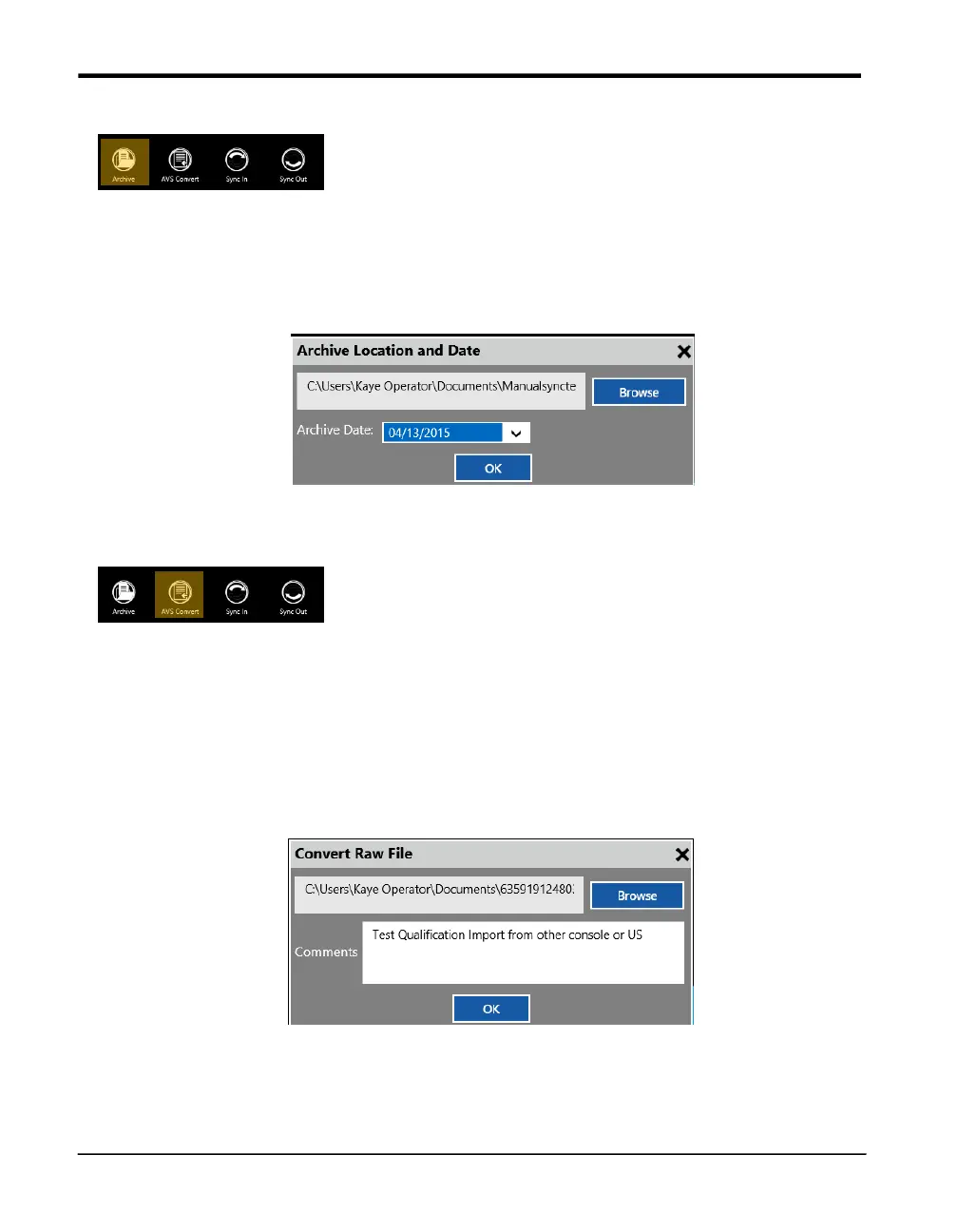
Archive
The Archive function works similar to the Sync out function except it will not copy but move
files to a file location for archiving purpose, removing the files from the console.
Therefore in addition to the Sync out function there is an archive date. All files that are older
than the specified date are moved. Like in Sync out the assets can be selected individually.
Figure 29: Archive Date Filter
AVS Convert
The AVS Convert function imports single study files into the Asset system of the console.
Single study files can be copied to disk out of the Asset details for importing them into
another console or send them by email. Also the study files copied through the USB side port
copies the files in a single file format that needs to be imported into the AVS software.
Simply select a single data file in the browser, it is possible to add a comment for easier
identification. If the corresponding asset is not existing already in the system, the software
will now create a new asset and setup file from the information stored in the study file.
Figure 30: AVS Convert – Import comments
Note: Imported Validator 2000 files are not available under an Asset but in the report tool
under the tile “Others”.



 To Next Page