Chapter 6. Defining Study Setups
Kaye Validator AVS User’s Manual 67
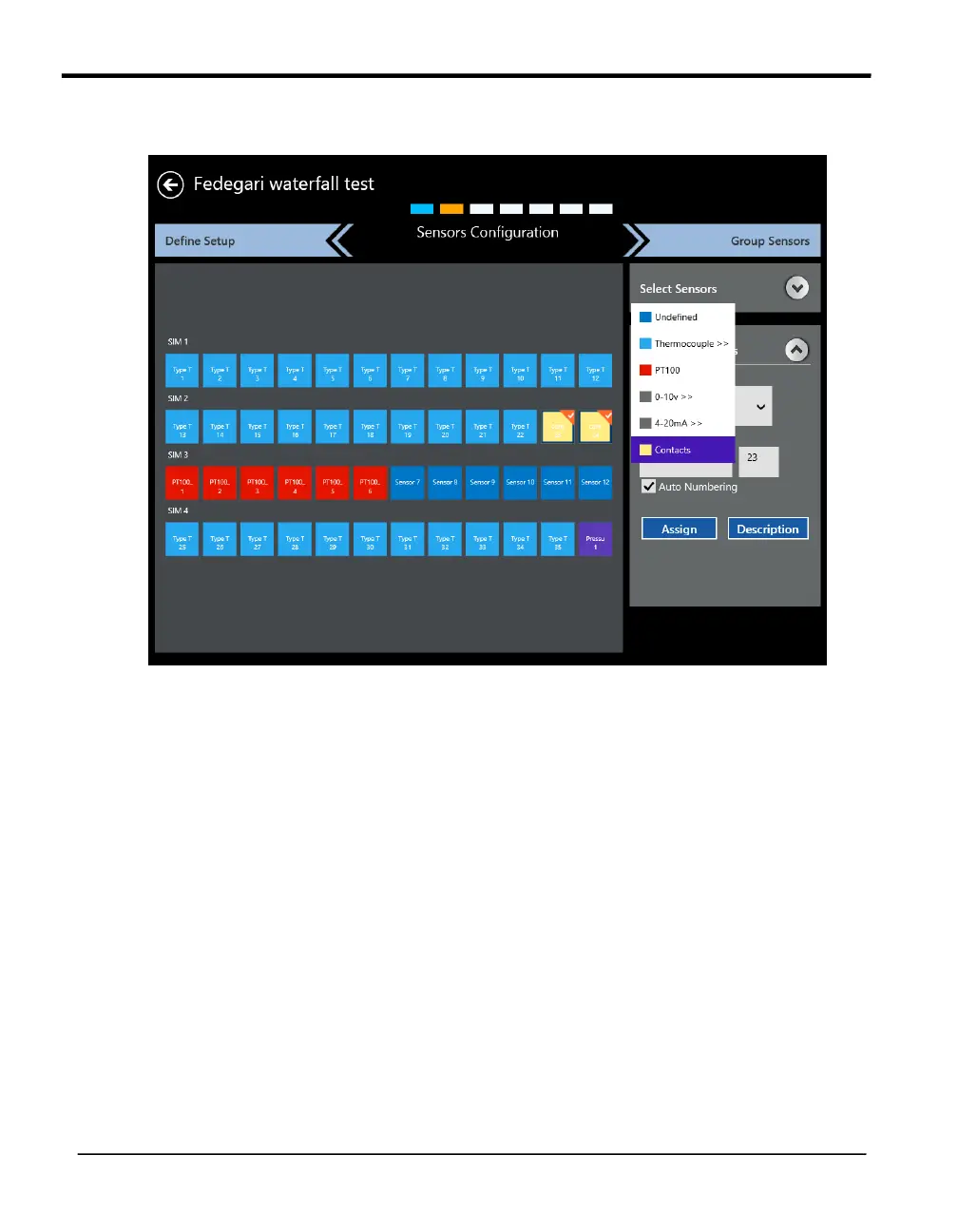
Now that you have selected the sensors, you must configure them for the appropriate input type.
Figure 40: Configuring Sensors
IMPORTANT: If one sensor type is selected for a SIM, then all sensors in that SIM should be
of the same type. Mixed sensor types are not allowed within a SIM.
Open the Configure Sensors drop-down list, and assign the sensors in each selected SIM to
one of the following color-coded types:
• Thermocouple (Sub Types) J, K, T, E, B, R, S, N
• Voltage
• Current
• Pressure (V or mA)
• Contacts (Open/close, On/Off, 1/0).
• RTD (PT100, 4-Wire)



 To Next Page