A75UM3EG (Ver. E.2)
3-114
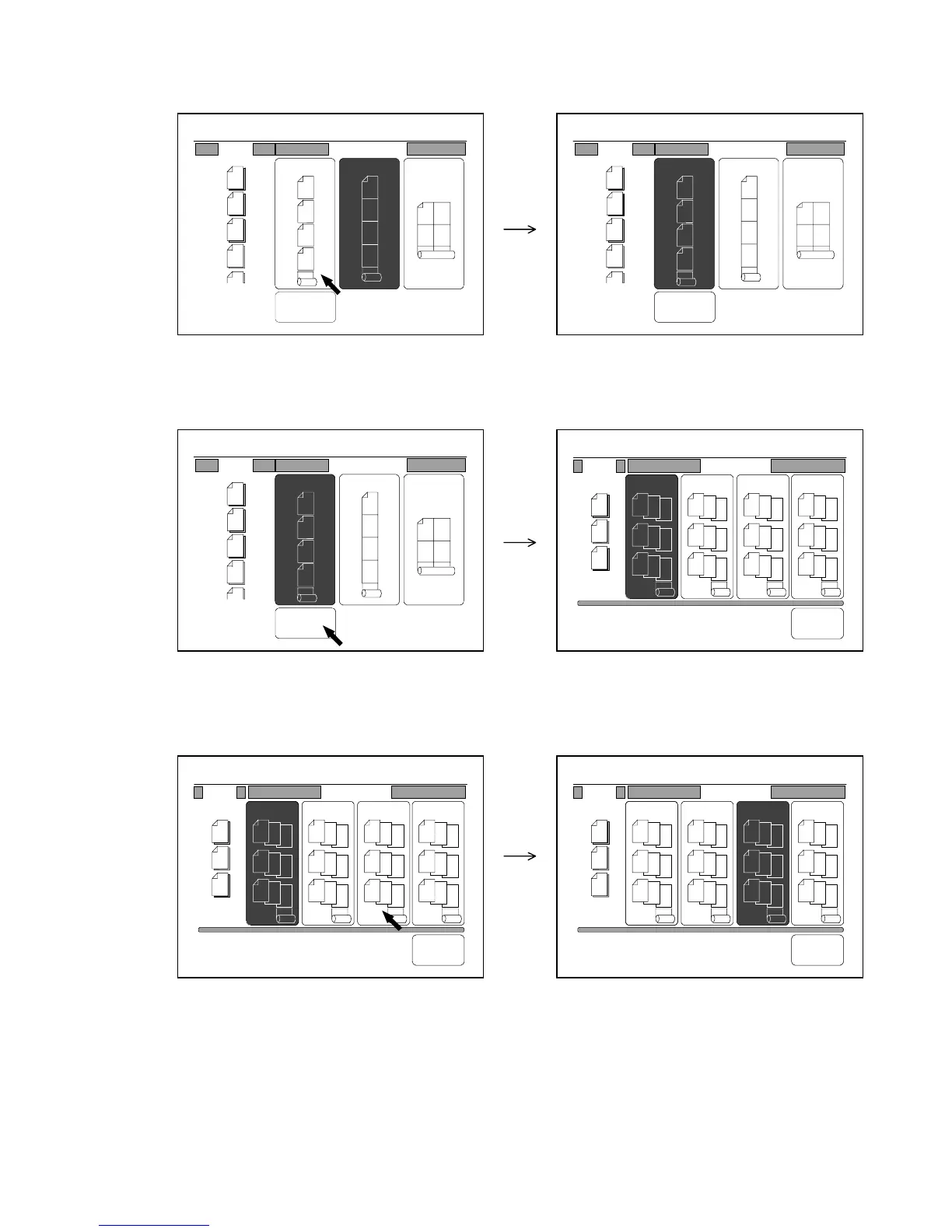
4) Since it is necessary to select the “Layout a.” in order to select “Sort”, press “Layout a.” if not
selected.
“Sort” in the LCD is validated.
5) Press “Sort” to select the Sort Mode.
The Sort Setting Screen is indicated on the LCD.
(Sort Setting Screen)
6) Press your required way of sort.
The selected way of sort is colored.
0%
001
Scan
1
2
3
4
Sort
b. c.a.
1
2
3
4
1
2
3
4
12
34
Print(Layout)
0%
001
Scan
1
2
3
4
Sort
b. c.a.
1
2
3
4
1
2
3
4
12
34
Print(Layout)
0%
001
Scan
1
2
3
4
Sort
b. c.a.
1
2
3
4
1
2
3
4
12
34
Print(Layout)
b.
0%
001
1
2
3
3
2
1
3
2
1
3
2
1
a.
1
2
3
1
2
3
1
2
3
c.
1
1
1
2
2
2
3
3
3
d.
3
3
3
2
2
2
1
1
1
Scan Print(Sort)
Back
b.
0%
001
1
2
3
3
2
1
3
2
1
3
2
1
a.
1
2
3
1
2
3
1
2
3
c.
1
1
1
2
2
2
3
3
3
d.
3
3
3
2
2
2
1
1
1
Scan Print(Sort)
Back
b.
0%
001
1
2
3
3
2
1
3
2
1
3
2
1
a.
1
2
3
1
2
3
1
2
3
c.
1
1
1
2
2
2
3
3
3
d.
3
3
3
2
2
2
1
1
1
Scan Print(Sort)
Back



 To Next Page