EasyManua.ls Logo

KIP 2080 - Page 163

KIP 2080
252 pages
Print Icon
To Next Page IconTo Next Page
To Previous Page IconTo Previous Page
Loading...
A75UM3EG (Ver. E.2)
3-118
[Reference]
If originals are different in width each other, we recommend you to use either Auto Paper Mode or
Auto Zoom Mode when you do Set Copy in the Sort Mode.
1. If you select the Auto Paper Mode, the suitable roll media is automatically selected for each
copy image.
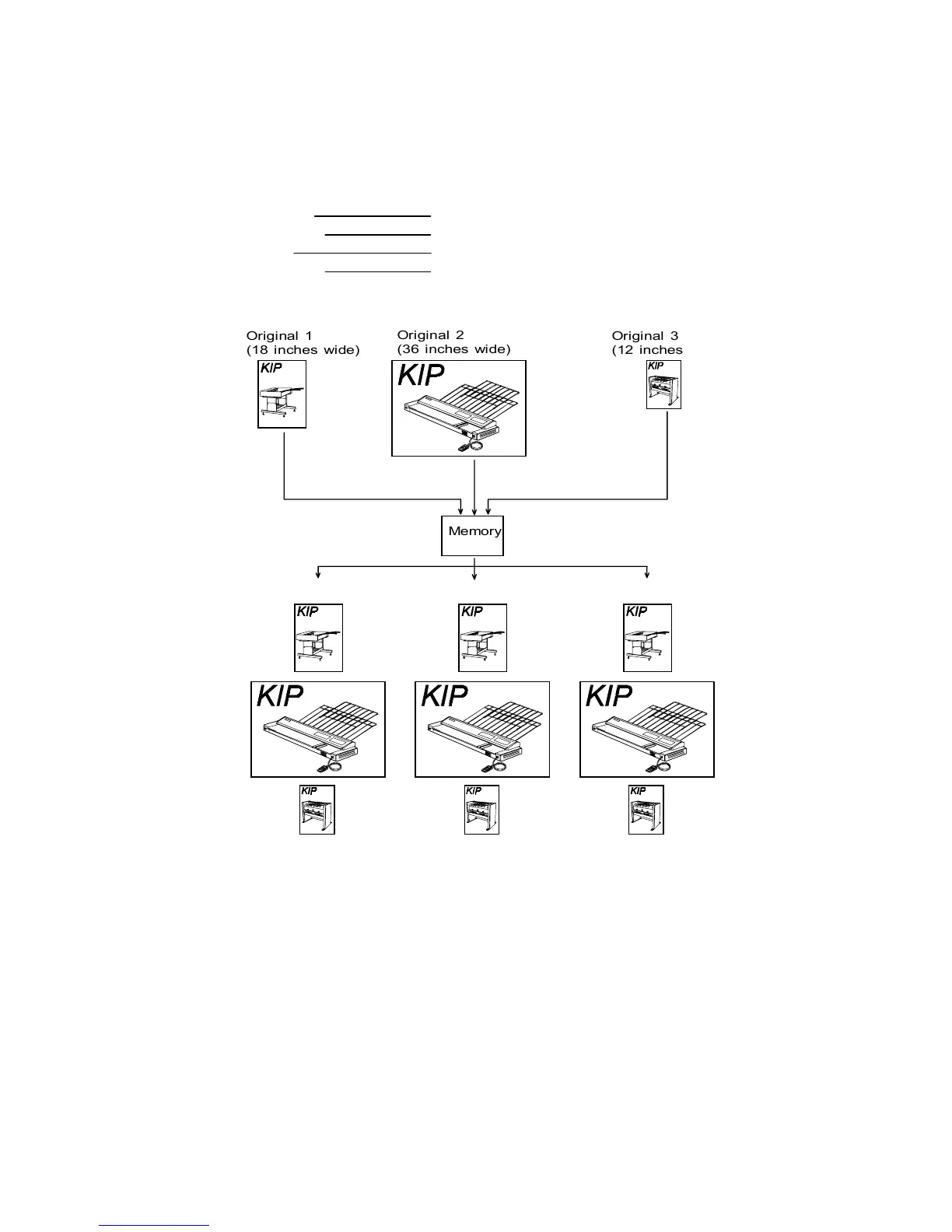
(Example)
Original’s width 18”, 36” and 12”
Zoom ratio 100.0%
Way of Sort Sort a.
Number of sets 3 sets are printed.










Memory
Original 1
(18 inches wide)
Original 2
(36 inches wide)
Original 3
(12 inches wide)
Scan in 100.0% Scan in 100.0% Scan in 100.0%
1st set 2nd set 3rd set




























Table of Contents

Related product manuals