A75UM3EK (Ver. E.2)
3-147
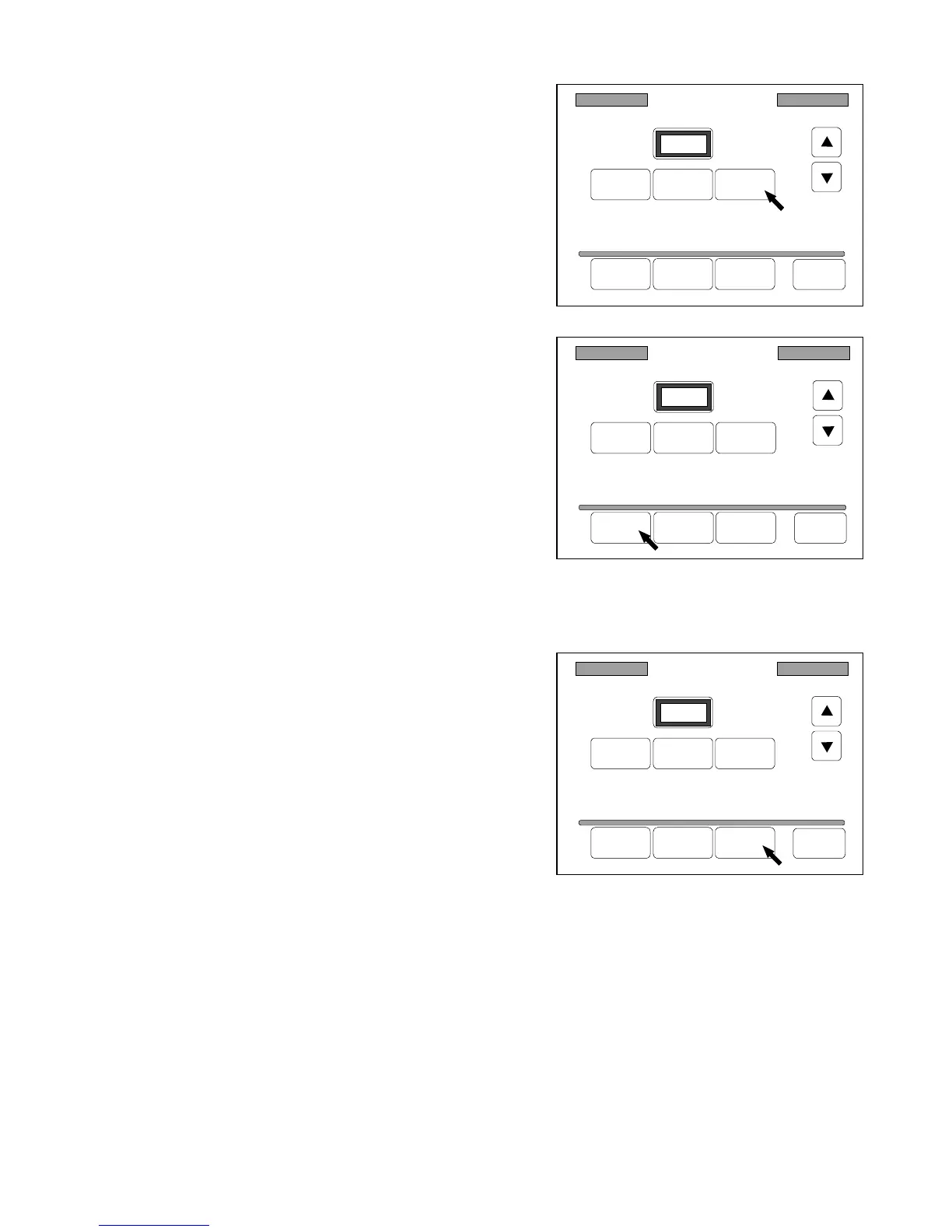
[How to delete the Register Zoom Ratio from the Standard Zoom Frame]
1) Indicate the zoom ratio you will delete in the
Registered Zoom Ratio Setting Screen pressing
“Reduce” and “Enlarge”.
2) Press “Delete” to delete the indicated zoom ratio
from the Standard Zoom Frame.
Note : It is impossible to delete 100.0% although it is
indicated in the Register Zoom Ratio Setting
Screen.
[How to reset the Standard Zoom Frame]
1) Press “Reset” in the Register Zoom Ratio Setting
Screen.
All Register Zoom Ratios are deleted from the
Standard Zoom Frame (Both reduction frame and
enlargement frame), and all deleted Standard Zoom
Ratios are recovered.
After resetting the Standard Zoom Frame, the contents of it becomes as follows.
Reduction standard zoom ratios : 25.0%, 45.0%, 50.0%, and 66.7%
Enlargement standard zoom ratios : 133.3%, 150.0%, 200.0%, 300.0% and 400.0%
Register Zoom Ratio
Reduce 100% Enlarge
120.0%
Delete Add Reset Back
Register Zoom Ratio
Reduce 100% Enlarge
120.0%
Delete Add Reset Back
Register Zoom Ratio
Reduce 100% Enlarge
120.0%
Delete Add Reset Back



 To Next Page