A75UM3EL (Ver. E.2)
3-153
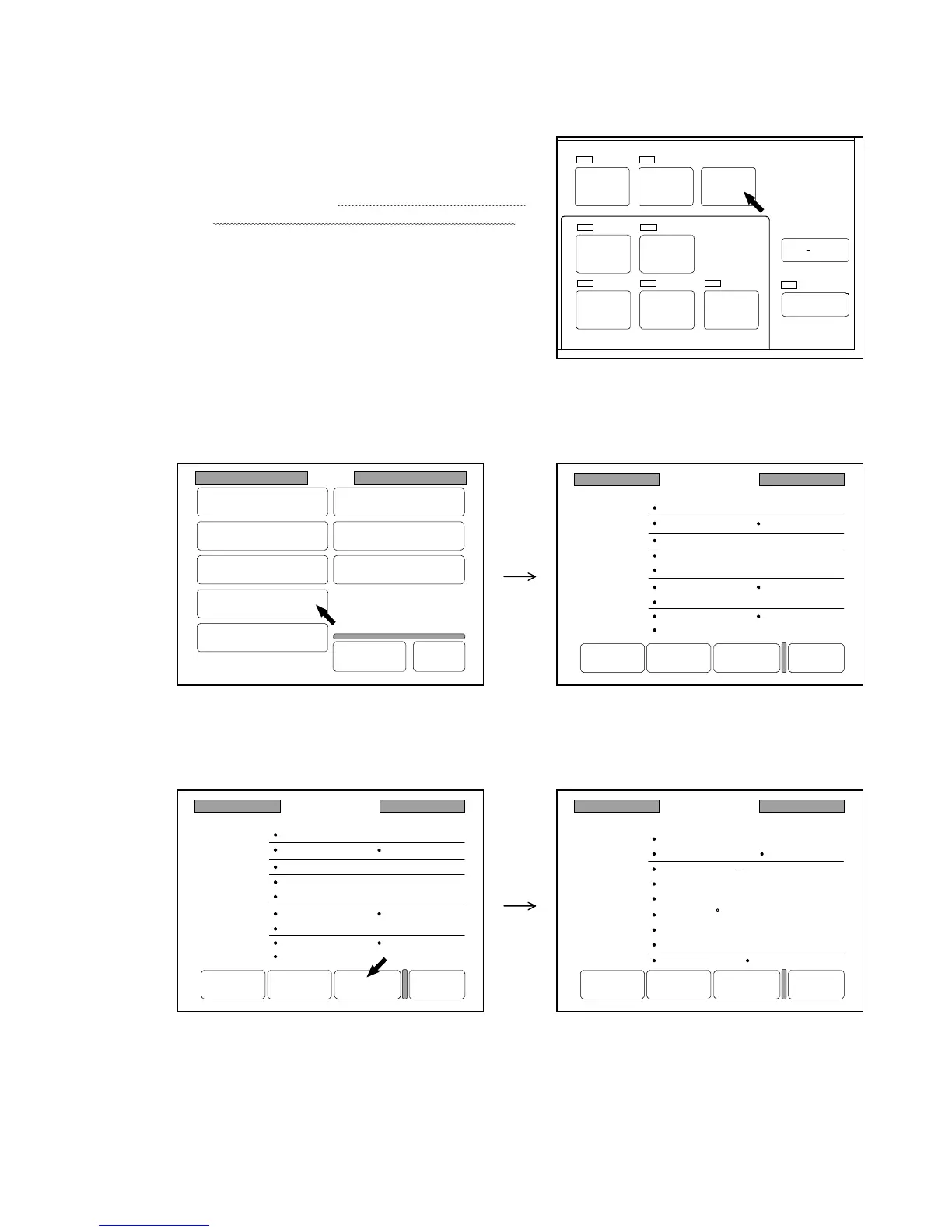
[How to check the contents of Standard Mode]
Before you change default conditions of user settings, check how they are currently registered to the
Standard Mode.
1) Push the Reset Key to reset all user settings.
Note : Since the following Standard Mode Setting
Screen indicates not the default condition of
each setting but the present condition of it,
make sure to reset all settings before
indicating it.
2) Press “Standard Mode” in the Setting Screen to indicate the Standard Mode Setting Screen on
the LCD.
Since default conditions of some user settings are indicated in the screen, check them.
(Standard Mode Setting Screen)
3) Press “Next Page” to indicate the next page of Standard Mode Setting Screen.
Check default conditions of other user settings.
SET COPY
AUTO ZOOM AUTO PAPER
POWER
SAVE
INTERRUPT
RESET
RE COPY
ROTATE
SAMPLE
CONCURRENT
PRINT
Setting
Register
Zoom Ratio
Auto Start
Standard Mode
Mode Memory
Memory
Date/Time
SCSI
Set Back
Original
Format
Standard Mode
Count :1
Roll 1
100.0%
Line
Background
Threshold :Auto
Density :3
Mirror :OFF
Folder :OFF
Synchro
Sharpness :3
Negative :OFF
Set Reset Next Page Back
Standard Mode
Count :1
Roll 1
100.0%
Line
Background
Threshold :Auto
Density :3
Mirror :OFF
Folder :OFF
Synchro
Sharpness :3
Negative :OFF
Set Reset Next Page Back
standard mode
Set Reset Prev Page Back
Shift :0.00"
L.Edge:0.00"
Date Stamp Print :OFF
D/M/Y
Position :Top Left
Rotate :0
X Shift :0.00"
Y Shift :0.00"
Layout :a Sort :a
T.Edge:0.00"



 To Next Page