A75UM3EL (Ver. E.2)
3-154
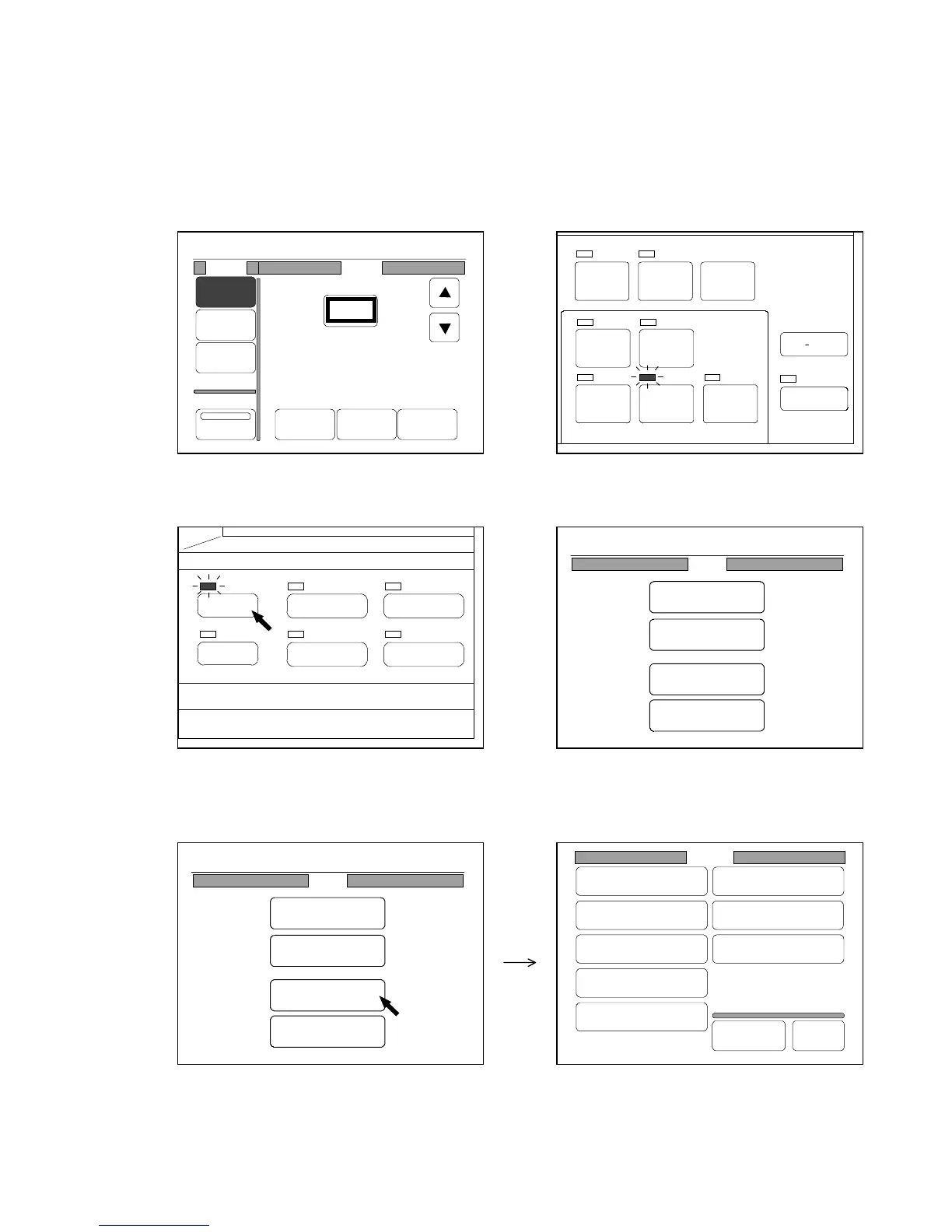
[How to register default conditions to the Standard Mode]
Register your preferable default conditions of user settings to the Standard Mode in the following way.
Register without anxiety since it is possible to recover default conditions decided at factory
forwarding.
1) Firstly change each setting to the condition you will register to the Standard Mode.
Change as many settings as you need in the usual way.
Example : You will register “200.0%” and “Auto Paper Mode ON” as default conditions.
2) Push the Menu Key to indicate the Menu Screen on the LCD.
(Menu Key) (Menu Screen)
3) Press “Setting” in the Menu Screen to indicate the Setting Screen on the LCD.
(Menu Screen) (Setting Screen)
SET COPY
AUTO ZOOM AUTO PAPER
POWER
SAVE
INTERRUPT
RESET
RE COPY
ROTATE
SAMPLE
CONCURRENT
PRINT
PAPER
FUNCTION
BASIC SCREEN
MODE MEMORY
MENU
REFERENCE
Setting
Register
Zoom Ratio
Auto Start
Standard Mode
Mode Memory
Memory
Date/Time
SCSI
Set Back
Original
Format
0%
001
Media
Size
Zoom
Program
XY Zoom
Reduce 100% Enlarge
%
200.0%
Mode
Zoom
0%
001
Menu
Original
Edit
Setting
Command
0%
001
Menu
Original
Edit
Setting
Command



 To Next Page