A75UM3EL (Ver. E.2)
3-155
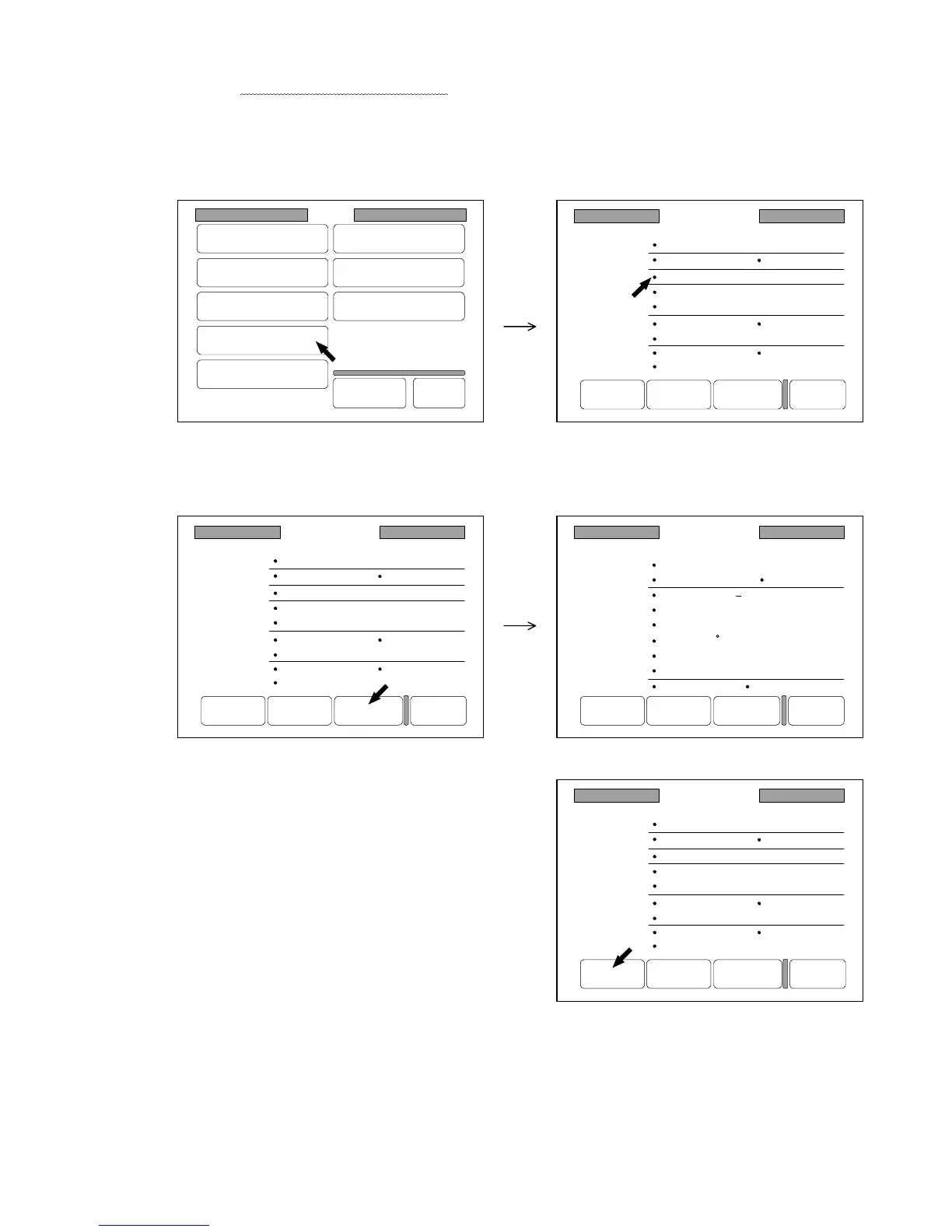
4) Press “Standard Mode” in the Setting Screen to indicate the Standard Mode Setting Screen on
the LCD.
Since the present conditions of settings are indicated in the screen, confirm that the changes you
have done are indicated on the screen.
Note : Conditions of some setting items such as the Auto Paper Mode are not indicated in the
Standard Mode Setting Screen.
As for these kinds of setting item, refer to the list on the page 3-151.
(200.0% is indicated.)
5) Indicate the next page of Standard Mode Setting Screen pressing “Next Page” if required.
6) Press “Set” to register the present condition of each
user setting to the Standard Mode as the default
condition.
After the registration, you will be able to select
200.0% and Auto Paper Mode pushing the Reset Key.
7) If you wish to let the changed Standard Mode be valid later on even if you turn off the machine,
register it making reference to “How to register the setting” on the page 3-143.
Setting
Register
Zoom Ratio
Auto Start
Standard Mode
Mode Memory
Memory
Date/Time
SCSI
Set Back
Original
Format
Standard Mode
Count :1
Roll 1
200.0%
Line
Background
Threshold :Auto
Density :3
Mirror :OFF
Folder :OFF
Synchro
Sharpness :3
Negative :OFF
Set Reset Next Page Back
Standard Mode
Count :1
Roll 1
200.0%
Line
Background
Threshold :Auto
Density :3
Mirror :OFF
Folder :OFF
Synchro
Sharpness :3
Negative :OFF
Set Reset Next Page Back
Standard Mode
Count :1
Roll 1
200.0%
Line
Background
Threshold :Auto
Density :3
Mirror :OFF
Folder :OFF
Synchro
Sharpness :3
Negative :OFF
Set Reset Next Page Back
standard mode
Set Reset Prev Page Back
Shift :0.00"
L.Edge:0.00"
Date Stamp Print :OFF
D/M/Y
Position :Top Left
Rotate :0
X Shift :0.00"
Y Shift :0.00"
Layout :a Sort :a
T.Edge:0.00"



 To Next Page