A75UM3E3 (Ver. E.2)
3-13
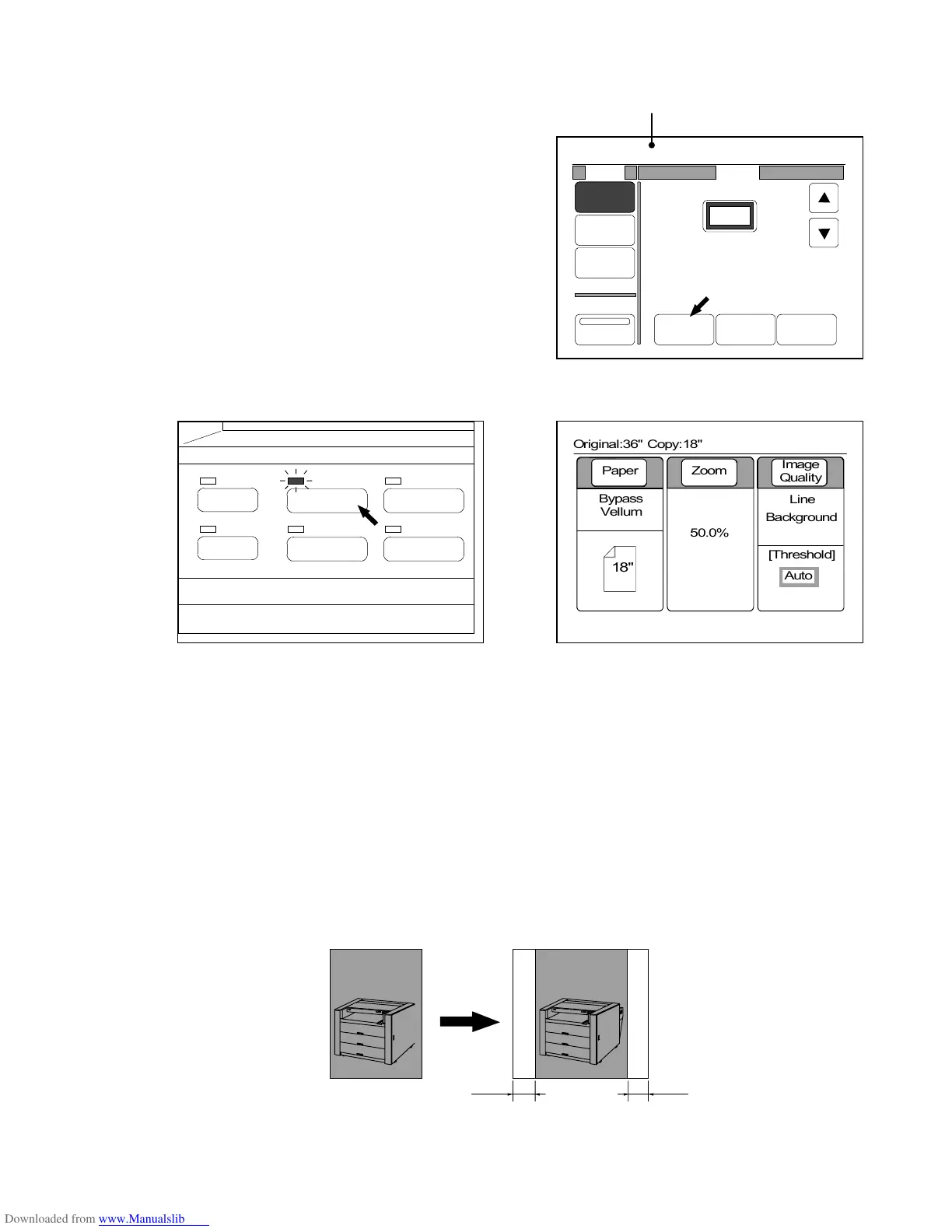
6) Decide the zoom ratio making reference to “Zoom Settings” on the page 3-27.
Required sheet size is indicated automatically as [Copy : 18”] calculating from original size and
zoom ratio.
(Required sheet size)
7) Push the Basic Screen Key to indicate the Basic Screen on the LCD.
(Basic Screen Key) (Basic Screen)
8) Set the sheet media of the indicated size to the printer, and then start copying pushing the Start
Key.
(Note)
If the size of used sheet media is different from the sheet size setting, the copy will not be printed
successfully but be as follows.
1. When you use a larger (wider) sheet media than the sheet size setting, white margins will
provided to both sides of the copy.
(Result of copy)
0%
001
Original:36" Copy:18"
Mode
%
Zoom
Media
Size
Zoom
Program
XY Zoom
50.0%
Reduce 100% Enlarge
KIPKIP
Margin Margin
Original Copy
PAPER
FUNCTION
BASIC SCREEN
MODE MEMORY
MENU
REFERENCE
0%
001



 To Next Page