A75UM3E4 (Ver. E.2)
3-24
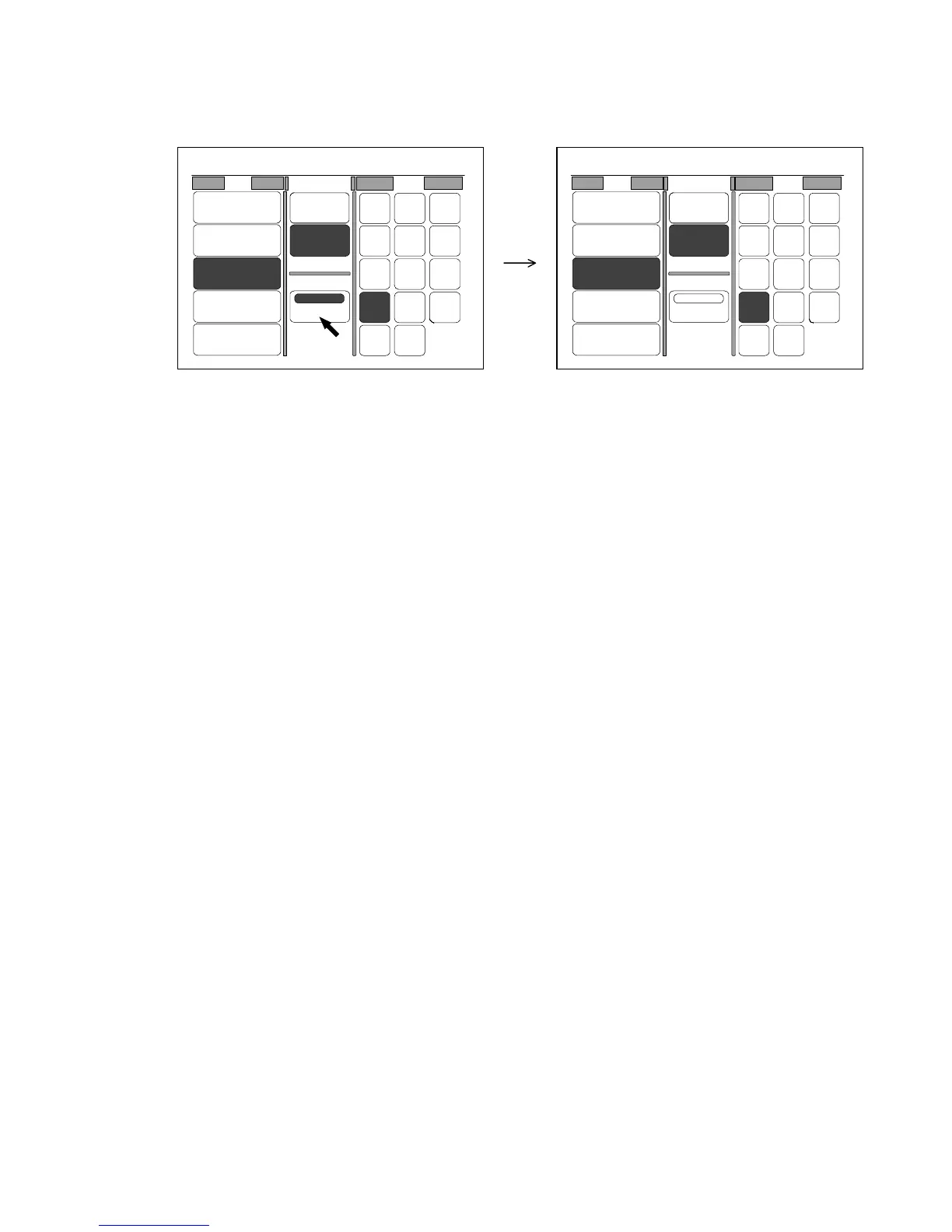
[How to cancel the Divide Mode]
You have 2 ways to cancel the Divide Mode.
1. Cancel the Divide Mode pressing “Divide” when it is colored.
2. It is also possible to cancel the Divide Mode pushing the Reset Key.
However, note that not only Divide Mode but also all other user settings are initialized according to
the Standard Mode if you push the Reset Key.
(In order to cancel the Divide Mode pushing the Reset Key, “Divide : OFF” should be registered to
the Standard Mode as the default condition. As for the Standard Mode, refer to “Standard Mode”
on the page 3-151.)
0%
001
Roll Cut Mode Size
2:30"
Vellum
1:36"
Plain Paper
3:24"
Film
4:18"
Plain Paper
Bypass
Synchro
Standard
Divide
48"
44"
42"
36"
34"
30"
24"
22"
18"
17"
12"
11"
9"
8.5"
0%
001
Roll Cut Mode Size
2:30"
Vellum
1:36"
Plain Paper
3:24"
Film
4:18"
Plain Paper
Bypass
Synchro
Standard
Divide
48"
44"
42"
36"
34"
30"
24"
22"
18"
17"
12"
11"
9"
8.5"



 To Next Page