A75UM3E7 (Ver. E.2)
3-42
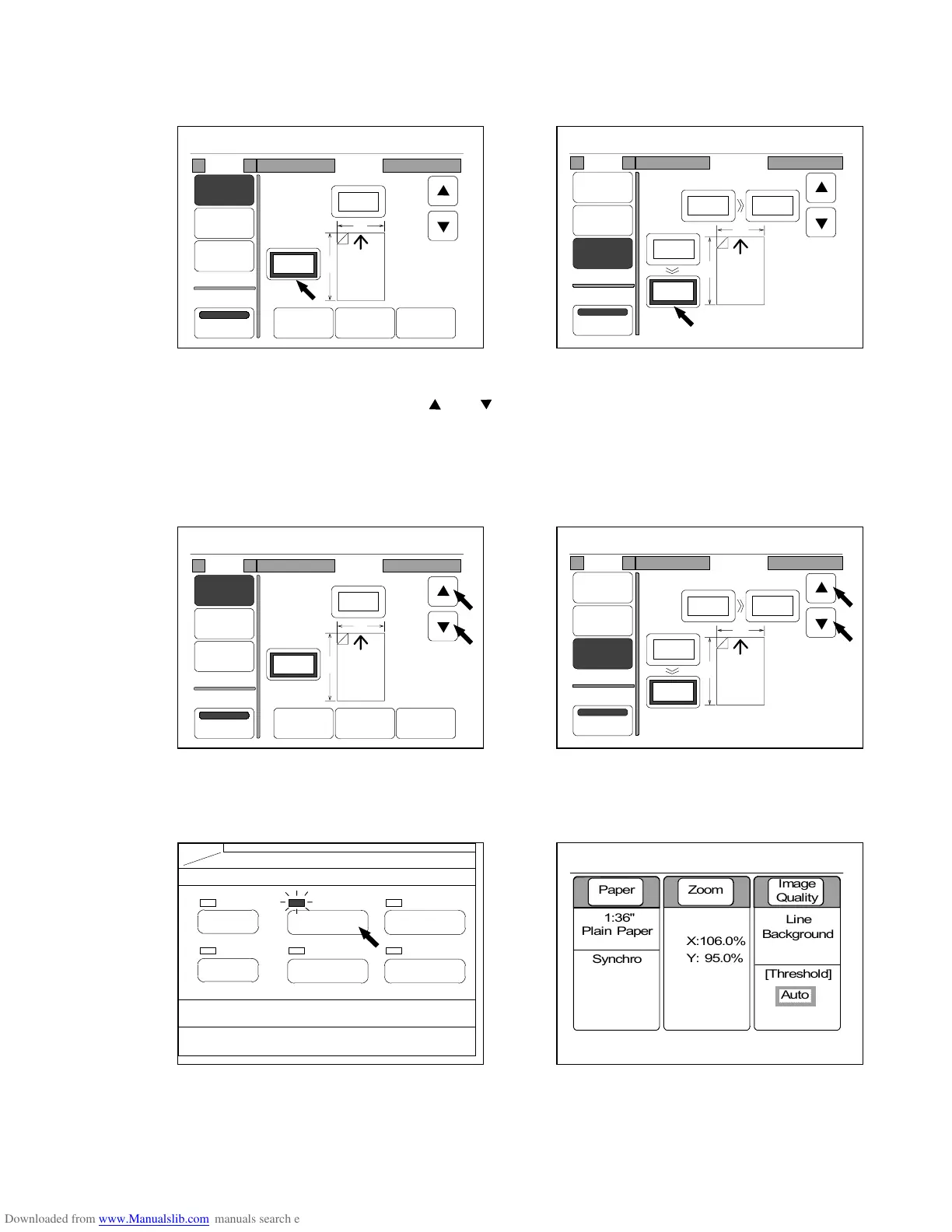
4) Since it is possible to change the setting value when its frame is thick, press the setting value
that you will change to make its frame thick.
(% Mode) (Zoom Program Mode)
5) Change each setting value pressing and .
It is also possible to change the value inputting directly with Ten Keys.
When you change each setting value, both horizontal zoom (X) and vertical one (Y) are also
changed.
If you inputted a wrong value, clear it pushing the Clear Key, and then change the value again.
(% Mode) (Zoom Program Mode)
6) Push the Basic Screen Key to indicated the Basic Screen on the LCD.
Both horizontal zoom (X) and vertical one (Y) are indicated.
(Basic Screen Key) (Basic Screen)
PAPER
FUNCTION
BASIC SCREEN
MODE MEMORY
MENU
REFERENCE
0%
001
Mode Zoom
%
Media
Size
Zoom
Program
XY Zoom
Reduce 100% Enlarge
X
Y
100.0%
100.0%
0%
001
:
:
Mode Program
%
Media
Size
Zoom
Program
XY Zoom
X
Y
Original Copy
10.0"
X : 100.0%
Y : 100.0%
10.0"
10.0"
10.0"
0%
001
Mode Zoom
%
Media
Size
Zoom
Program
XY Zoom
Reduce 100% Enlarge
X
Y
98.0%
102.0%
0%
001
:
:
Mode Program
%
Media
Size
Zoom
Program
XY Zoom
X
Y
Original Copy
10.0"
X : 106.0%
Y : 95.0%
10.6"
10.0"
9.5"
0%
001



 To Next Page