24
4
Quadrant
Energy Analyzer
4
Quadrant
Energy Analyzer
3.1.3 Time
Time setting for KLEA is accomplished as explained in 3.1.2 Date menu.
3.1.4 Current Transformer Ratio (CTR)
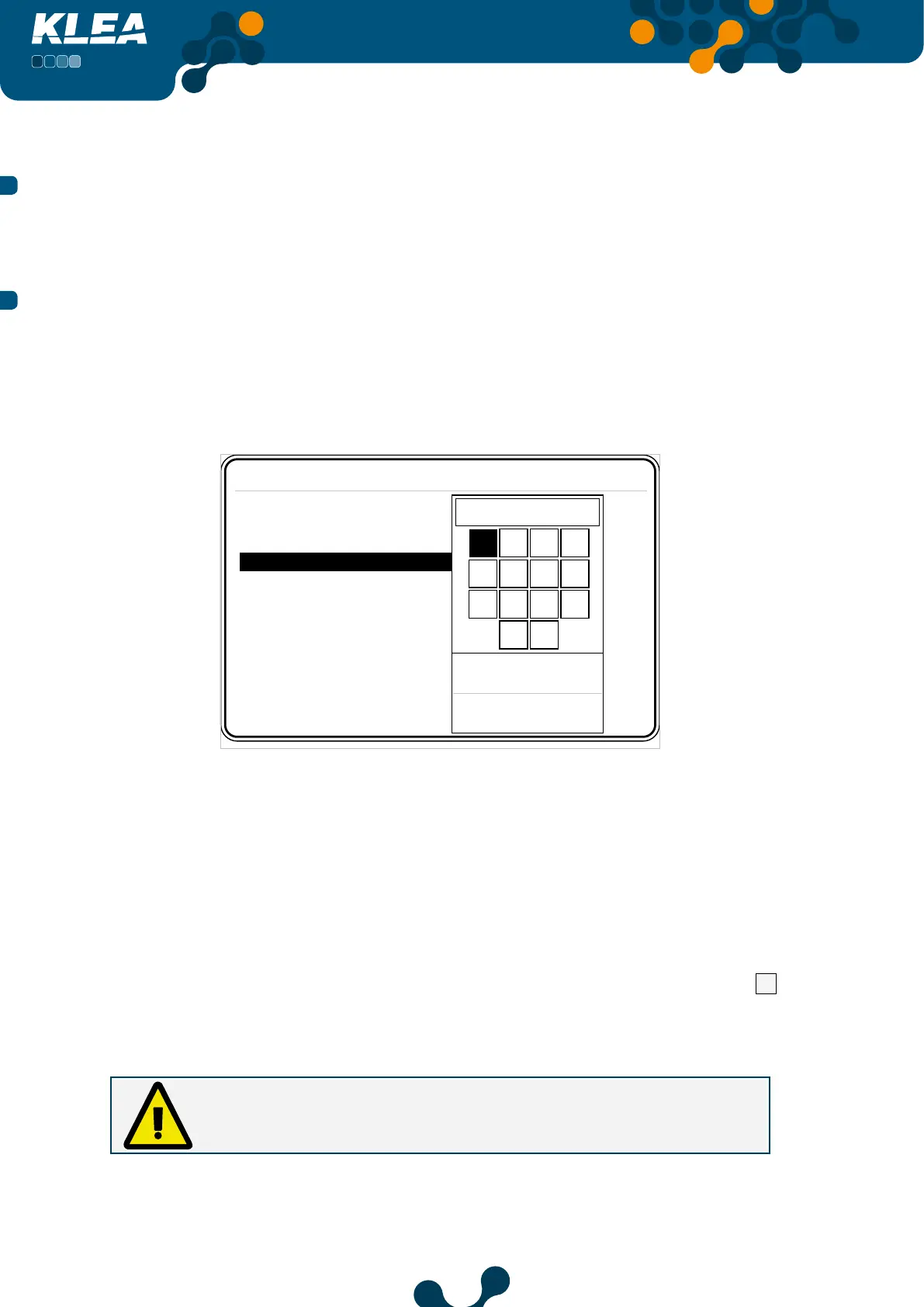
In this tab, current transformer ratio is entered. The current transformer ratio can be
adjusted between 1-5000. When this tab is highlighted; if the operator presses OK key,
KLEA Virtual Keyboard will appear on the screen.
Startup Settings
Language English
Date 07 January 2013
Time 17:45:28
CTR 1
VTR 1.0
Connection 3phase 4wire
Start
1
Low limit
1
High limit
5000
1 2 3 4
5 6 7 8
9 0 . -
ok clr
Fig. 3-5 Current Transformer Ratio
Use arrow keys (left, right, up and down) of Klea to navigate inside the virtual keyboard.
In order to enter any number in the virtual keyboard as a value, when that number is
highlighted, press OK key of Klea. When ‘ok’ box of virtual keyboard is highlighted, press
‘OK’ key of Klea to complete current transformer setting.
In case an incorrect digit is entered, scroll inside the virtual keyboard to select
clr
box.
Then pres ‘OK’ key of Klea to erase erroneous entered digit(s).
Caution:
In order for KLEA to perform accurate measurements, current transformer
ratio should be entered correctly.
SECTION 3 MENUS


 To Next Page