32
4
Quadrant
Energy Analyzer
4
Quadrant
Energy Analyzer
3.2.1.1.1.5 Power Unit
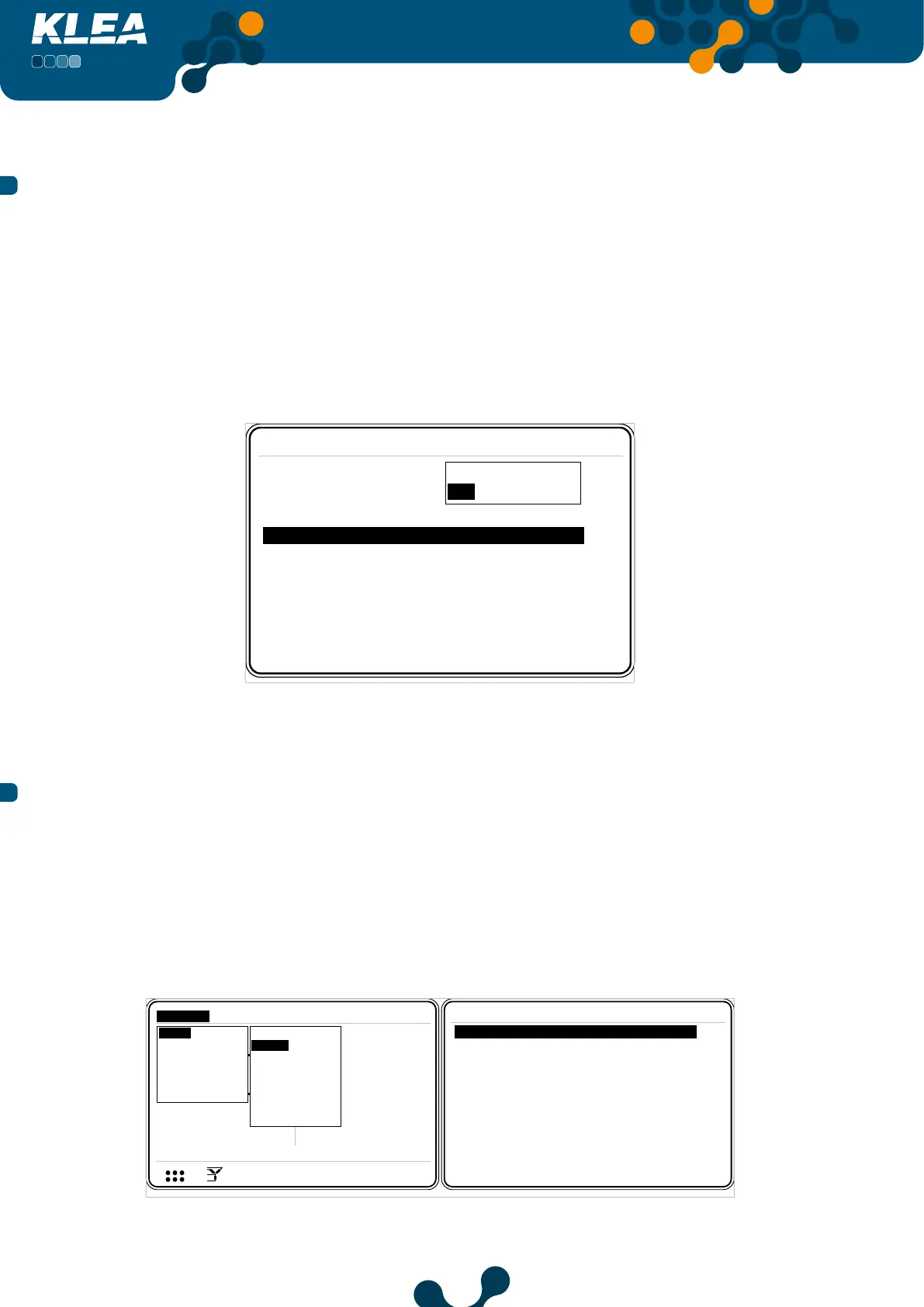
KLEA displays total power or total energy values in two dierent units:
• Mega
• Kilo
Inside Network menu, press up and down keys to select (highlight) ‘Power unit’ menu
item. When ‘Power unit’ is selected, press OK key and the aforementioned options will
appear on the screen. Press up and down keys to select the desired option and press OK
key to complete the setting.
Settings->Setup->Network
CTR 1
VTR 1.0
Connection 3phase 4wire
Demand period 15 min
Power unit Kilo
Mega
Kilo
Fig. 3-18 Power Unit Setup
3.2.1.1.2 Device Menu
In this menu following settings can be accomplished.
• Language
• Contrast
• New Password
• Display on
• Display on Time
Settings->Setup->Device
Language English
Contrast Level 0
Display on time 600
V1
V2
V3
V
V
V
A
A
A
I1
I2
I3
17:22
0.0
0.0
220.0
5.0
5.0
5.0
V
1 23
I
12
12 E
Setup
Date / Time
System info
Password
Restart
Default settings
Settings
Measure
Meters
Alarms Analysis
Network
Device
Energy
Digital input
Digital output
Communication
Alarm
Clear
Pass. protection Off
New password 1
Display on Time dependent
sec
Fig. 3-19 Device Menu
SECTION 3 MENUS


 To Next Page