40
4
Quadrant
Energy Analyzer
4
Quadrant
Energy Analyzer
2054. modebus address:“Initial “energy value for meter of “Reactive R4 => T1 rate2” can be entered.
2056. modebus address:“Initial “energy value for meter of “Imp. active => T1 rate3” can be entered.
2058. modebus address:“Initial “energy value for meter of “Exp. active => T1 rate3 can be entered.
2060. modebus address:“Initial “energy value for meter of “Reactive R1 => T1 rate3” can be entered.
2062. modebus address:“Initial “energy value for meter of “Reactive R2 => T1 rate3” can be entered.
2064. modebus address:“Initial “energy value for meter of “Reactive R3 => T1 rate3” can be entered.
2066. modebus address:“Initial “energy value for meter of “Reactive R4 => T1 rate3” can be entered.
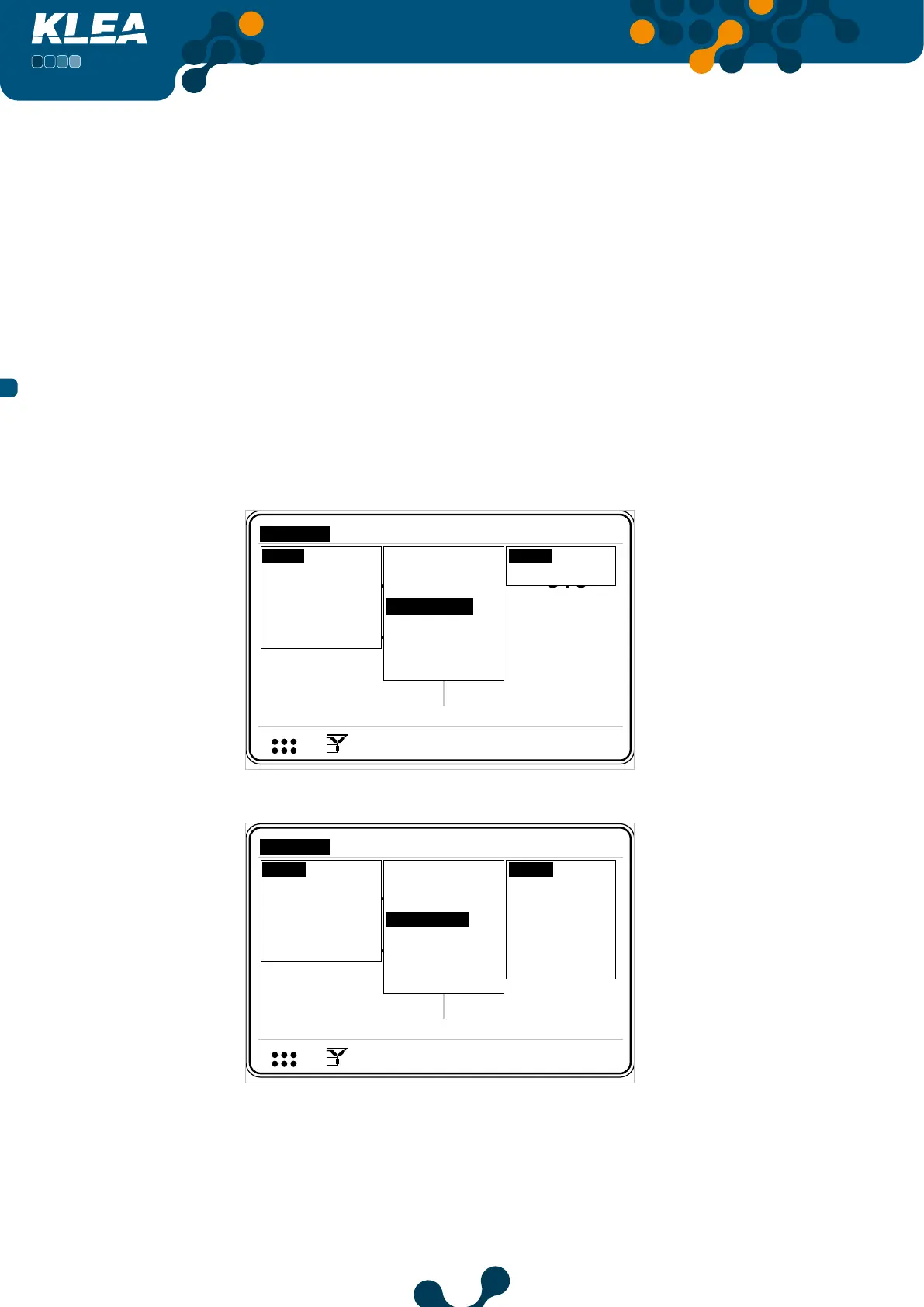
3.2.1.1.4 Digital Input Menu
Digital input menu consists of Input1 and Input2 menus. KLEA digital inputs are used in
order to activate Tariff 2 me er and/or to count a digital signal.
V1
V2
V3
V
V
V
A
A
A
I1
I2
I3
17:22
0.0
0.0
220.0
5.0
5.0
5.0
V
1 2 3
I
1 2
1 2 E
Setup
Date / Time
System info
Password
Restart
Default settings
Settings
Measure
Meters
Alarms Analysis
Network
Device
Energy
Digital input
Digital output
Communication
Alarm
Clear
Input1
Input2
Fig. 3-28 Digital Input Menu
V1
V2
V3
V
V
V
A
A
A
I1
I2
I3
17:22
0.0
0.0
220.0
5.0
5.0
5.0
V
1 2 3
I
1 2
1 2 E
Setup
Date / Time
System info
Password
Restart
Default settings
Settings
Measure
Meters
Alarms Analysis
Network
Device
Energy
Digital input
Digital output
Communication
Alarm
Clear
Input1
Input2
Input3
Input4
Input5
Input6
Input7
Fig. 3-29 Digital Input Menu (With IO option)
SECTION 3 MENUS


 To Next Page