29
4
Quadrant
Energy Analyzer
4
Quadrant
Energy Analyzer
• Network
• Device
• Energy
• Digital input
• Digital output
• Communication
• Alarm
• Clear
The user can scroll inside the menus by pressing up and down keys. Press OK key in order
to access contents of each submenus (the submenus under the setup menu) .
In order for the new settings to be accepted by KLEA and stored in the memory, operator should
navigate back (by pressing X key) to Startup Screen from the tab at which change has been made.
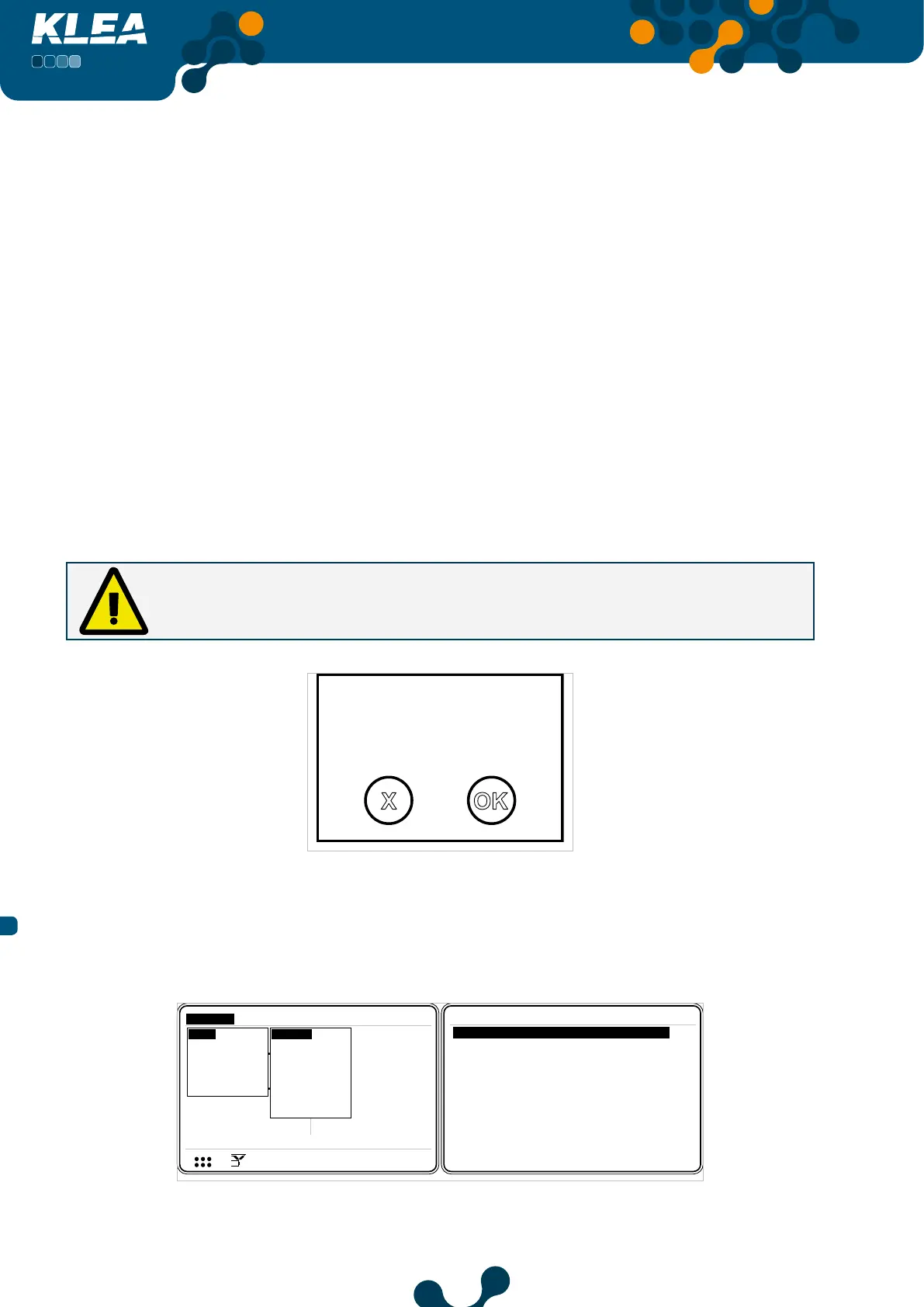
When the operator returns to Startup page, “Settings changed. Save?” message will appear on
the screen. If OK is pressed, changes will be accepted and stored in permanent memory. If X key is
pressed, the changes will not be accepted by KLEA and will not be stored in permanent memory.
When “Settings changed. Save?” message appears on KLEA screen; if OK is pressed,
setting changes will be accepted and stored in permanent memory. If X key is pressed,
the changes will not be accepted and will not be stored in permanent memory.
Settings changed.
Save?
OK
X
Fig. 3-12 KLEA Save Query
3.2.1.1.1 Network Menu
Electrical network related settings are accomplished in this menu.
V1
V2
V3
V
V
V
A
A
A
I1
I2
I3
17:22
0.0
0.0
220.0
5.0
5.0
5.0
V
1 2 3
I
1 2
1 2 E
Setup
Date / Time
System info
Password
Restart
Default settings
Settings
Measure
Meters
Alarms Analysis
Network
Device
Energy
Digital input
Digital output
Communication
Alarm
Clear
Settings->Setup->Network
CTR 10
VTR 1.0
Connection 3phase 4wire
Demand period 15 min
Power unit Kilo
Fig. 3-13 Network Menu
SECTION 3 MENUS


 To Next Page