59
PARAMETERS
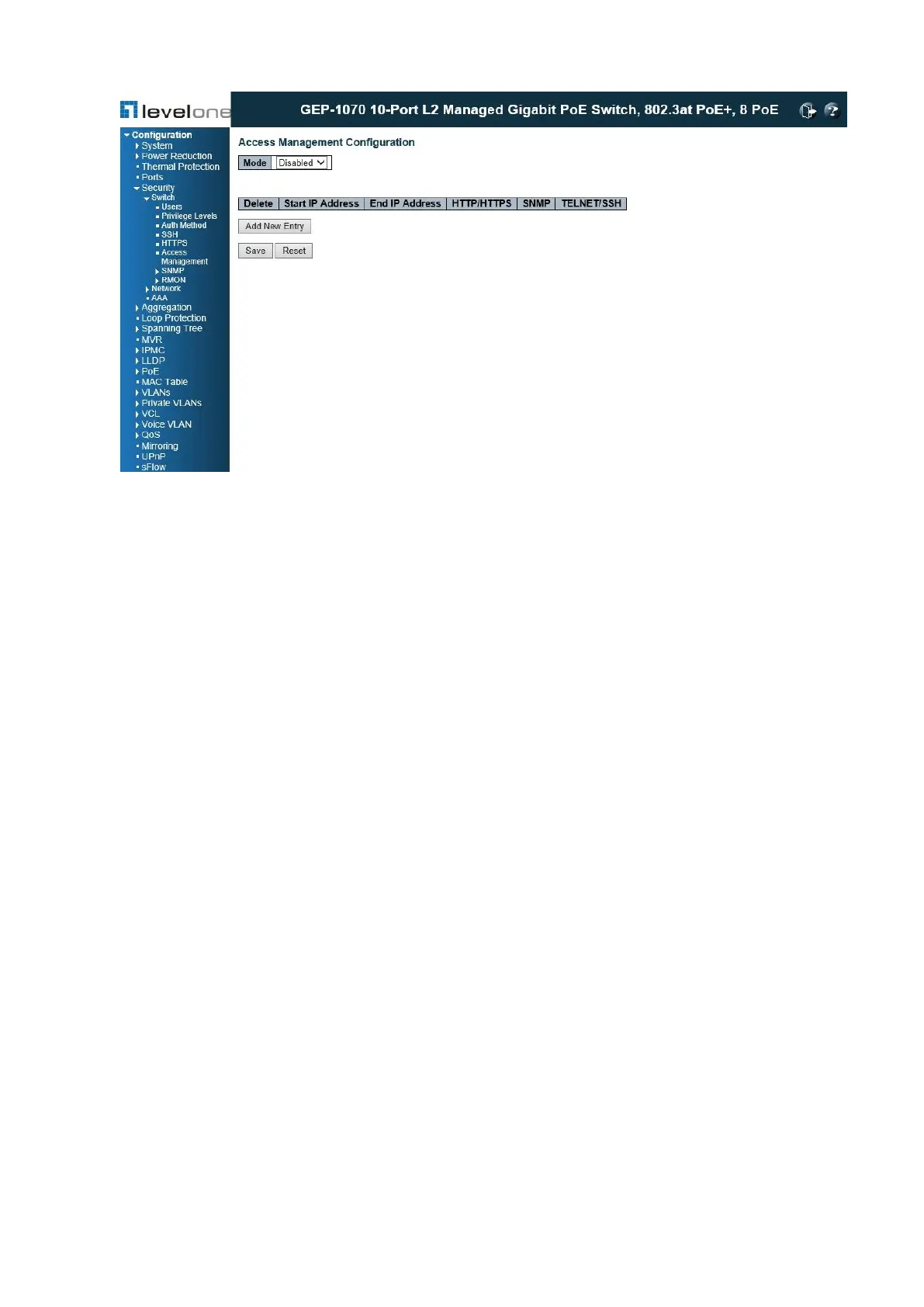
These parameters are displayed:
◆ Mode – Enables or disables filtering of management access based on configured IP
addresses. (Default: Disabled)
◆ Start IP Address – The starting address of a range.
◆ End IP Address – The ending address of a range.
◆ HTTP/HTTPS – Filters IP addresses for access to the web interface over standard HTTP,
or over HTTPS which uses the Secure Socket Layer (SSL) protocol to provide an
encrypted connection.
◆ SNMP – Filters IP addresses for access through SNMP.
◆ TELNET / SSH – Filters IP addresses for access through Telnet, or through Secure Shell
which provides authentication and encryption.
WEB INTERFACE
To configure addresses allowed access to management interfaces on the switch:
1. Click Configuration, Security, Switch, Access Management.
2. Set the Mode to Enabled.
3. Click “Add new entry.”
4. Enter the start and end of an address range.














 To Next Page