Publication date: June, 2015
Revision A1
2-5.1.5.4 Users
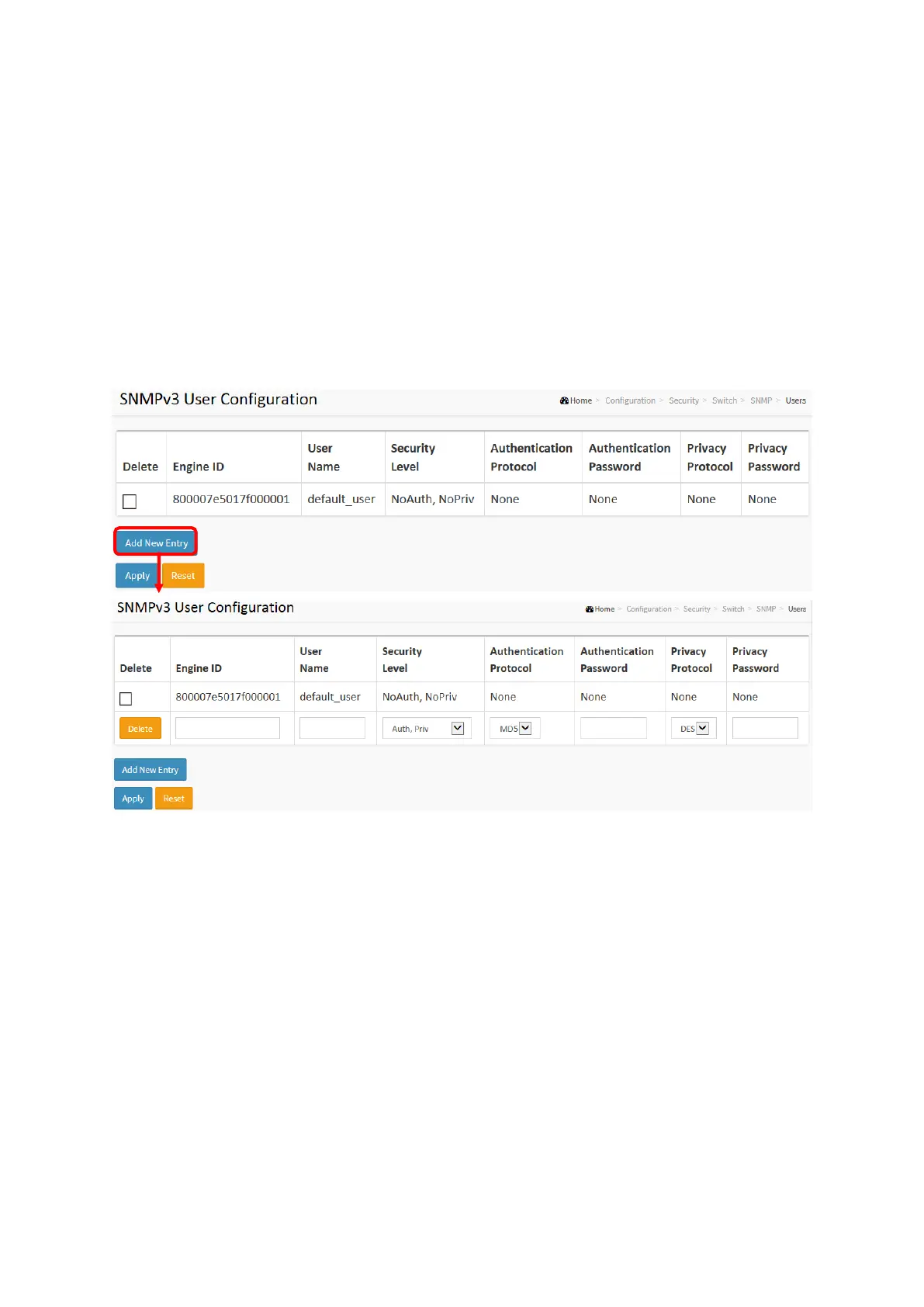
The function is used to configure SNMPv3 user. The Entry index key is UserName. To create a
new UserName account, please check <Add new user> button, and enter the user
information then check <Save>. Max Group Number : 10.
Web Interface
To display the configure SNMP Users in the web interface:
1. Click SNMP, Users.
2. Specify the Privilege parameter.
3. Click Apply.
Figure 2-5.1.5.4: The SNMP Users Configuration
Parameter description:
Delete
Check to delete the entry. It will be deleted during the next save.
Engine ID
An octet string identifying the engine ID that this entry should belong to. The string must
contain an even number (in hexadecimal format) with number of digits between 10 and 64,
but all-zeros and all-'F's are not allowed. The SNMPv3 architecture uses the User-based
Security Model (USM) for message security and the View-based Access Control Model
(VACM) for access control. For the USM entry, the usmUserEngineID and usmUserName are
the entry's keys. In a simple agent, usmUserEngineID is always that agent's own
snmpEngineID value. The value can also take the value of the snmpEngineID of a remote
SNMP engine with which this user can communicate. In other words, if user engine ID equal
system engine ID then it is local user; otherwise it's remote user.
User Name
A string identifying the user name that this entry should belong to. The allowed string














 To Next Page