Updating Firmware
Z-Max Advanced Programming & Systems Design Guide rac00-sdg
Revision A:11/2005 Page 109
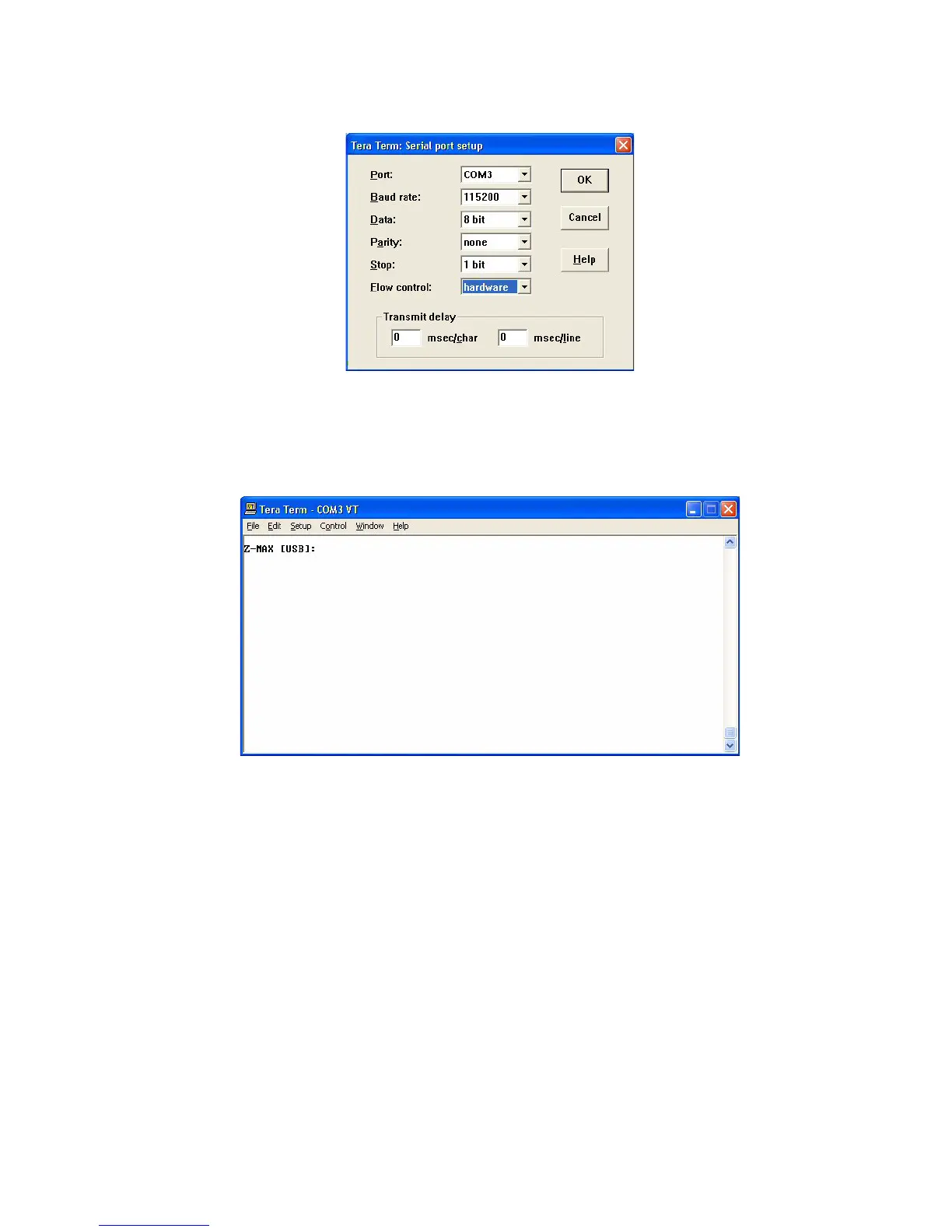
Once you have the terminal program configured you should be able to communicate
to the Z-MAX cabinet.
Step 4: Tap Enter on the PC’s keyboard and you should see a prompt appear on
the terminal program’s text window.
Since you will be replacing the operating system of the control board, you must jump
out of the main operating system that is managing the communications and into a
boot section of code that will perform the file transfer.
Step 5: To enter the boot system, type EXIT followed by Enter at the prompt.



 To Next Page