M A E D A Crawler Crane 4.2 MONITOR
5/2020 CC1908S-1 4-7
[11] Travel status
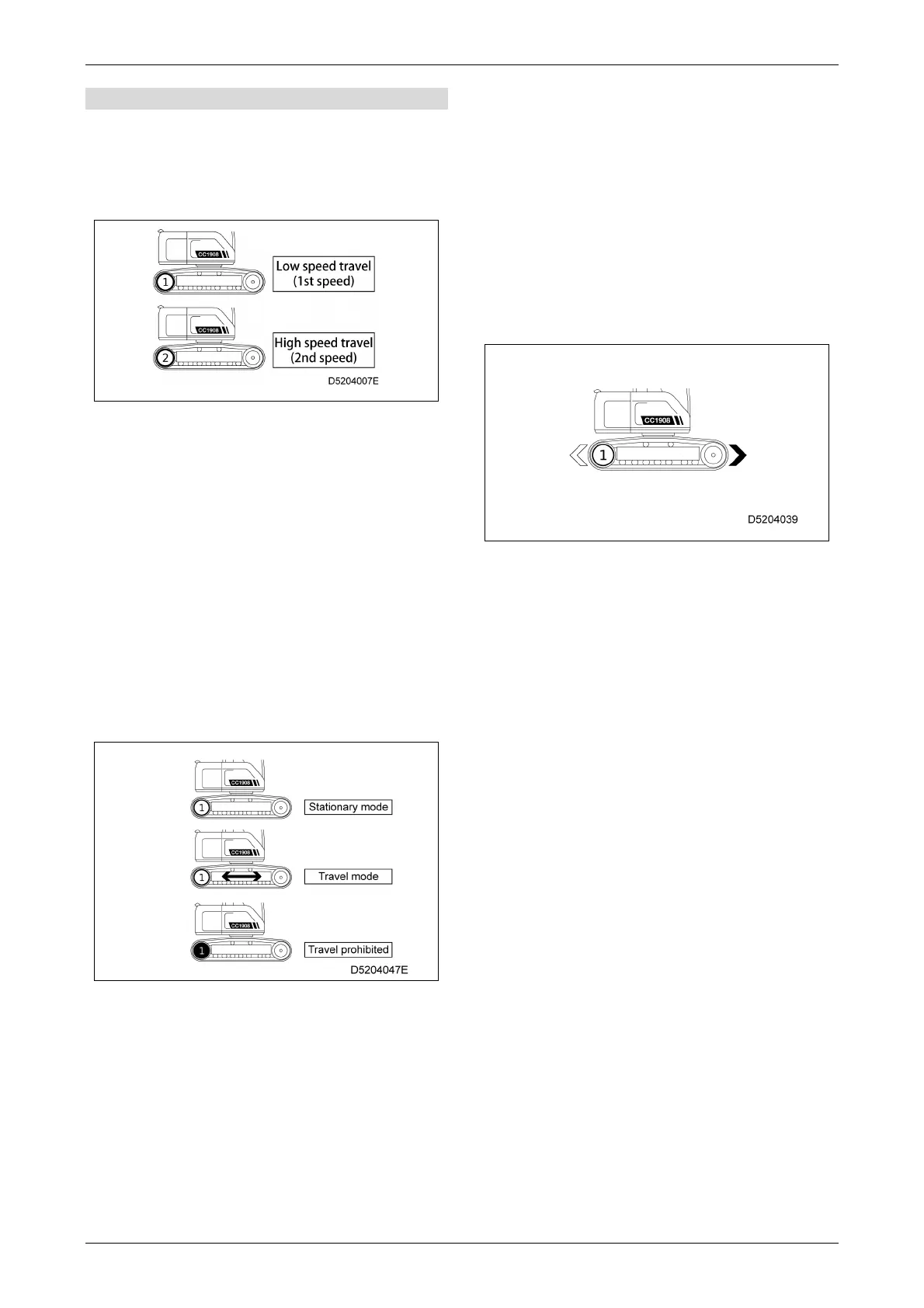
[Travel 1st speed/2nd speed display]
Displays the current travel speed selection.
• "1" on monitor: Low speed travel (1st speed)
• "2" on monitor: High speed travel (2nd speed)
High speed (2nd speed) cannot be used in
the following situations:
• When the travel 1st speed/2nd speed
selector switch is set to 1st speed
• When the actual load is 0.5 t or greater
• When the boom length is 9.0 m or greater
• When the engine speed is less than
1,800 rpm
• When the fly jib is extended
[Travel status display]
The display changes according to the travel mode
selection and machine status.
• Stationary mode
• Travel mode
• Travel prohibited
Travel is prohibited in the following situations:
• When an overload has occurred
• When the boom length is 9.0 m (3-stage
boom) or greater
[Travel direction display]
Indicates the direction in which the machine will
move when the travel levers are pushed forward.
This will vary depending on the direction in which
the upper slewing body is pointing.
Indication to right: The machine moves forward
when the travel levers are
pushed forward.
Indication to left: The machine reverses when
the travel levers are pushed
forward.
Reverse refers to the sprocket end.



 To Next Page