4.2 MONITOR M A E D A Crawler Crane
4-8 5/2020 CC1908S-1
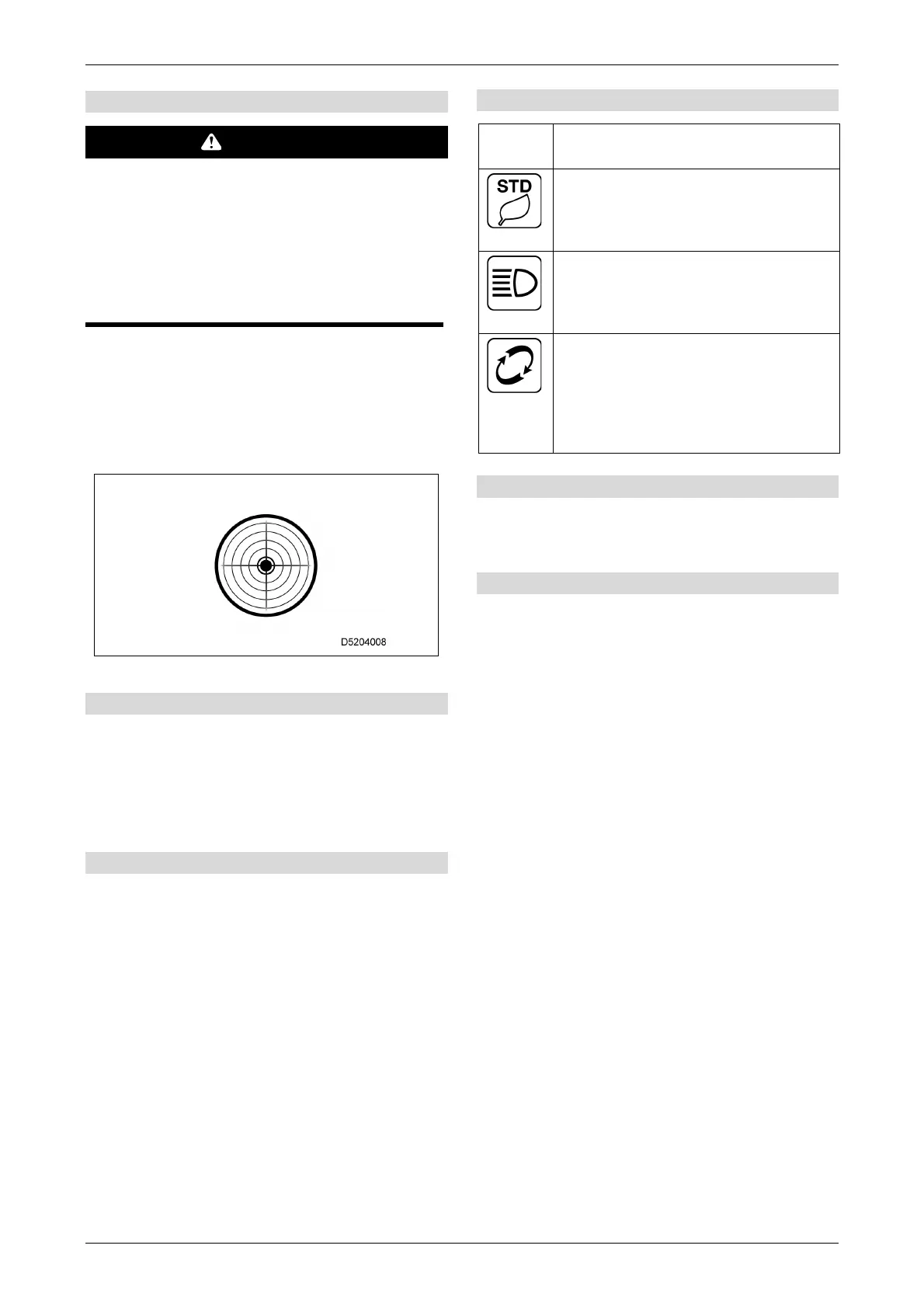
[12] Level gauge
WARNING
The crane may tip over if it is operated while
tilted.
Before operating the crane, watch the level
gauge and search for a location where the
machine body is level.
If work on a slope is unavoidable, create a
level base by placing planking or laying earth
on the ground.
Indicates the machine tilt.
The position of the yellow ball indicates the
inclination and direction of the machine.
Use this to check whether the machine body is
level when stopped at the worksite.
[13] Winch 1st speed/2nd speed display
Pressing the winch 1st speed/2nd speed selector
switch on the left-hand control lever toggles the
display between "1" and "2".
The speed will be limited to 1st speed if the
hoisted load is 0.5 t or greater.
[14] Moment limiter display
Refer to "4.3.4.1 MOMENT LIMITER DISPLAY"
on
P. 4-26.
[15] Status display
Monitor
display
Description
[ECO setting display]
Displays the ECO mode setting. ECO
setting can be changed via the user
settings.
[Lights]
This lights up when the head light/
boom working light at the front of the
machine are on.
[Replacement]
Lights up when consumable parts are
in need of replacement.
Refer to "
[10] Consumables display" in "4.2.2.2
USER SETTINGS" on P. 4-11.
[16] Warning display
Refer to " 6.21.1 "WARNING DISPLAY" on
P.6-112.
[17] Message display
Machine status messages are displayed at the top
right of the monitor screen ((3) Engine speed and
(4) Fuel gauge display area). For details, refer to
"6.21.2 "MESSAGE DISPLAY" on P.6-114.



 To Next Page