4.2 MONITOR M A E D A Crawler Crane
4-14 5/2020 CC1908S-1
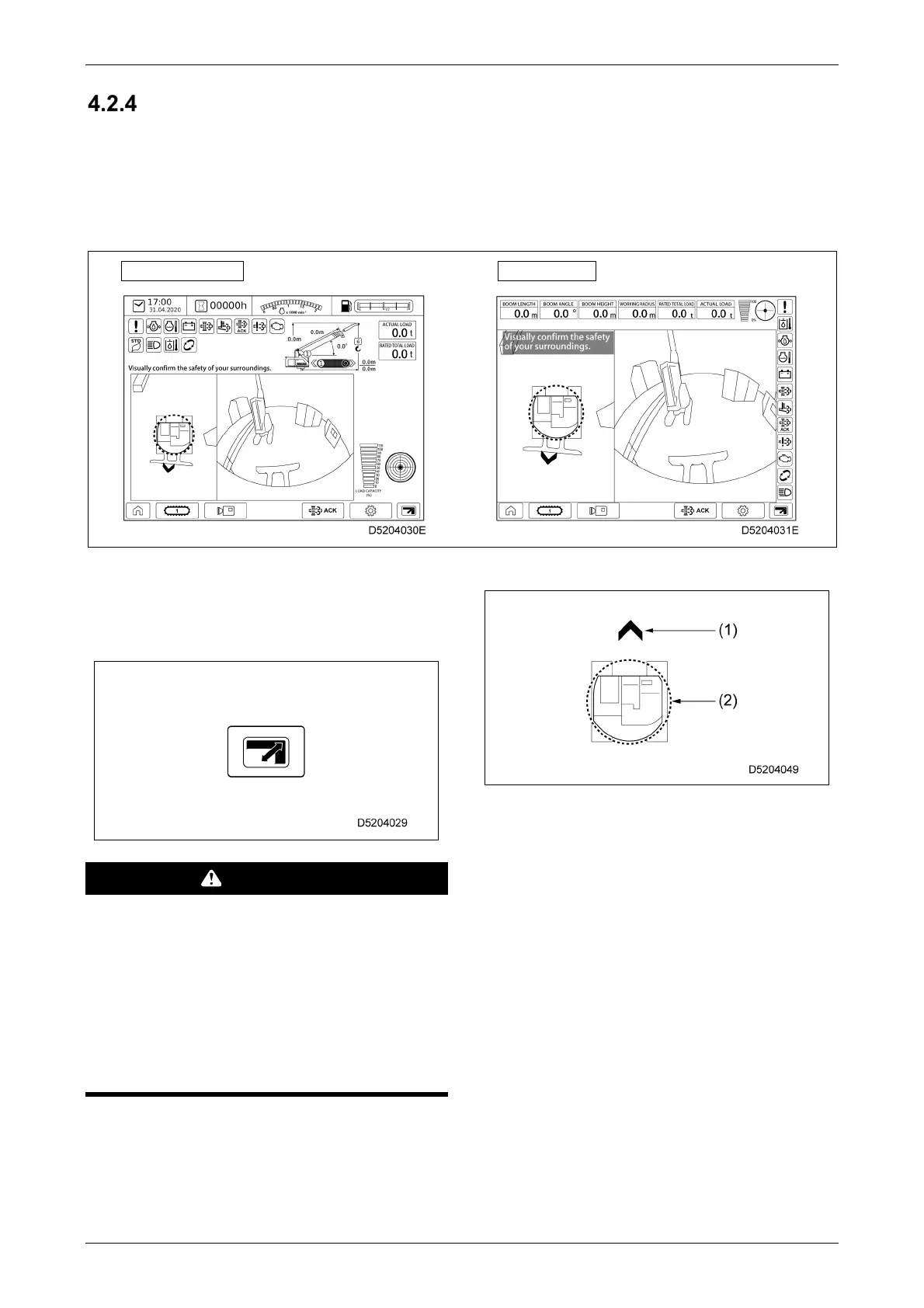
MULTI-ASSIST VIEW SCREEN
The multi-assist view screen is displayed in the following situations:
• When “Multi-assist view automatic switching on/off” is set to ON on the User Settings screen and a
travelling or slewing operation is performed
• When the camera selector switch is pressed on the home screen
• When the camera selector switch is pressed on the right-hand control lever
Standard display
Zoom display
For displays other than "Front view", pressing the
screen view selector switch at the bottom right of
the screen toggles between the zoom display and
the standard display.
WARNING
• The camera images should only be used as
a guide. Be sure to check the machine
surroundings visually.
• The camera must be readjusted if it has been
moved during replacement. Specialist
equipment is required to readjust the
camera. Contact us or our sales service
agency.
(1) Travel direction display
(2) Machine rear slewing radius display
[1] Travel direction display
Indicates the direction in which the machine will
move when the travel levers are pushed forward.
This will vary depending on the direction in which
the upper slewing body is pointing.
[2] Machine rear slewing radius display
Indicates the slewing radius for the upper slewing
body.
The upper slewing body protrudes the most
at the rear, so this display should be used as
a guide for the slewing radius when slewing.



 To Next Page