M A E D A Crawler Crane 4.2 MONITOR
5/2020 CC1908S-1 4-15
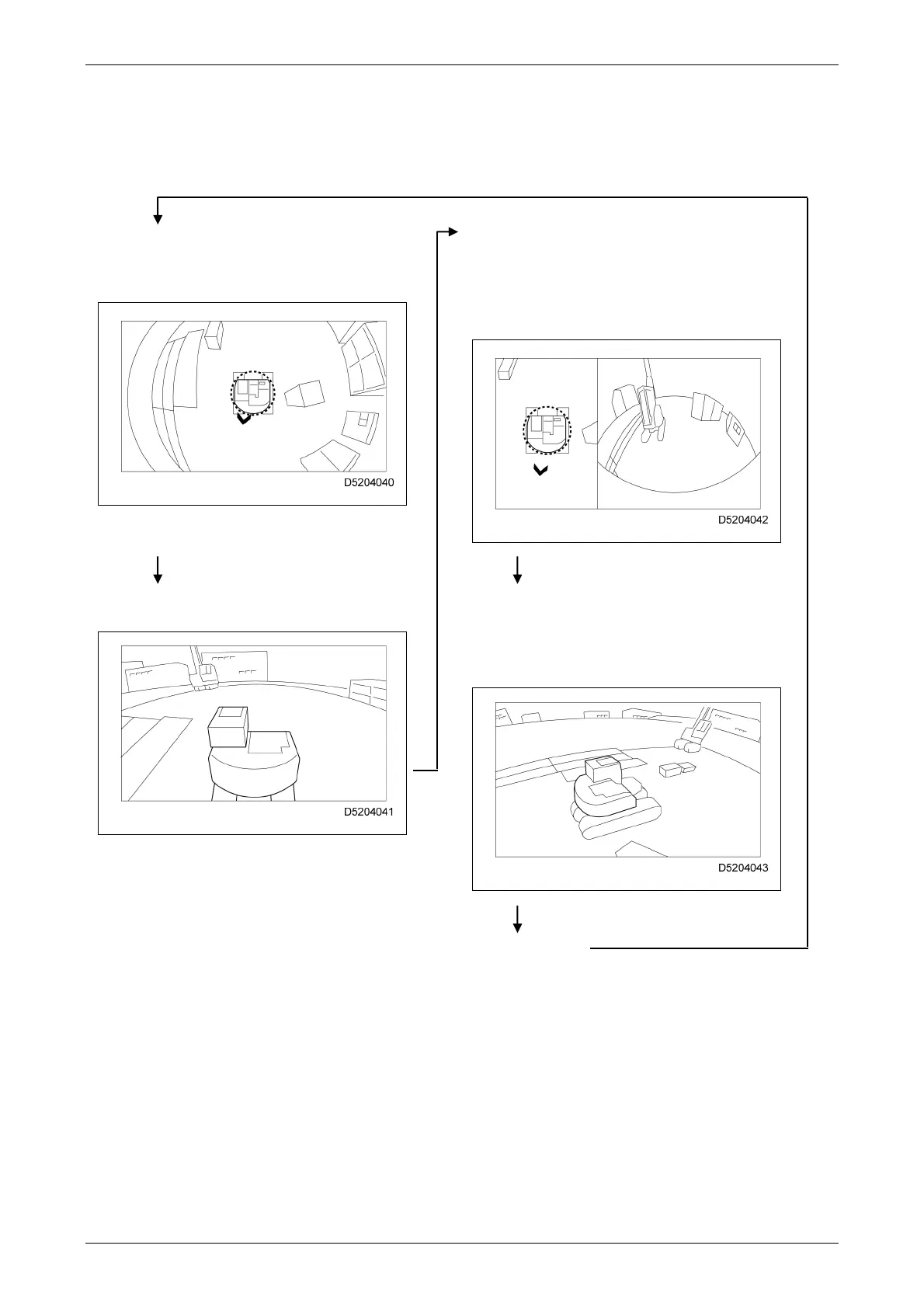
Pressing the camera selector switch on the home
screen or on the right-hand control lever toggles
the display as follows.
[Bird's-eye view]
[Travel/slewing view]
Displays the machine as viewed from above,
allowing you to check the full 360 degrees
around the machine.
Displays a bird's-eye view of the machine on
the left side of the screen and the rear view on
the right side of the screen, allowing you to
check the surroundings during travelling and
slewing operations.
[Front view] [360° view]
Displays a view from either side to the front.
Displays a rotating view around the machine
in the counterclockwise direction, allowing you
to check the full 360 degrees around the
machine in sequence.
[Home screen]



 To Next Page