4.2 MONITOR M A E D A Crawler Crane
4-16 5/2020 CC1908S-1
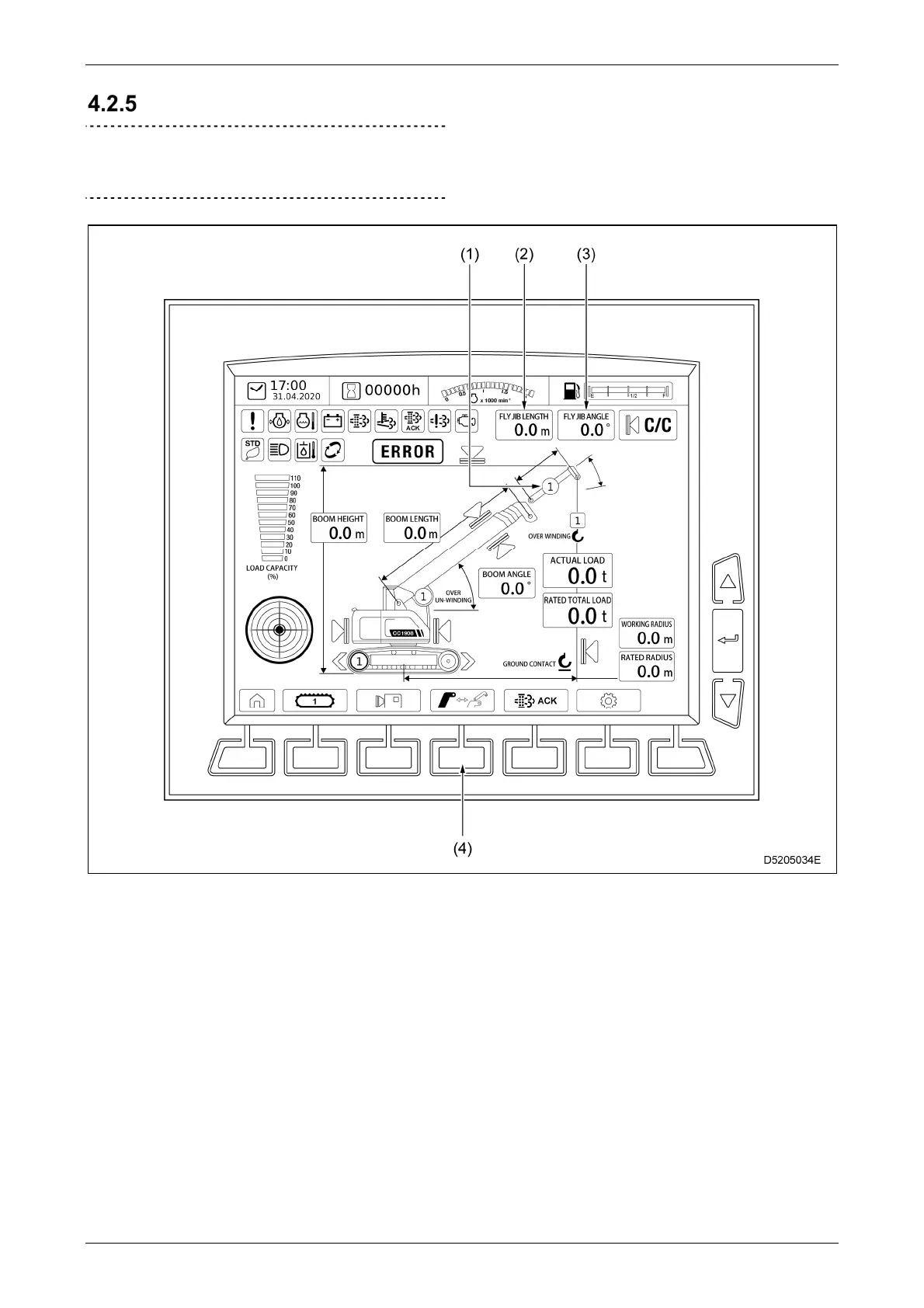
FLY JIB MODE SCREEN
IMPORTANT
For details on how to switch to fly jib mode,
contact our sales service agency.
(1) Fly jib boom section number display
(2) Fly jib length display
(3) Fly jib angle display
(4) Main boom/fly jib operation selector switch
This section describes only those items that
differ in fly jib mode. For details on other
items, refer to "4.2.2 HOME SCREEN" on
P. 4-5.
When the fly jib is stowed, the monitor display
changes as follows:
• The number of fly jib boom sections is
shown as "R".
• The fly jib length is not shown.
• The fly jib angle is not shown.



 To Next Page