M A E D A Crawler Crane 4.2 MONITOR
5/2020 CC1908S-1 4-17
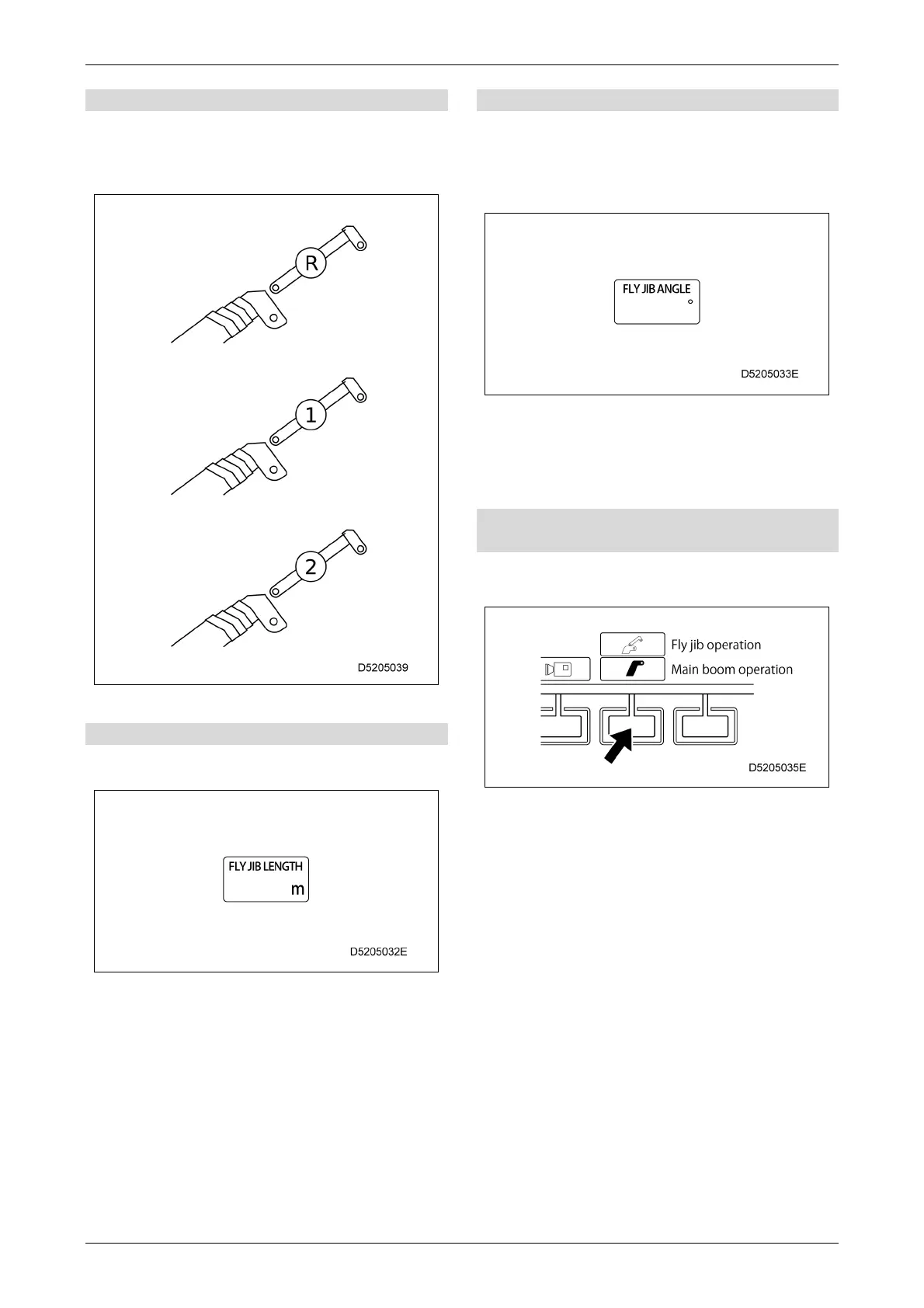
[1] Fly jib boom section number display
When the fly jib is stowed, "R" is shown.
When the fly jib is attached and fully retracted, "1"
is shown.
When the fly jib is extended, "2" is shown.
[2] Fly jib length display
Continuously shows the current fly jib length
during crane operation.
[3] Fly jib angle display
Continuously shows the current fly jib angle during
crane operation.
The angle of the fly jib will be 0 degrees when it is
parallel to the main boom. As the fly jib is lowered,
the angle increases.
The angle of the fly jib indicates the angle
with respect to the main boom, so it is not
affected by raising or lowering the main
boom.
[4] Main boom/fly jib operation selector
switch
Use this switch to select the main boom or fly jib
operation during crane operation.
The boom/fly jib selector switch on the
right-hand control lever can also be used to
switch between main boom and fly jib
operation.
If fly jib operation is selected, you cannot use
the telescoping and derricking operations at
the same time. The operation chosen first will
be performed.
Switching is not possible unless the operation
is first stopped.



 To Next Page