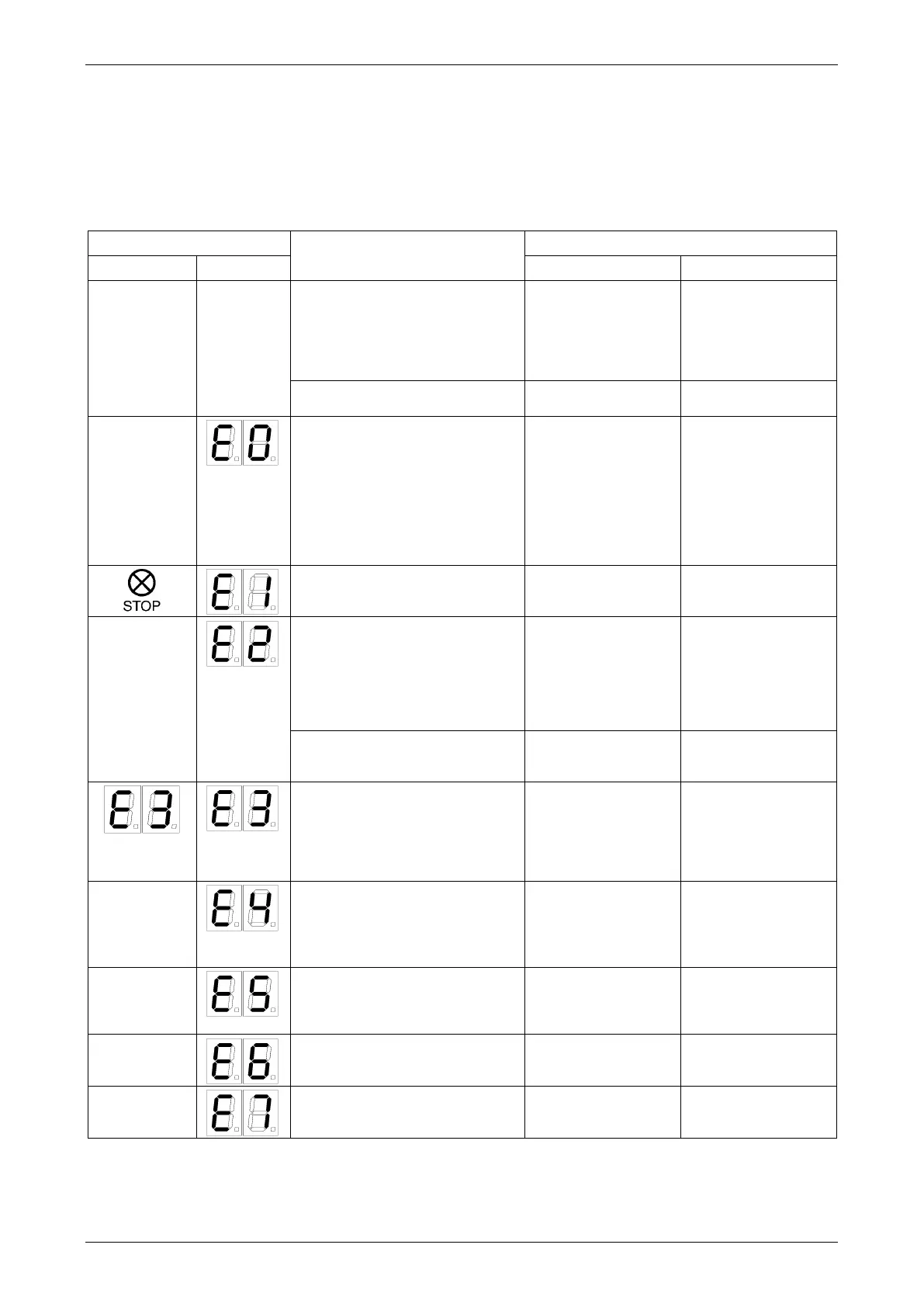
M A E D A Mini-Crawler Crane Section 5 – TROUBLESHOOTING
3/2019 MC305C-3 5-85
• At the error diagnosis, always verify the indications in the Monitor display in the Receiver and the LCD
screen in the Transmitter. Then find the suitable error display description in the table below so that the
cause is presumed, then, follow the recommended remedy in it.
• First, perform the "Remedy 1" in the table, then continue the "Remedy 2" where the error is not fixed yet.
• Remedies marked with * must inevitably be contacted us or our sales service agency.
• When any other causes are suspected than listed below, contact us or our sales service agency.
Receiver printed circuit board
(PCB) input voltage dropped.
• Relay PCB defective.
• Power line wire harness defective
between relay PCB and Receiver
PCB.
Communication error
• Relay PCB in the Crane side
defective.
• Wiring failure between the
communication PCB and the
Moment limiter display panel.
• The Moment limiter display panel
defective.
• Power ON again the
Transmitter and
Receiver
• Shut down the
electrical power of
the Crane, then ON
again.
The Transmitter is in emergency
stop
• Use the Reset button
to release the
emergency stop.
The Transmitter defective
• The Transmitter power is not ON.
• The Transmitter PCB defective.
• Wire cut in the Connection cable.
• Power ON again the
Transmitter
* Maintenance /
replace
* Maintenance /
replace
The Receiver defective.
• The Receiver PCB defective.
• Wiring problem in the Receiver
The Transmitter defective
• The Transmitter PCB defective.
• Voltage dropped in the
Transmitter.
• Wirings for Accelerator and
operation levers cut, or fault of VR.
• Return the
Accelerator lever and
power ON the
Transmitter, again
The Transmitter defective
• The Transmitter Accelerator lever
position defective.
• Return the
Accelerator lever and
power ON the
Transmitter, again.
The Transmitter defective
• The Accelerator lever was pulled,
when power was turned ON.
• Return the
Accelerator lever and
push the Reset
button.
The Receiver PCB defective
• Data error in the memory.
• Power on the
Receiver, again.
The Receiver PCB defective
• CPU error
• Power on the
Receiver, again.



 To Next Page