M A E D A Mini-Crawler Crane Section 4 – OUTRIGGER OPERATION PANEL
3/2019 MC305C-3 4-35
NOTICE: The table below shows the relation
between the operation position of the work
selector switch and permitted operations.
• Only the travelling operation is active when the
work selector switch is at the "Travel" position.
• When the work selector switch is at the
"Outrigger" position, all the devices in the table
below are active.
• Be sure to set the travelling lock lever to the
"LOCK" position and stow the crane when
operating the outriggers. Be careful not to touch
the operation levers of the crane.
• When the work selector switch is at the "Crane"
position, all the devices except for outrigger
operation in the table below are active.
• Be sure to set the travelling lock lever to the
"LOCK" position and set all the outriggers when
operating the crane.
Work
Selector
Switch
Operation
Position
Crane System (A: Active N: Not active)
Note 1: Operating the travelling lock lever to the "LOCK" side
restricts the travelling operation.
If the lever is not operated to the "LOCK" side, the
machine travels when a travelling lever is operated.
Note 2: The outrigger operation is enabled only when the
transmitter of the Remote Control System is in the
"OUTRIGGER mode".
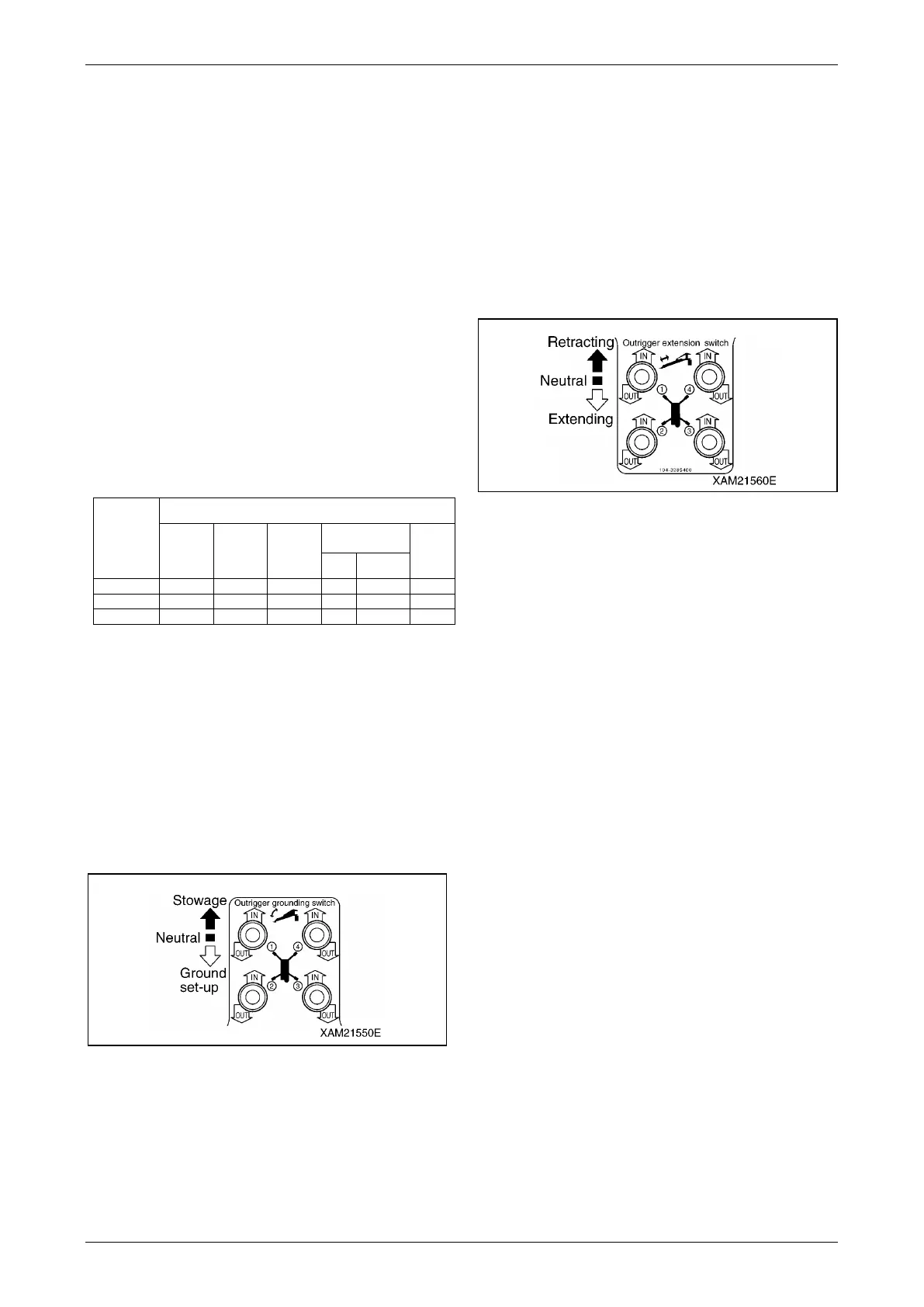
Outrigger Grounding Switches
Use these switches to set or stow the outriggers.
There are four outriggers ((1) to (4)). Each
outrigger can be operated independently or all
together.
Fig. 4-77
• IN: Push down the switch upward. The
outrigger setting cylinder retracts and
you can stow the outrigger.
• Neutral: Release your finger from the switch.
The switch returns to the "Neutral"
position and the outrigger setting
cylinder stops telescoping.
• OUT: Push down the switch downward. The
outrigger setting cylinder extends and
you can set the outrigger.
Outrigger Extension Switch
Use these switches to extend or stow the
outriggers.
There are four outriggers ((1) to (4)). Each
outrigger can be operated independently or all
together.
Fig. 4-78
• IN: Push down the switch upward. The
outrigger extension cylinder retracts
and you can stow the outrigger inner
box.
• Neutral: Release your finger from the switch.
The switch returns to the "Neutral"
position and the outrigger extension
cylinder stops telescoping.
• OUT: Push down the switch downward. The
outrigger extension cylinder extends
and you can extend the outrigger.



 To Next Page