McAfee Utilities
98 McAfee Office
Data style
Selecting a Data Style of Colo r Lines , Colo r Fill, S olid Lines, or Solid Fill makes
certain Colors options visi ble.
Siz e
Sele ct ing doub le wid e or tall, both, or default adj u sts the gauge s ize.
Gauge text
You can select whether to d isplay a gauge’s title and value, show the titl e
vertically or h orizontally, and show the value as a percent. You c an also select
whereonthegaugethetitleandvalueappear.
Colors
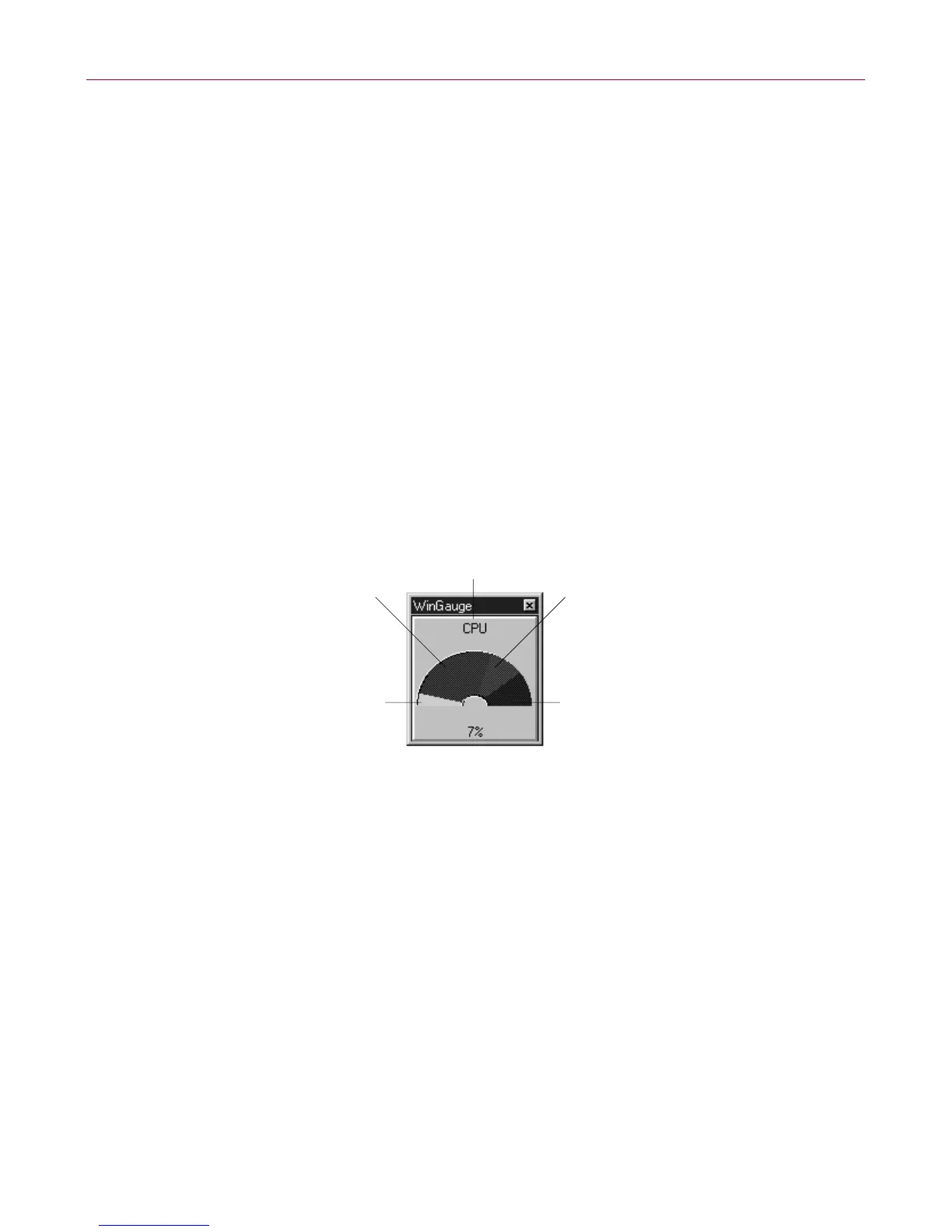
You can customize a gauge by changing the c olors. To change the color on any
part of the gauge, select the gauge part and click the Set Color button. A
stand ard W indows Colordialog box appears where you can select basic colors
or define your own custom colors.
• Text (default black )–Sets the color for gauge text (visible when Gauge Text
issettoeitherorboththeTitleandValue).
• Regular (default lime green)–Sets the color fo r regul ar data us age (visible
whe n Data St yle is set to Color Lines or Color Fill).
• Regular Background (default ol ive green)–Sets the color for the regular
background of the gauge indicator.
• Warning Background(defaultkhakibrown)–Sets thecolorfor thewarning
background of the gauge indicator.
Alarm Background
(default maroon red)
Warning Background
(default khaki brown)
Text
(default black)
Regular Background
(default olive green
Regular
(default lime green)



 To Next Page