User’s Guide 99
McAfee Utilities
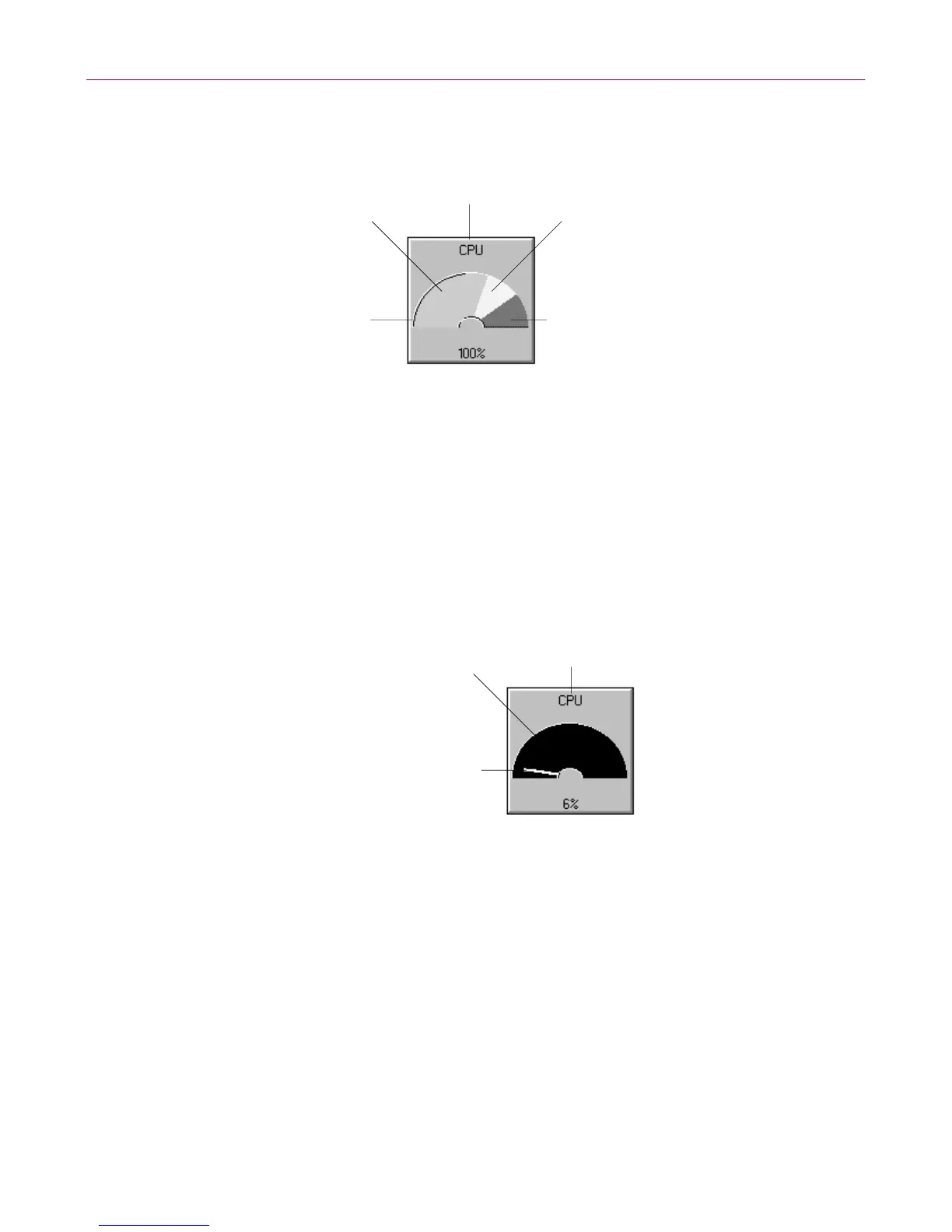
• Alarm Background (default maroon red)–Sets the color for the alarm
background of the gauge indicator.
• Warning (default bright yellow ) –Sets t he color for warning data usage
(visible when Data S tyle is s e t to Color Lines or C olor Fill).
• Ala rm ( de f ault bright red)–Sets the color for the alarm data usage (visible
whe n Data Style i s set to Color Lines o r C olor Fill).
• Fram e (default white)–Selects Frame from the Colors drop-down list box.
Then select an edge of th e gauge preview to turn on or o ff the gauge’s
high lighted e dges. You can also change the c olor used for t he frame in t he
Color dialog box (click the Set Color button).
• Ba ckground (defaultblack)–Setsthe color for the gauge’sd atabackground
(visible when Thr eshold Style is set to Lines or None).
• Solid Pointer (default white)–Sets the color for the gauge’s data usage
indicator (v isible when Data Style is s et to S olid Lines).
Properties: Thresholds tab
The Thr esho lds tab conta ins sev e ral options from which to se t gauge warnings
and alarms.
Regular
(default lime green
Frame
(default white)
Text
(default black)
Warning
(default bright yellow)
Alarm
(default bright red)
Text
(default black)
Background
(set Threshold style to
None - default black)
Solid Pointer
(set Data Style to Solid
line - default white)



 To Next Page