6 - 4 VM600 networking manual MAVM600-NET/E
Edition 9 - February 2018
Stopping CPUM Configurator
CPUM CONFIGURATOR
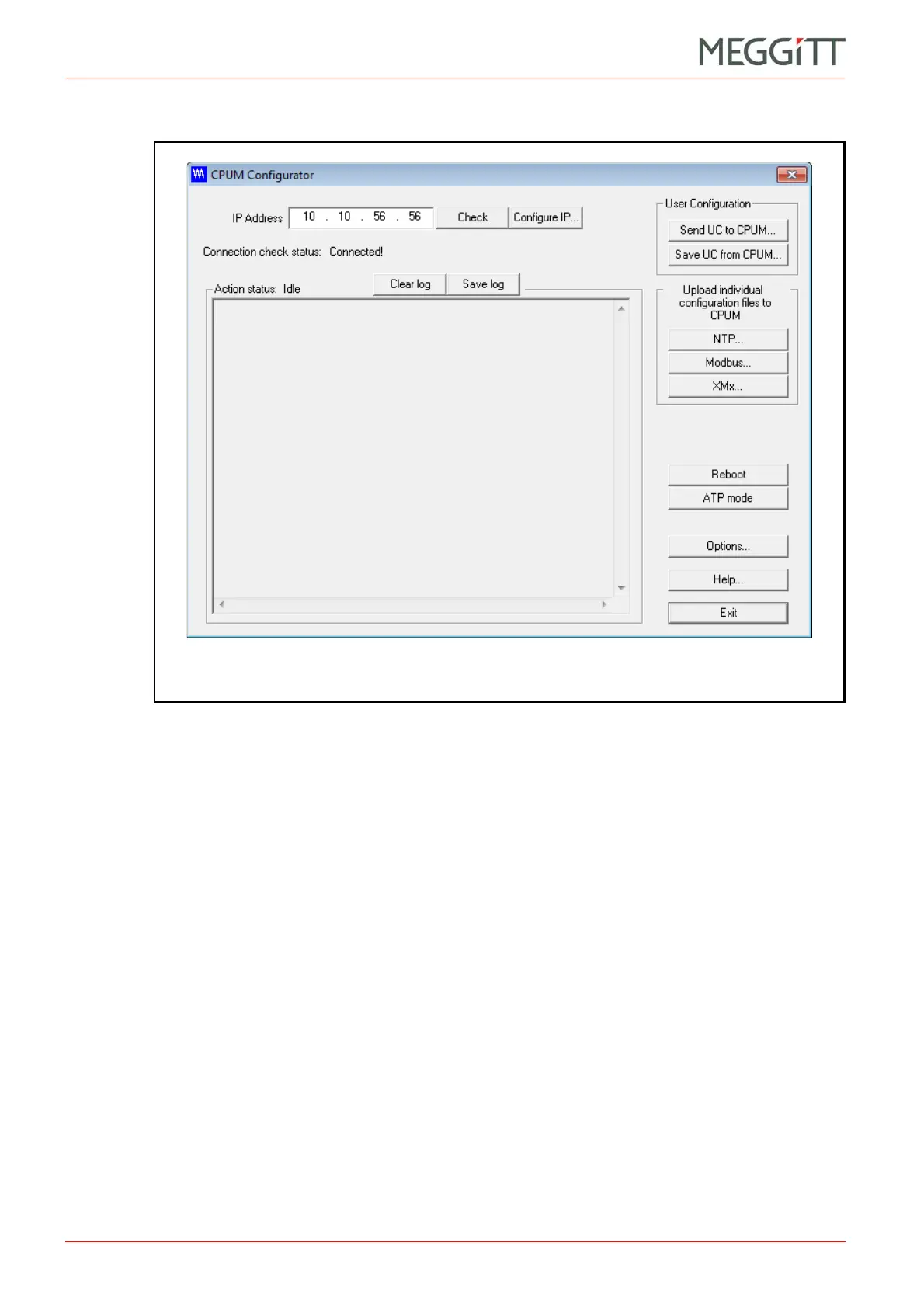
3- The CPUM Configurator window is displayed, as shown in Figure 6-1.
6.4 Stopping CPUM Configurator
To close CPUM Configurator, either:
• Click the Exit button.
• Or click the Windows Close button (top right).
This closes the connection to the CPUM card and exits CPUM Configurator.
6.5 Help on using CPUM Configurator
To obtain help on using CPUM Configurator:
• Click the Help button or press the F1 key.
The CPUM Configurator Help window that is displayed must be closed before continuing to
work with CPUM Configurator.
Figure 6-1: CPUM Configurator



 To Next Page