11-3-5. Hysteresis of comparator
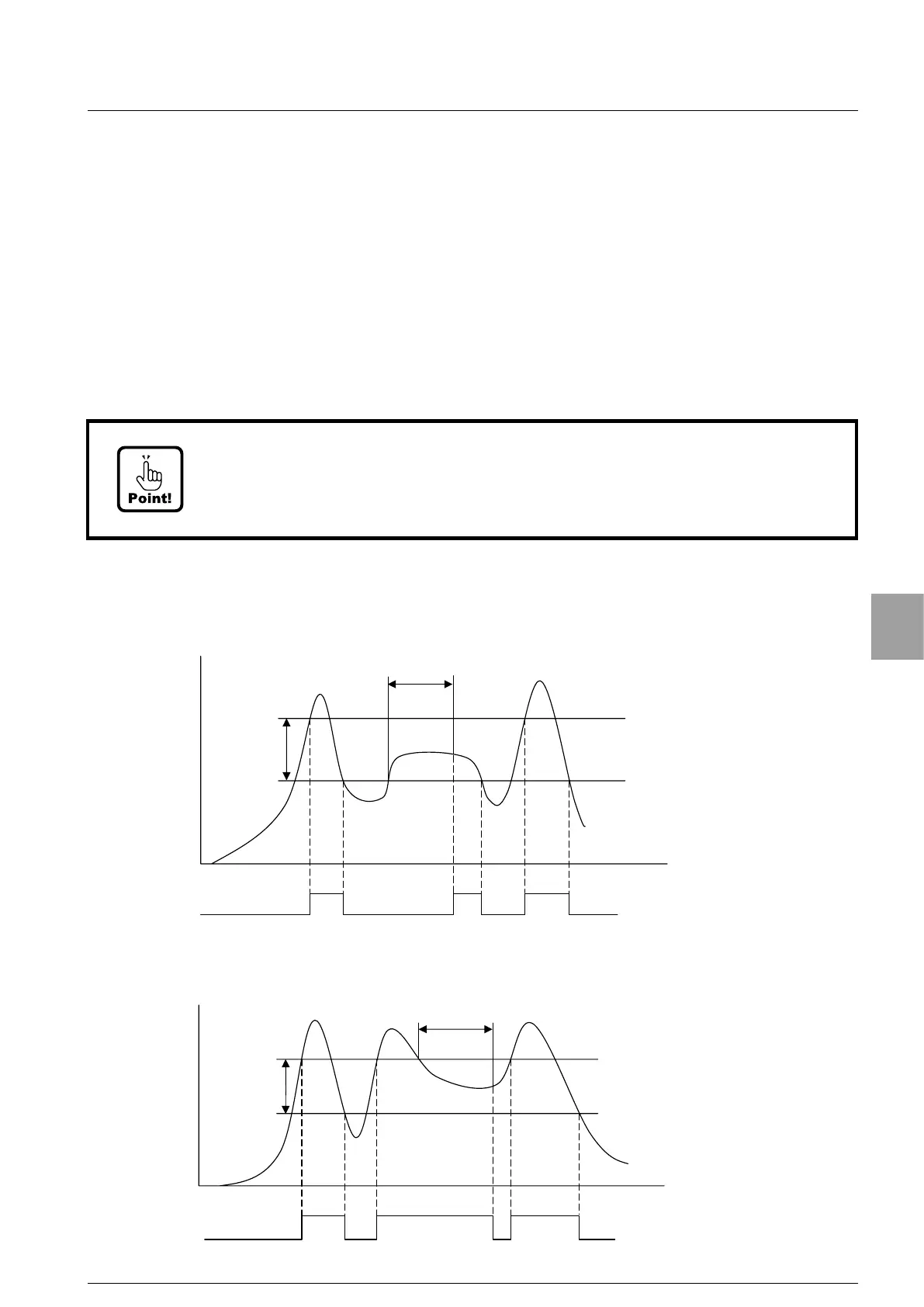
Hysteresis can be set because the comparator S0, S1, S2, S3 and S4 prevent the
chattering of each output (phenomenon that ON/OFF is repeated in detail when the
signal divides the change). Hysteresis combines and uses the setting of data width and
time width. Moreover, effective directions of hysteresis can be selected from either [Off
Delay] or [On Delay]. These ar
e selected in the function mode of [Operating condition of
comparator hysteresis], [Comparator hysteresis data width] or [Comparator hysteresis
time width]. (Relative function F-24, F-25 and F-26)
Please refer to [7-2. Function data list]
Default has set as [On Delay] and [OFF] for hysteresis.
The operation of each output when the comparator hysteresis is set is indicated as follows
as an example of
S0. The operation of S1, S2, S3 and S4 are similar.
(1)When the operation by [More than set value] with S0 is selected, and an effective direction
of hysteresis is set to [On Delay].
Ќ
Ѝ
S0 output ON
S0 output OFF
Hysteresis
data width
S0 set value
Time
(2) When the operation of [More than set value] with S0 is selected, and an effective direction
of hysteresis is set to [OFF delay].
Ќ
Ѝ
S0 output ON
S0 output OFF
Hysteresis
data width
S0 set value
Time
• The ON/OFF condition of each output is different according to the setting of the
comparator hysteresis. Please note that the output of ON/OFF condition becomes
improper, and it causes an unexpected accident due to the malfunction of
peripherals, etc., when wrong operation is selected.
71
Setting of Comparator


 To Next Page