98/128
T25 System Manual Part 2: System Expansion with MxEasy
© MOBOTIX AG • Security-Vision-Systems • Made in Germany
www.mobotix.com • sales@mobotix.com
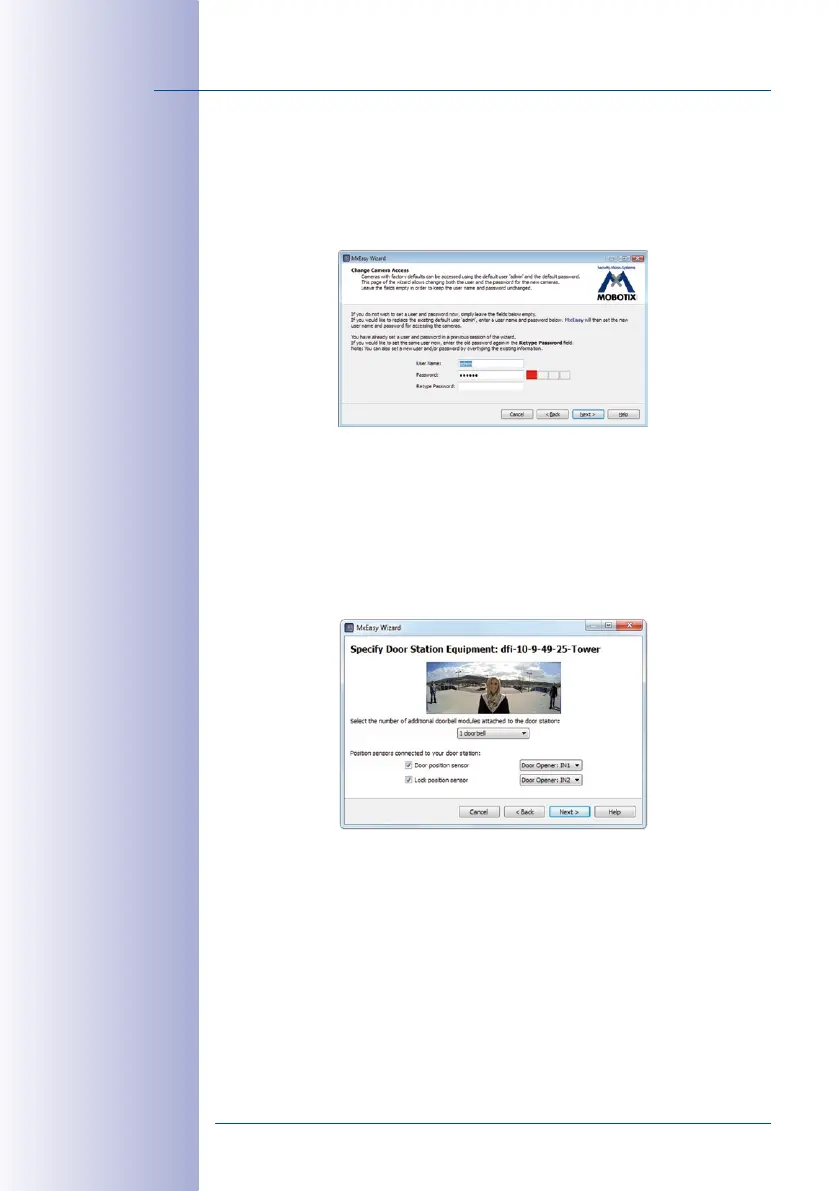
Step5: Skip the Camera Access Dialog
It is no longer necessary to enter a new password or user name because the Super PIN
has already changed the default access data and the system is therefore securely encrypted.
Click Continue without completing the fields. The next window, Specify Door Station
Equipment, opens.
Step6: Specify Door Station Equipment
The T25 includes a fixed bell button on the camera module and – if it exists for your sys
-
tem – one on the KeypadRFID. These bell buttons have the same functionality and have
already been integrated into the system during Auto Configuration.
When using the BellRFID as access module, the module itself sets the number of bell but
-
tons that are available. If an MX-232-IO-Box is connected, the system always has two
bell buttons. In these cases, you cannot select the number of bell buttons.
Check if the system’s door sensors have been activated and the connection terminals
have been properly assigned in order to get the correct door status displays (door open/
closed/locked) in MxEasy. For more information on the labels of the door sensor connec
-
tions, see also
Section 2.4.4, «Setting the Door Status Display»
.
1. Select the number of bell buttons that actually available (e.g. third-party module
with 1 to 4 bell buttons), without counting the bell button at the camera module (this
selection is not available if a BellRFID module or an MX-232-IO-Box is attached).



 To Next Page